Download Airline Commander APK 2.7.3 for Android

RORTOS APK
5
1 ratings
1.7K+
Downloads
v2.7.3
Version
363MB
Size
Android 5.0
Requires
App Info
Name Airline Commander: Flight Game
Publisher RORTOS
Version 2.7.3
Size 363MB
Requires Android 5.0
Get it on Google Play ↗
Downloads 1,697
Price FREE
Rating
5/5 (1)
Author
Updated
(11 months ago)

Airline Commander turns a phone into a working cockpit, but the modded APKs floating around it are also where most “free unlimited credits” promises quietly hide a malware problem.

Airline Commander is a flight simulation game from the Italian studio RORTOS, the same team behind RFS – Real Flight Simulator and Extreme Landings. You start as a rookie pilot, earn licenses through in-game exams, open routes between real airports, and slowly grow a fleet into a full airline. It looks simple on a download page, yet the gap between the clean Play Store build, a harmless tweaked APK, and a credential-stealing fake is wider than most “mod” sites ever admit. This guide covers what the game actually is, how the original makes money, what a mod changes, and how to install any version without putting your device or your account at risk.

What Airline Commander Is and Who Made It

Airline Commander is a free-to-play airline management and flight simulator for Android and iOS, developed and published by RORTOS. The core idea blends two things most plane games keep separate: hands-on flying (takeoff, navigation, landing) and business management (buying aircraft, opening routes, growing revenue).

RORTOS is an Italian company founded in 2012 that focuses purely on mobile flight simulators, and its catalog has passed 200 million downloads across all titles as of early 2026. Airline Commander itself launched on Google Play in July 2018 and has grown to around 81 million downloads with a 4.23 out of 5 rating from roughly 520,000 reviews, according to AppBrain data from February 2026. The current build is version 2.7.3, while older releases such as 1.9.6 (2023) and 2.5.5 (late 2025) still circulate on third-party APK sites.

How the Game Plays: Licenses, Routes, and a Real Airline Loop

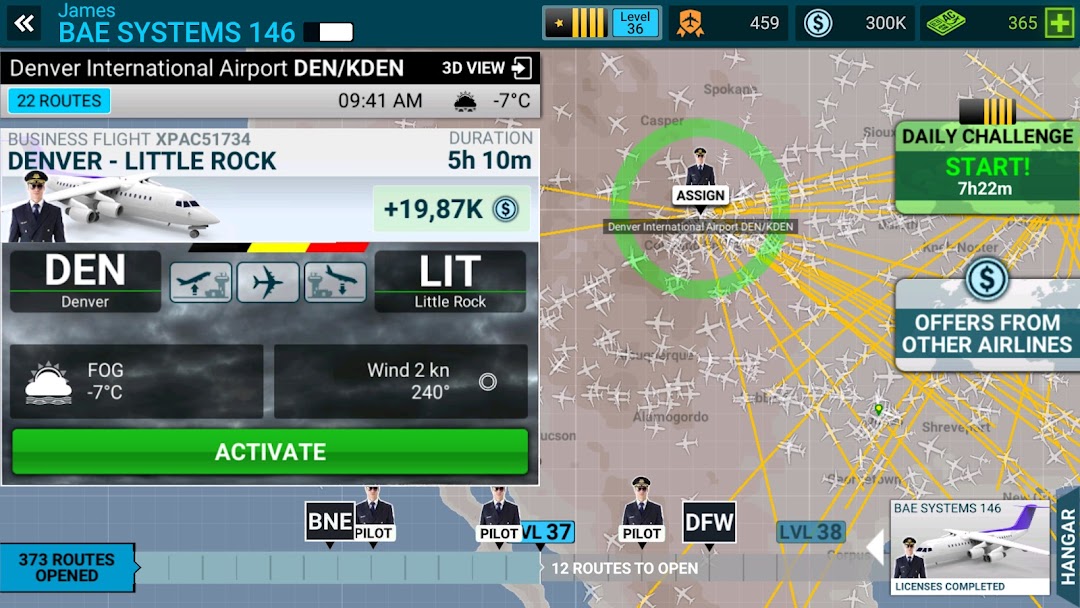
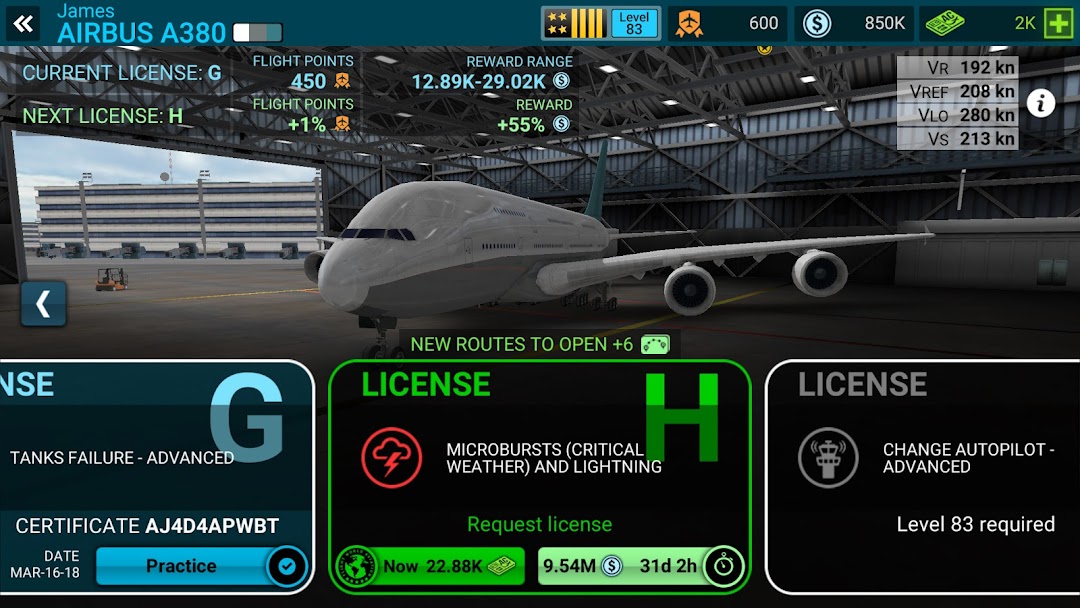
The gameplay loop is build, fly, earn, expand. You take an exam to earn a license, that license unlocks larger aircraft and longer routes, you fly those routes to bank cash and contracts, then you reinvest in better planes and new hubs. Progression is gated by skill and currency rather than by a story.

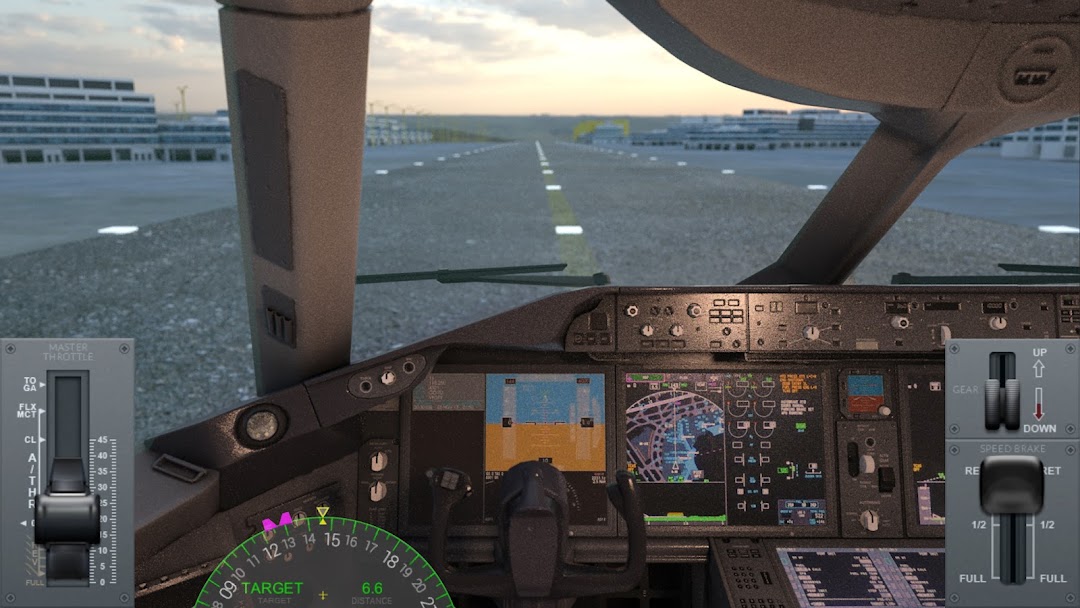
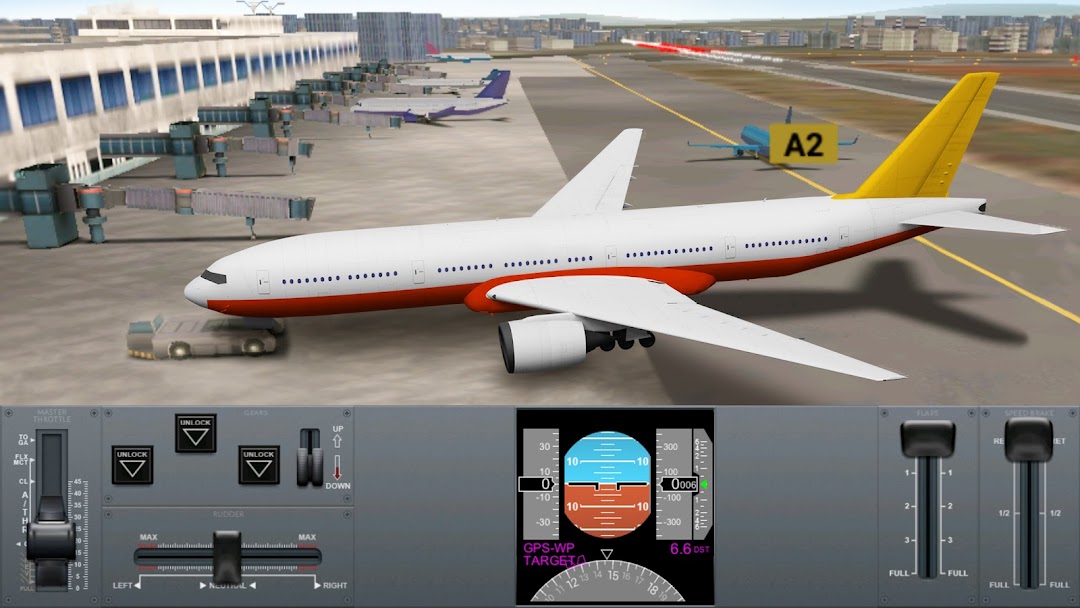
Flying itself is a full procedure, not a single tap. A typical flight runs through pushback, taxi to the runway, takeoff, climb, cruise with navigation, descent, approach, and landing, and the game grades how cleanly you handle each phase. Steering is done by tilting the device or using on-screen controls, and the better your handling, the more your airline earns. Because there is no fixed campaign, the game rewards repetition: every completed flight feeds back into your balance and your reputation as a commander.

The Aircraft Fleet and the Worldwide Airport Network

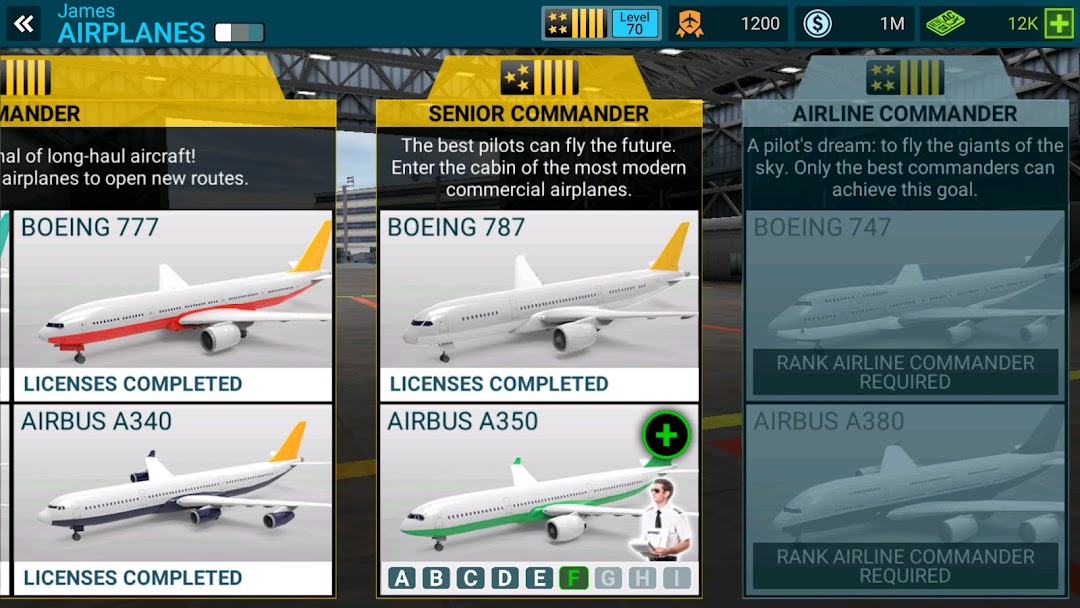
Airline Commander ships with dozens of airliners spread across turbine and jet types, single-deck and double-deck bodies, plus cargo and private aircraft. You unlock heavier and more complex planes as your licenses improve, and each model handles differently in the air.

The map side is the part that surprises new players. The game uses HD satellite imagery and worldwide navigation data to recreate over 100 real airports and runways, from easy international strips to short, awkward approaches in difficult terrain. Real-time air traffic with real airline names runs around you on the ground and in the sky, and you can repaint the livery of every plane in your fleet in 3D. Dozens of main hubs with taxiways connect into thousands of possible routes, which is what gives the airline-building side its sense of scale.

Simplified vs Advanced Controls: Picking Your Flight System

Airline Commander offers two flight systems so it works for both beginners and serious sim fans. The simplified system adds navigation help and softens the harder parts of flying, while the advanced system hands you closer to full manual control over the aircraft.

The realism runs deeper than the controls, though. Once you switch off the training wheels, the game throws in malfunctions and weather to keep flights tense. You can face failures of sensors, instruments, fuel tanks, landing gear, and engines, plus problems with flaps, rudder, air brakes, and radar, all on top of wind, turbulence, and fog at different severity levels. Each failure becomes a small problem to solve mid-flight, and handling it well is what separates a casual player from a confident commander.

AC Credits and How the Original Game Makes Money

The free version of Airline Commander runs on two currencies and ads. You earn regular in-game money by completing flights, contracts, and challenges, while AC Credits act as the premium currency used to speed up licenses, unlock content faster, and skip slower progression.

This matters because it explains exactly what the mod versions target. In the official build, AC Credits come slowly through play or through in-app purchases, and ads appear between sessions. The grind is the business model: RORTOS keeps the download free and earns from players who pay to move faster or remove ads. Knowing this makes it easier to judge what a modded APK is really doing when it advertises “unlimited everything.”

What the Airline Commander Mod APK Changes

A modded Airline Commander APK is a repackaged version of the official game edited to switch on paid or locked content for free. It does not add new gameplay; it removes the limits RORTOS built in. The features advertised across mod sites are consistent and usually include:

  • Unlimited money and AC Credits, so you can buy aircraft, upgrades, and licenses without grinding or paying.
  • All planes unlocked from the start, instead of earning them through exams.
  • All airports and liveries unlocked, opening the full route map immediately.
  • No ads, removing the interruptions in the free build.
  • Guaranteed mission success on some versions, where flights and exams pass regardless of how the landing actually goes.

One technical detail is worth flagging because it is genuine and often missed: many of these mods only work if you first install the official version, complete the in-game tutorial, and then install the modded build on top without uninstalling. If you skip that order, the mod frequently fails to launch or refuses to save. That requirement also tells you something useful, which is that these files are tampering with how the game stores and validates data, not just unlocking a menu.

How to Download and Install the APK Safely

Installing any APK outside the Play Store means enabling “Install unknown apps” for your browser or file manager, a permission worth switching back off the moment you are done. The standard sideloading process is short, and the safety lives in where the file comes from rather than in the taps themselves.

  • Download the APK only from a source you have reason to trust, then check the file size against the official figure of roughly 537 MB for the current build. A file that is far smaller is a red flag.
  • Open your device settings, go to apps or security, and grant “Install unknown apps” to the specific app you are installing from.
  • Tap the downloaded APK and follow the prompts. If the file is a split package (XAPK), use a reputable installer that handles it.
  • If you are using a mod that requires it, install the official Airline Commander first, finish the tutorial, and only then install the modded APK over it.
  • After installation, return to settings and turn off the “Install unknown apps” permission you granted.

You can find current builds of Airline Commander and other simulation titles, along with version notes, on the modlmh homepage.

Visit modlmh Homepage ›

Common Problems and How to Fix Them

Most Airline Commander issues trace back to three things: the download itself, the mod install order, or the device. Here are the failures players hit most and what actually resolves them.

The mod installs but will not open or save progress

This is almost always the install-order problem. Uninstall the mod, install the official version from the Play Store, complete the tutorial fully, then install the mod on top without deleting the original. If it still refuses, the modded file is likely broken or built for a different version than 2.7.3.

The game crashes on launch or during a flight

Crashes usually come from low storage, an outdated device, or a corrupted download. Airline Commander needs roughly 537 MB just for the APK and more once it loads map and aircraft data, so free up several gigabytes first. Confirm your phone meets the Android 6.0 or higher requirement, clear the app cache, and if a download was interrupted, delete it and grab the file again.

Controls feel unresponsive or the plane drifts

Tilt steering depends on your device’s accelerometer, so recalibrate the controls in the game’s settings and play on a flat, steady surface. If tilt frustrates you, switch to the on-screen control scheme, which many players find more precise for landings.

Your account gets flagged or progress resets online

If you signed into competition mode or an online profile from a modded build, the game can detect the altered data and reset or restrict it. There is no clean fix once it happens, which is exactly why account-linked play and mods do not mix.

A modded APK is only as safe as its source, and the legal side is not in your favor. Files from unknown sites can carry malware, adware, or token-stealers hidden inside a working game, and Android cannot vouch for anything installed outside the Play Store. The “unlimited money” headline is the bait that gets people to disable their own protections.

Even a clean mod carries two real costs. The first is account risk: Airline Commander has online and competition features, and signing into them from a tampered build can get your profile flagged, reset, or banned under RORTOS terms of service. The second is fairness and respect for the developer. RORTOS is a small studio that funds free games through ads and purchases, so using a mod removes the income that keeps the game updated. Modding for offline solo play is a gray area many players accept, but distributing or monetizing cracked builds is a clear violation, and this guide does not cover bypassing payments or DRM. If your account or your data matters to you, the safest path is the official version, and if you do try a mod, keep it on a device with nothing sensitive on it and never sign into a real account from it.

Airline Commander vs Other RORTOS Flight Sims

If Airline Commander does not fit how you want to fly, RORTOS makes two strong siblings that sit at different ends of the realism scale. The choice usually comes down to whether you want airline management, raw flying, or pure emergency challenge.

RFS – Real Flight Simulator is the studio’s most advanced sim, built around detailed cockpits, full flight planning, and live multiplayer airspace, which suits players who want depth over the business layer. Extreme Landings strips away the airline entirely and focuses on handling aircraft through critical failures and emergencies, so it plays more like a series of high-pressure puzzles. Airline Commander sits in the middle, lighter than RFS on procedure but richer on the management loop, which is why it stays the easiest RORTOS entry point for someone who likes the idea of running an airline rather than just flying one plane. Outside RORTOS, titles like Aerofly FS and Infinite Flight lean further into pure simulation, but they trade away the airline-building hook that defines Airline Commander.

Frequently Asked Questions

Is Airline Commander free to play? Yes. The game is free to download on Android and iOS, and it earns through ads and optional in-app purchases such as AC Credits. You can progress without spending, but the official build is built around a grind that paying speeds up.

Can you play Airline Commander offline? Mostly yes. Core flying and airline management work offline once the game is installed, but some features, real-time traffic, and online or competition modes need an internet connection.

Is Airline Commander available on iOS? Yes. RORTOS publishes it on both the App Store and Google Play. Mod APKs, however, only apply to Android, since iOS does not allow standard sideloading of modified apps.

How do you unlock new planes in the original game? You earn licenses by passing in-game exams and improving your control during takeoffs and landings. Each new license opens up heavier aircraft and longer routes, while AC Credits and in-game money let you actually buy them.

Why does the mod need the original game installed first? Many mods rely on data the official version writes during its tutorial, so they ask you to install the original, finish the tutorial, then install the mod over it without uninstalling. Skip that order and the modded build often fails to launch or save.

Is the modded version safe to use? Only as safe as where you got it. Unknown sources can hide malware, and signing into an online account from a mod can get it flagged. Treat any mod as untrusted software and keep it away from accounts and devices you care about.

The Bottom Line on Airline Commander

Airline Commander earns its 81 million downloads by doing something few mobile sims attempt, combining real flying procedure with the slow satisfaction of building an airline from one rookie license up. The official version on Android and iOS is the version worth recommending for almost everyone, because it keeps the progression, the online modes, and your account intact. The modded APKs are tempting for offline players who only want to skip the grind, but they trade away safety, account access, and support for the developer, and the only files worth touching are ones whose size and source you can verify. If you are new, start with the official build, learn to land cleanly using the simplified controls, and earn your first few licenses before deciding whether any shortcut is worth the risk.

Comments (0)

© Copyright 2020 - 2026 MODLMH.COM

b52 | b52 | sunwin | gem88 | go88 | Sunwin | https://iwin.jp.net/ | kqbd | go88 | bomwin | hitclub | rikvip | iwin | b52 | ok9 today | Trang chủ Jun88 | hi88 | fb88 | kubet | w88 | fun88 | i9bet | v9bet | sv388 | tỷ lệ bóng đá | sunwin | hitclub | nổ hũ | tỷ lệ kèo nhà cái | xoso66 | Rr88 | vmax | bắn cá đổi thưởng | https://b52-club.bz/ | 78win.dental | soc88 | win79 | bet88 | jun88 | Nowgoal | go88 | BK8 | keo nha cai | kèo nhà cái | sunwin | 7M | hitclub | 7m | b52 | sunwin | go88 | lô đề online | https://mubet.tv/ | bongdalu | kèo bóng đá | C168 | 789bet | go88 | 789win | game bai | 33Win | Open88 | tỷ lệ kèo nhà cái | nhận định kèo nhà cái | IWIN | RIKVIP | iwin club | hitclub | kèo nhà cái | tài xỉu | RR88 | https://goal123.com.se/ | 88nn.com.mx | bongdaso.team | b52club | luck8 | good88 | b52 | CM88 | bk8 | tài xỉu online uy tín | Socolive | https://alfredosuarez.com.mx/ | https://sin88.com/ | Xoso66 | hay88x.it.com | f8betz.it.com | Tải 789club | Gemwin | Z8BET | xóc đĩa | lương sơn tv | haywin | sx88 | bongdaso | bongdalu | https://1gom.gg/ | b52 club | thapcamtv | gavang | gavangtv | luongsontv | kqbd | Kèo nhà cái | keo nha cai | soi kèo nhà cái | tải go88 | game bắn cá đổi thưởng | game đổi thưởng | iwin club | tải sunwin | ricbet | b52club | b52club | uu88 | 7m | nhandinhkeonhacai.info | Kết quả bóng đá | VA88 | SC88 | Socolive trực tiếp | F168 | SC88 | F168 | FLY 88 | 789club | b52club | 78Win | Hit club | GO88 | tot88 | UU88 | QS88 | NK88 | xoso66 | Vip66 | https://188bet.org.mx/ | https://sa88.com.im/ | CM88 | FLY 88 | ev99 | tài xỉu | kèo bóng đá | tỷ lệ kèo | tỷ lệ kèo | Cakhiatv | Socolive | kjc | https://123bong.biz/ | xoilac | iwin club | Go88 | kèo nhà cái 18 | ev99.review | SC88 | socolive | MM88 | hay88 | 8kbet | 8kbet | 8kbet | Sc88 | twin68 | WIN79 | ga6789 | sunwin | Tải Go88 | https://68gamebai.quest/ | sunwin20 | https://taisunwin20.co.com/ | Zowin | Mubet | GG88 | socolive tv | luck8 | 33win com | Kèo Nhà Cái | GO88 | HitClub | HitClub | 789Club | gowin | 789club | ok9 | game bài đổi thưởng | nhacaiuytin.moi | bongdalu.army | okvip | sam86 | ฟัน88 | bắn cá đổi thưởng | go88 | 7m.band | LV88 | KP88 | OPEN88 | đánh bài ăn tiền | VB777 | U888 | 789bet | jalalive | k88 | go88 | 8kbet | trang cá cược bóng đá | tylekeo36.com | 789win | xóc đĩa online | 789win | FUN88 | I9BET | https://7mm.dev/ | Kèo Nhà Cái 5 | KUBET | SUNWIN | https://open881.net/ | 6ff | https://jbo.center | vip66 | https://keonhacai5.io/ | U888 | good88 | cf68 | b52club | https://ae8888.lat/ | Fun88 | tg88 | au88 | rr88 | kqbd | mu88 | 7mcn | open88 | Nbet | sunwin | 789win | thapcam | 90phut | 79win | bgibola | FB88 | FB88 | KK55 | nhà cái uy tín | kuwin | ml 88 | sunwin | https://tensen.io/ | kèo bóng đá | soi keo | 78win | o8 | win79 | win 79 | sun win | đánh đề online | Tỷ lệ kèo nhà cái | B52club | nowgoal | 555win | Fun88 Viet | 8kbet cc | 8us | M88 login | W888 | Fun888 | Kèo nhà cái | nhà cái uy tín | bongdawap | ok365 | https://smartknit.io/ | ON68 | nowgoal com | MM88 | shbet | shbet | cakhiatv | FLY88 | https://s8tvq.com/ | fo88 | 86bet | Sonclub | https://999bet.casa | OPEN88 | Nohu90 | 98win | Ko66 | iwin68 | sanclub | hbet