Review Bug Heroes 2: Premium Mod Apk 1.02.02 (Unlimited Money, Unlimited Diamonds, All Heroes Unlocked)
Foursaken Media APK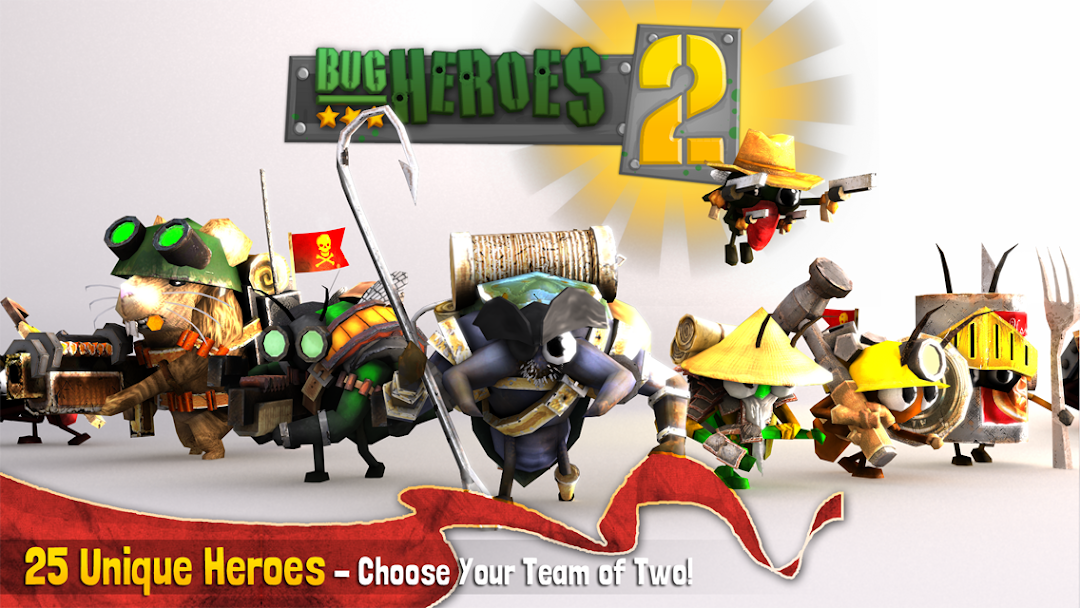
| Name | Bug Heroes 2: Premium |
|---|---|
| Publisher | Foursaken Media |
| Version | 1.02.02 |
| Size | 14MB |
| Requires | Android 5.0 |
| Get it on | Google Play ↗ |
| Category | Strategy |
| Downloads | 571 |
| Price | FREE 1.99 USD |
| Rating |
★
★
★
★
★
0/5
(0)
|
| Author | |
| Updated |
Bug Heroes 2: Premium is a game you already pay $1.99 to fully unlock, so most of what a Bug Heroes 2 Premium mod apk advertises, like “No Ads” and “Unlocked Everything,” you already own the moment you buy it.
Bug Heroes 2: Premium is a paid action, strategy, and tower defense hybrid from Foursaken Media, and the phrase “Bug Heroes 2 Premium mod apk” usually means a modified build promising unlimited money, diamonds, and every hero unlocked. I want to be straight with you before you download anything. This game is not a free-to-play grind machine with a hard paywall. It is a one time purchase where the “Premium” label already removes ads and opens the full content. That single fact changes what a mod is actually worth, and almost none of the download pages ranking for this game will tell you so.
- What Bug Heroes 2: Premium Actually Is
- Free Version vs Premium: What Your
.99 Already Unlocks
- How Money Works in Bug Heroes 2: Gold Coins, Diamonds, Food, and Spare Parts
- The 25 Heroes and Which Ones Are Worth Building First
- Game Modes: Missions, Endless, Skirmish, and 2v2 Multiplayer
- Is Bug Heroes 2 Offline or Online?
- Bug Heroes 2: Premium Mod Apk Features
- Does the Unlimited Money Mod Actually Work?
- Is the Bug Heroes 2 Mod Apk Safe, and Can You Get Banned?
- How to Install the Bug Heroes 2: Premium APK
- Playing Bug Heroes 2 on PC With an Emulator
- What’s New in the Latest Version
- Tips to Survive Longer in Endless Mode
- My Verdict on the Bug Heroes 2 Mod
What Bug Heroes 2: Premium Actually Is
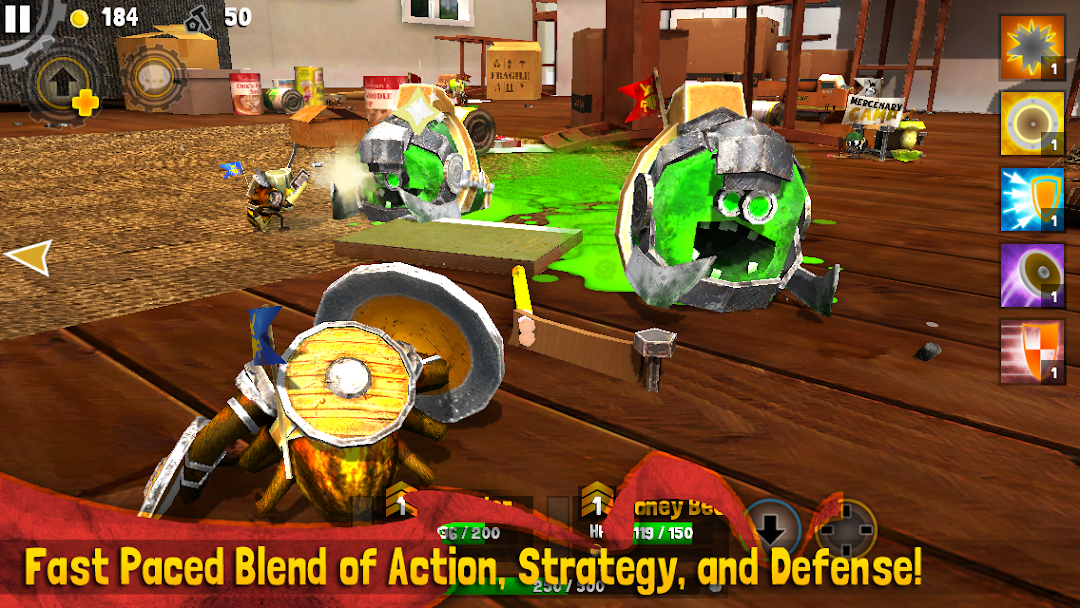
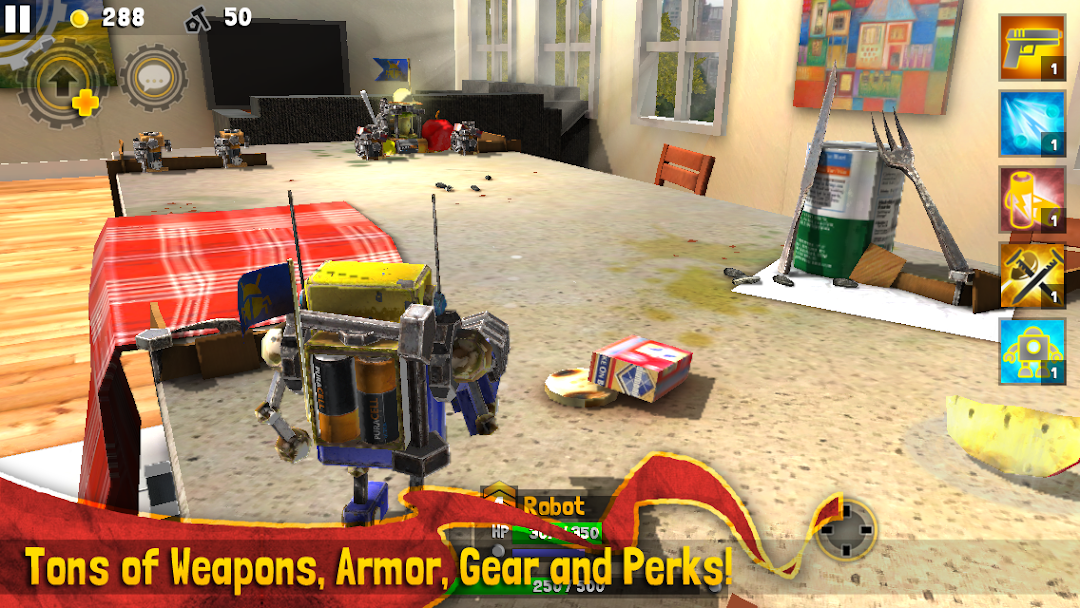
Bug Heroes 2: Premium is a squad based action game where you control two tiny insect heroes at once and defend a Food Stash from waves of enemies. It comes from Foursaken Media, the same studio behind Heroes & Castles, Block Fortress, and War Tortoise. The setting is small and clever. Every fight happens on a kitchen counter, a floor, or a backyard lawn, and those everyday spaces become huge battlefields when you are the size of a beetle.
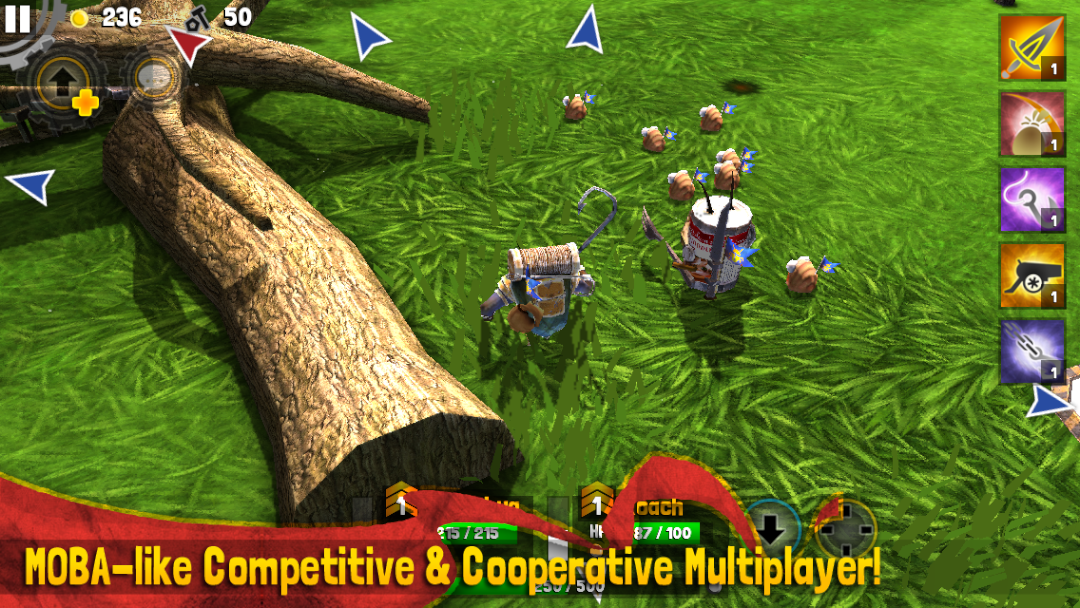
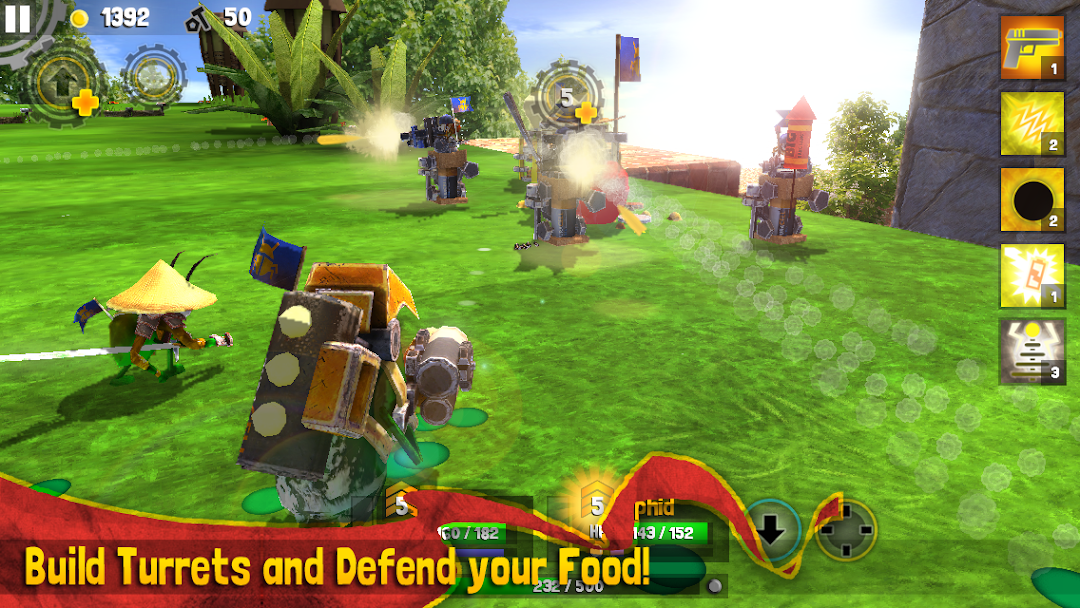
The core loop mixes three genres that rarely sit together. You play it like a third person shooter, aiming and dodging in real time. You manage resources like a strategy game, scavenging food and spare parts. And you fortify a base like a tower defense game, dropping turrets and outposts around your stash. You swap between your two heroes on the fly, which means you can tank with one and shoot with the other in the same second. As of September 2025 the game holds a rating near 4.6 stars from roughly 5,500 reviews, and the paid Premium version has passed 50,000 downloads on Google Play.
Free Version vs Premium: What Your $1.99 Already Unlocks
The Premium purchase removes interstitial ads and gives you the complete game with no ad gated hearts or lives. This is the single most important thing to understand before you chase a mod, because it means “No Ads” and “Full Version Unlocked” are things you get by paying, not things only a mod can provide.
There are two products with almost the same name. The free “Bug Heroes 2” ran interstitial ads and offered an opt in ad to earn extra hearts. The paid “Bug Heroes 2: Premium” strips those ads out and hands you the full experience for a one time $1.99. So when a mod page lists “Ad Free” or “Unlocked Everything” as headline features, it is quietly describing what the official Premium build already does. If you have bought Premium, those two mod perks add nothing at all. The only mod features that change anything for a Premium owner are the ones that touch the in game economy, which I will break down next.
How Money Works in Bug Heroes 2: Gold Coins, Diamonds, Food, and Spare Parts
Bug Heroes 2 runs on four separate resources, and “unlimited money” only touches two of them. Understanding the split tells you exactly what a mod can and cannot speed up.
Gold coins are earned inside each match and spent right there to buy weapons, armor, and stat upgrades. A “BUY” prompt appears once you have saved enough, and every upgrade is per hero rather than shared, so you build each bug separately. Diamonds are the rarer currency. You earn them by completing missions, and you spend them on scrolls that permanently boost a hero. Food is the resource you defend. You scavenge it, store it in your Food Stash, and you can even consume it to heal in a pinch. Spare parts, sometimes called junk, are what you use to build and upgrade turrets and outposts during a battle.
Because coins and diamonds are the two currencies that gate your power, they are the real target of any “unlimited money” mod. Food and spare parts reset each match, so no mod meaningfully changes them. When a page says “Unlimited Money,” it almost always means gold coins, and sometimes diamonds too, depending on the build.
The 25 Heroes and Which Ones Are Worth Building First
Bug Heroes 2 gives you 25 unique heroes, and you pick two to form a squad. Each one has a distinct weapon, ability set, and role, so the smart move is to pair complementary jobs rather than two of the same.
The roster leans on strong personalities. You get a hook wielding Waterbug pirate, an old Aphid sensei, a boxing Bumblebee, a grenade launching Worm, a poison focused Stinkbug, a heavy hitting Beetle warrior, an Ant marksman, and a Spider that works well as an early attacker. New heroes open up as you progress, and the acquisition order is fixed rather than random.
If you are choosing your first squad, think in roles instead of favorites:
- One tanky melee bug to hold the front and soak damage while your stash is under pressure. The Beetle warrior and other high armor bugs fit this job.
- One ranged damage bug to clear waves from behind cover. The Ant marksman and the Worm cover this with strong single target and area damage.
- Specialize each hero’s upgrades rather than spreading coins thin. Push attack on your damage dealer and defense or health on your tank, since upgrades are per hero and coins come slowly in the normal game.
This role first approach matters more than any tier list, because the game rewards a squad that can both survive and delete waves, not two bugs that do the same thing.
Game Modes: Missions, Endless, Skirmish, and 2v2 Multiplayer
The game packs four kinds of play, and they split cleanly into offline and online, which matters a lot for the mod question later. Single player content is the heart of it, with a full set of missions, an Endless survival mode, and a base versus base Skirmish mode.
Missions are your campaign, each with its own objective, from pure defense to going on the attack, and completing them earns stars and diamonds. Endless mode drops you into a survival run where waves keep coming and you defend the Food Stash as long as you can. Skirmish pits your base against an enemy base, so the goal is to break their stockpile before they break yours. On top of that sits a MOBA style multiplayer layer with up to 2v2 competitive and cooperative matches, plus seasonal events that rotate through the year. The multiplayer is ranked and cross platform, and it feeds leaderboards, which is exactly why a modded save behaves so differently online than offline.
Is Bug Heroes 2 Offline or Online?
Bug Heroes 2 is playable offline for all of its single player content, and many people buy it specifically as a solid offline game. Missions, Endless, and Skirmish all run on your device without a connection. The online parts are the 2v2 multiplayer, the leaderboards, and the cloud save that syncs progress across devices.
This split is the key to the whole mod question. Your gold coins, diamonds, and hero progress in single player live in a local save on your phone. The competitive layer, on the other hand, runs against real opponents and posts to shared leaderboards through the developer’s servers. So a change you make to your local save has a very different fate depending on whether you stay offline or step into a ranked match.
Bug Heroes 2: Premium Mod Apk Features
Here is an honest read on the features these modified builds claim, and what each one really does inside this specific game rather than a generic promise copied across a hundred download pages.
Unlimited Money (Gold Coins). This is the one feature with real impact for a Premium owner. Coins buy weapons, armor, and per hero stat upgrades during play, and they normally accumulate slowly. A build that inflates your coin balance lets you kit out both heroes right away instead of grinding several runs for one weapon tier. Because single player is local, this works while you play offline.
Unlimited Diamonds. Diamonds buy scrolls that permanently strengthen a hero, and you normally earn them by finishing missions. Modding diamonds high lets you stack scroll boosts without completing the mission chain first. Like coins, this only reliably affects your local, offline progression.
All Heroes Unlocked. The 25 heroes usually open one at a time as you advance. A mod that unlocks the full roster gives you every bug immediately, which is convenient if you want to test squad combinations without playing through the unlock order.
No Ads and Full Unlock. I am listing these only to be clear. If you own Premium, they are already yours from the $1.99 purchase, so a mod adds nothing here. These labels matter for a modified free version, not for the Premium build.
One caution on honesty. No mod invents new heroes, new modes, or a “god mode” that this game does not have. If a page promises features that are not part of Bug Heroes 2, that is a red flag about the file, not a bonus.
Does the Unlimited Money Mod Actually Work?
Unlimited money works in single player because that progress sits in a local save on your device, but it does not carry cleanly into ranked multiplayer, and it can put your leaderboard standing and cloud save at risk. That is the trade off the download pages skip.
Think about it through the game’s own architecture. Offline, there is no server checking your coin total against normal earning rates, so an inflated balance simply lets you buy gear faster in your own missions and Endless runs. Online is a different world. The competitive matches are cross platform and ranked, and scores post to shared leaderboards. Values that look impossible next to normal play are the easiest thing for any competitive system to flag, and they also ruin the point of a fair match. On top of that, the game uses cloud save that syncs between devices, and there are well documented cases of the auto upload overwriting a good save with a bad one. If your modded local save syncs up, you can lose real progress. So the accurate answer is that the mod helps a solo, offline player and creates problems for anyone who touches multiplayer, leaderboards, or cloud sync.
Is the Bug Heroes 2 Mod Apk Safe, and Can You Get Banned?
A modified APK from a random site carries the usual risks of any unofficial file, and while single player play is low risk, using modded values in ranked multiplayer is where a ban or a lost standing becomes realistic. Safety here is less about the game punishing you and more about where the file came from.
The main dangers are practical. An APK from an unknown source can carry malware or data harvesting code, and you have no way to audit what is inside. Bug Heroes 2 also uses Google Play billing and a license check, so a cracked or heavily altered build can break purchases, updates, or the cloud save entirely. Because single player is offline, there is no anti cheat watching your solo runs, so a ban from just playing missions is unlikely. The exposure sits in the online layer. If you carry obviously modded stats into ranked 2v2 or onto the leaderboards, that is exactly the kind of activity competitive systems act on, and it can cost you your standing or your online access. You also give up the developer’s update path, which means you stop getting the bug fixes and multiplayer patches that Foursaken Media still ships.
If you would rather start from a scanned, tested copy than a random file from search results, you can begin at the homepage here:
How to Install the Bug Heroes 2: Premium APK
Installing an APK by hand is called sideloading, and the safe version of it is short. Before anything else, back up your current save, because the cloud auto upload can overwrite good progress with a new install.
- Enable installs from unknown sources for the specific app you will download with, usually your browser or file manager, in Android settings.
- Review the file. The Premium build is large, around 319 MB, and it may arrive as an XAPK or split APK package that bundles extra data. If so, you will need a split APK installer such as SAI or a similar tool rather than a plain tap to install.
- Install the package, then open the game once to confirm it launches and reaches the menu without crashing.
- Turn the unknown sources permission back off once you are done, so nothing else can install quietly later.
Stay at standard sideloading. I will not walk you through altering the game’s files, bypassing its billing, or building your own mod, because that crosses from installing an app into tampering with the developer’s work.
Playing Bug Heroes 2 on PC With an Emulator
Bug Heroes 2 runs well on PC through an Android emulator, and a fair number of players actually prefer it there. The appeal is twofold. You get keyboard and mouse aim, which suits a game built around real time shooting, and you sidestep the mid battle crashes that some phones report.
The usual route is an emulator like BlueStacks, where you install the game and map movement and abilities to keys or a controller. Because Bug Heroes 2 has cloud save, you can move between your phone and the emulator and keep your progress, as long as you let the correct save sync and do not overwrite the newer one. For anyone whose mobile device crashes during longer runs, the PC route is often the more stable way to enjoy the harder Endless and Skirmish sessions.
What’s New in the Latest Version
The current release is version 1.02.02, with the last major update landing in September 2025. Recent patches have focused on stability and fair play rather than new content, which fits a game the studio still quietly maintains years after launch.
Across the recent version history, Foursaken Media fixed cross platform multiplayer connection issues and noted that everyone in a match must be on the same current build to connect. They also added automatic data recovery after unexpected save loss, added an Auto Buy option that purchases the next weapon or armor you can afford, and cleaned up a batch of ability, sync, and crash bugs. Earlier builds like version 1.02.02 laid the groundwork, and the newest version continues the same maintenance path. If you use a modded APK, remember that it can lag behind these official versions, which is a common reason modded multiplayer simply refuses to connect.
Tips to Survive Longer in Endless Mode
Endless mode is where most players hit a wall, and a few habits carry you much further than raw upgrades. The theme is simple. Protect the stash, control the map, and specialize your two heroes.
- Build outposts early. They produce coins, pull some pressure off your main turrets, and give you more room to scavenge safely.
- Favor gunner turrets around the Food Stash so ranged waves get chipped down before they reach you.
- Eat your food to heal when a hero is low, since the stash doubles as an emergency health source.
- Use cover constantly. The game is built around positioning, so fighting from behind objects beats standing in the open every time.
- Upgrade one specialty per hero. Push your damage dealer’s attack and your tank’s defense instead of splitting coins evenly.
My Verdict on the Bug Heroes 2 Mod
Bug Heroes 2: Premium is a genuinely good game that deserves the small price it asks, and I would rather see you own it clean than gamble on a random file. The honest truth is that the mod’s headline perks, no ads and full unlock, are already baked into the $1.99 Premium purchase, so the only thing a mod really adds is unlimited gold coins and diamonds to skip the upgrade grind. That has some value if you only play offline missions and Endless mode, where nobody is affected and nothing gets flagged. The moment multiplayer, leaderboards, or cloud sync enters the picture, that same modded save turns into a liability that can cost you your progress or your online standing. Buy the Premium version, keep your save backed up, and if you ever try a modified build, treat it as an offline only experiment and nothing more.
you can spend in-game money as you like, it doesn't matter how much money you have
Install the official, unmodified build straight from Google Play.
Android emulator to run BUG HEROES 2: PREMIUM APK smoothly on PC.
Choose the source that fits your device
Bug Heroes 2: Premium
Original build on Google Play · Android
GET ↗
Play on PC with LDPlayer
Android emulator · supports Bug Heroes 2: Premium · Windows
GET ↗