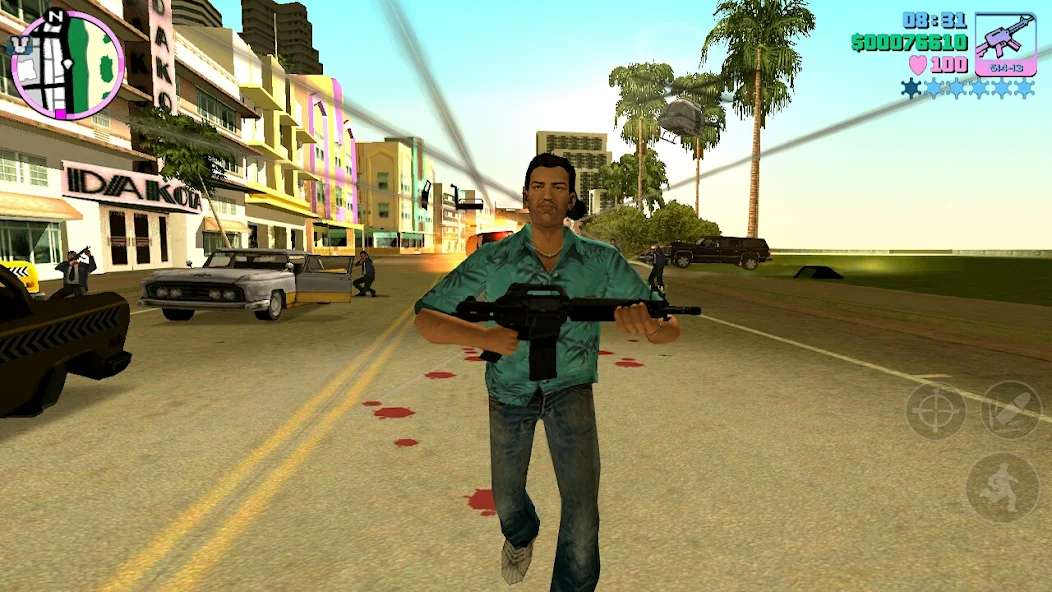
How to Review GTA Vice City With an English Localization Patch (Full Android and PC Guide)
| Name | How to Review GTA Vice City With an English Localization Patch (Full Android and PC Guide) |
|---|---|
| Category | Tips & Tricks |
| Downloads | 191 |
| Price | FREE |
| Rating |
★
★
★
★
★
0/5
(0)
|
| Author | |
| Updated |
Note: The original Android build of GTA Vice City doesn’t come with a Vietnamese language option built in, which is why the community-patched version exists to let Vietnamese players enjoy the game in their own language.
If you’ve been trying to find GTA Vice City with a Vietnamese localization and keep seeing the game display in English no matter what, that’s exactly the issue: the official mobile release has never officially supported Vietnamese. In this article, I’ll show you how to get the correct localized version and install it properly on both Android and PC, along with common pitfalls so you don’t end up reinstalling over and over.
- What Exactly Is the Vietnamese-Localized GTA Vice City, and How Do You Review It Correctly?
- How to Review the Vietnamese-Localized GTA Vice City on Android
- How to Review and Localize GTA Vice City on PC/Laptop
- Review GTA Vice City with Vietnamese Localization
- What PC Specs Do You Need to Play GTA Vice City With the Localization Patch?
- Is Reviewing the Vietnamese-Localized GTA Vice City Safe?
- Do You Need an Internet Connection to Play the Vietnamese-Localized GTA Vice City?
- Conclusion
- Explore more games and apps at MODLMH
What Exactly Is the Vietnamese-Localized GTA Vice City, and How Do You Review It Correctly?
The Vietnamese-localized version of GTA Vice City is a community translation, where Vietnamese gamers translated the dialogue and interface text and packaged it as a patch applied on top of the original game. Rockstar has never released an official Vietnamese version, so everything you see with Vietnamese text out there is entirely the work of local fan translators.
On mobile, the classic Android build stopped at version 1.12 and always requires an accompanying OBB data package to run. Rockstar has since pulled this version from the Play Store in favor of the Trilogy Definitive Edition and the Netflix-hosted version, so version 1.12 is now mainly shared through Vietnamese gaming sites. On PC, you download the original game and then copy a Vietnamese patch folder over it, that’s all it takes. Understanding these two paths will keep you from accidentally downloading the English version and wondering why there’s no Vietnamese text.
How to Review the Vietnamese-Localized GTA Vice City on Android
On Android, you need all three components for the game to both run and display Vietnamese: the installer APK file, the OBB data package, and the Vietnamese localization patch. Missing the OBB leaves the game stuck on a black screen when launched, while missing the patch means the game runs fine but shows English.
- Enable installs from unknown sources: go into your phone’s Settings and allow your browser or file manager to install apps from outside the Play Store (Unknown sources). This is standard Android sideloading, not any kind of jailbreak.
- Install the APK file: open the downloaded APK, tap Install, and wait for it to finish. Don’t open the game yet.
- Copy the OBB package to the correct location: extract the DATA file and place the data folder into the Android/obb path. A wrong path is the most common reason the game fails to launch.
- Apply the Vietnamese localization patch: copy the files from the patch package over into the game’s folder following the translator’s instructions, choosing to overwrite when prompted.
- Open the game and verify: if dialogue and mission text appear in Vietnamese, you’ve done it correctly.
If you want to play around with cheat codes or spawn vehicles, once everything’s running stably you can additionally install CLEO, though this is optional and not required for the localization to work. If you’re also playing other classic GTA titles on mobile, it’s worth checking out the guide on localizing GTA Liberty City Stories on Android too, since the OBB and patch process is nearly identical.
How to Review and Localize GTA Vice City on PC/Laptop
The process on PC is even lighter than on mobile since you don’t have to deal with OBB files at all. You just need the original game and a localization patch folder to copy over it.
- Review and extract the game: use a recent version of WinRAR or 7-Zip to unpack the files. Note: don’t name the game’s folder using Vietnamese characters with diacritics, since this older game is prone to path errors.
- Test-run the original game: open gta-vc.exe first to confirm the game launches properly before applying the patch.
- Copy over the localization patch: open the patch folder, copy all the files inside, and paste them into the game’s folder, choosing Replace to overwrite existing files.
- Fix mouse issues if you encounter them: some PCs running this older build get their mouse cursor stuck in-game, in which case copying a Fix Mouse package into the game folder resolves it.
The Vietnamese-patched PC version runs very smoothly on Windows 10 and 11, and since the game is quite old, nearly any modern PC can handle it easily. If you’d rather grab a full package with the localization already integrated, check the GTA Vice City download page to get a file that’s already been verified instead of hunting down random links.
Review GTA Vice City with Vietnamese Localization
What PC Specs Do You Need to Play GTA Vice City With the Localization Patch?
For a game from the 2000s, specs are barely a concern. What matters most is free storage space rather than hardware power.
On Android, you should keep at least around 1.5GB free for both the game and the OBB data, though this figure is just a reference and can vary depending on the version you download. Any mid-range phone from the past few years handles it comfortably. On PC, the original requirements call for something around a Pentium III processor and a few hundred MB of RAM, meaning it’s light enough that even a basic office laptop can run it. In short, if your machine can run today’s common games, Vice City won’t be an issue at all.
Is Reviewing the Vietnamese-Localized GTA Vice City Safe?
Safety depends entirely on where you download from. Since the localized version is a community-shared file, the biggest risk is running into a fake APK or a file laced with malware from a junk site. Fortunately, Vice City is a fully offline single-player game, so there’s no risk of account bans, but your device can still end up with unwanted software installed if you download carelessly.
A few things I’d recommend: only download from a vetted source, scan the APK file for viruses before installing, and avoid any version that requests unusual permissions like contacts or messages access (an offline game has no legitimate need for those permissions). Stick to these principles and the installation stays within normal sideloading territory, nothing to worry about.
Do You Need an Internet Connection to Play the Vietnamese-Localized GTA Vice City?
No. Vice City is a fully offline single-player game, so once you’ve downloaded and installed everything, you can play without any internet connection at all. You only need internet to download the installer and OBB files initially, once you’re actually playing, you can turn off your connection entirely and it’ll run just as smoothly.
Conclusion
To sum it all up, the key to downloading the Vietnamese-localized GTA Vice City is picking the right platform and the right source: on Android, you need the APK, OBB, and localization patch all together, while on PC, you simply copy the patch over the original game. Remember to scan files for viruses before installing and avoid random floating links. If you’d rather avoid the risk entirely, just download an already-verified version and follow the steps above in order, and you’ll have a Vietnamese-speaking Vice City ready to relive your childhood with.
Explore more games and apps at MODLMH
Android emulator to run HOW TO REVIEW GTA VICE CITY WITH AN ENGLISH LOCALIZATION PATCH (FULL ANDROID AND PC GUIDE) APK smoothly on PC.
Choose the source that fits your device
Play on PC with LDPlayer Android emulator · supports How to Review GTA Vice City With an English Localization Patch (Full Android and PC Guide) · Windows GET ↗