Download GUNSHIP BATTLE: Helicopter 3D APK 2.8.21 for Android

JOYCITY Corp. APK
2.4
9 ratings
2.3K+
Downloads
v2.8.21
Version
165MB
Size
Android 4.0
Requires
App Info
Name GUNSHIP BATTLE: Helicopter 3D
Publisher JOYCITY Corp.
Version 2.8.21
Size 165MB
Requires Android 4.0
Get it on Google Play ↗
Downloads 2,267
Price FREE
Rating
2.4/5 (9)
Author
Updated
(1 year ago)

The most powerful helicopters in GUNSHIP BATTLE: Helicopter 3D sit behind a slow gold grind, and the modded APKs that promise to hand them over are also where most of the real risk hides.

GUNSHIP BATTLE: Helicopter 3D is a third-person helicopter combat game from JOYCITY Corp., where you pilot rotary and fixed-wing aircraft through military missions around the world. The official version is free to download, but its strongest machines stay locked behind gold, in-game draws, and long hours of grinding. That gap is the reason modded APKs exist, and it is also why the choice between the official app and a mod is less obvious than most download pages admit. This guide covers what the game actually is, what a mod changes, how to install an APK without wrecking your phone, and where the genuine dangers sit.

What Is GUNSHIP BATTLE: Helicopter 3D?

GUNSHIP BATTLE: Helicopter 3D is a free action game where you control a combat helicopter and complete military missions across global theaters. It was built by The One Games and is published by JOYCITY Corp., a Korean studio active since 2011. The game has been online for over a decade since its 2013 launch, which is rare staying power for a mobile title.

The scale is large. JOYCITY’s own store listing claims more than 70 million downloads, and third-party trackers such as AppBrain estimate over 100 million installs as of 2026. It holds a 4.5-star rating on Aptoide and has collected more than 2.4 million reviews across stores. In short, this is an established game with a long history, not a fresh release, and that matters when you weigh a modded build against the official one.

How GUNSHIP BATTLE Plays: Controls and Missions

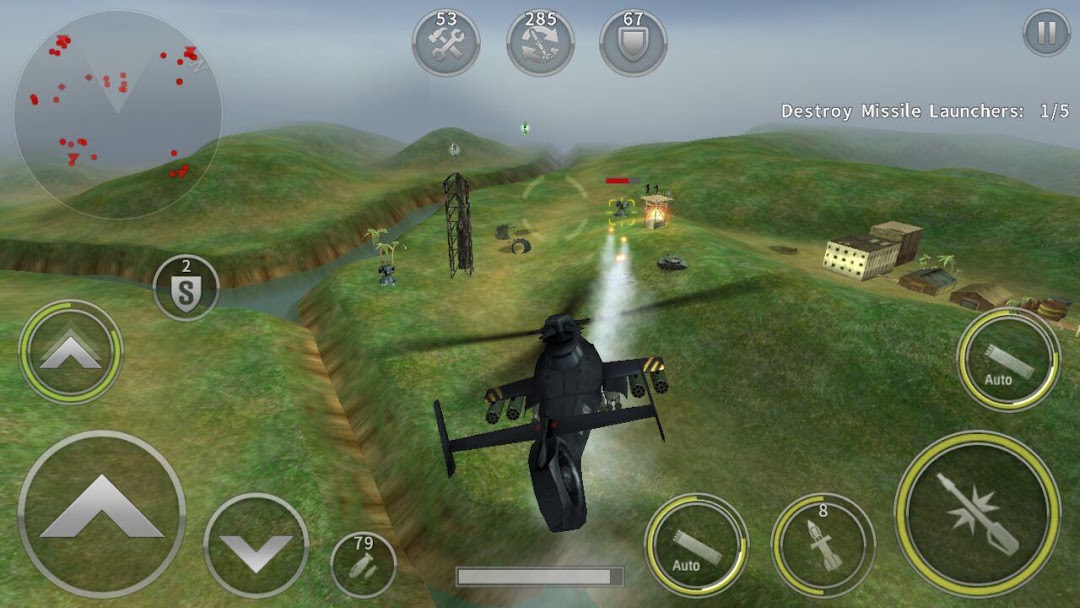
You play from a third-person view, flying a chopper through missions where you attack ground targets, ships, submarines, and enemy aircraft. Early missions point you at static targets like bases and watchtowers. Later ones throw tougher opponents at you, including battleships and other helicopters that shoot back.

The control scheme mixes two inputs. You tilt your phone to steer left and right using the accelerometer, and you tap on-screen buttons to fire weapons and accelerate. Most players find it easy to learn within the first mission or two. The flight model is arcade-style rather than a true simulator, so expect responsive, forgiving handling instead of realistic physics. You can also resize and reposition the controls, and the game supports Bluetooth or Wi-Fi gamepads if you prefer physical buttons.

Aircraft, Weapons, and the Workshop

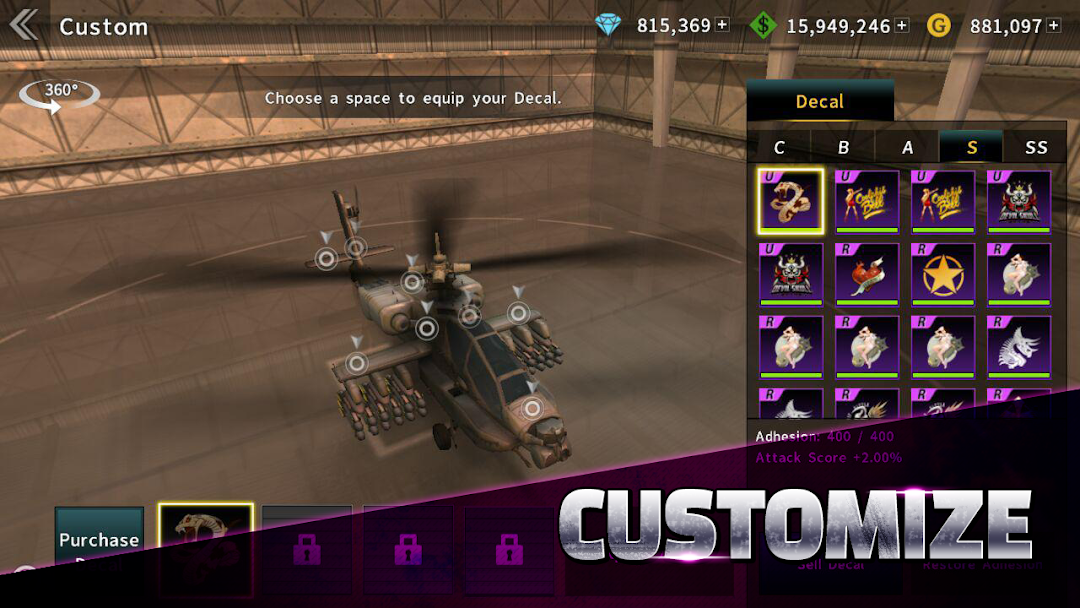
Your fleet is the core of the progression, and you expand it by unlocking aircraft and bolting on better gear. The roster spans attack helicopters and fixed-wing VTOL aircraft, including newer additions like the Gunship Raider and machines such as the S-97 Raider that show up in update notes. Each aircraft has its own characteristics, so a build that suits one mission may struggle in another.

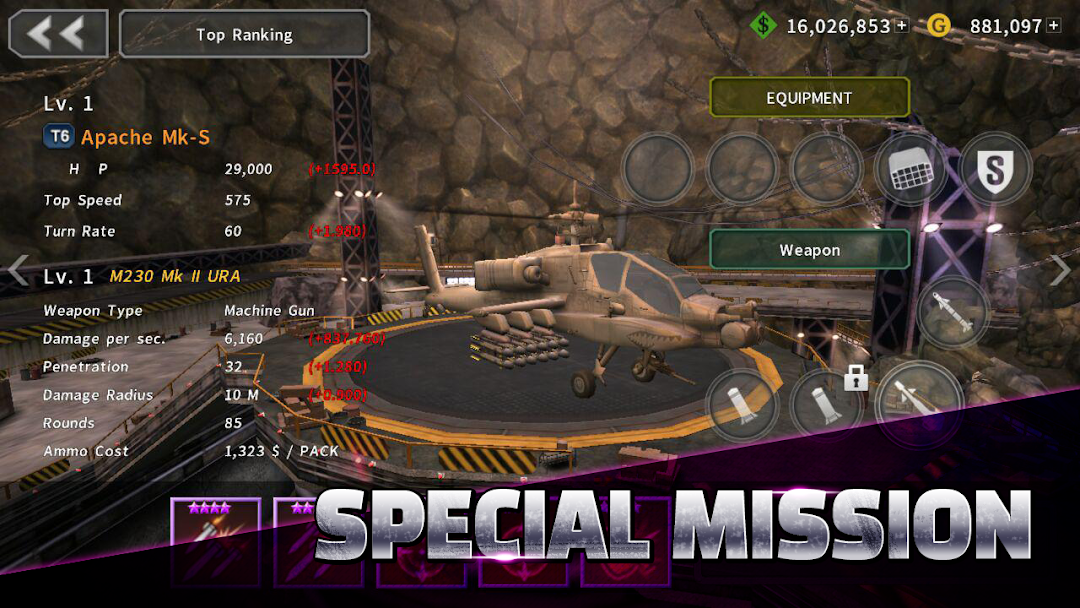
Upgrades happen in the Workshop, which acts as your hangar. There you arm a chopper with machine guns, missiles, and other equipment, then push those parts to higher levels. The Profile screen tracks your progress, and the Ranking screen feeds global leaderboards. One thing worth knowing early: since a December 2015 update, many of the most useful aircraft come from a draw system rather than a straight purchase, and those draws usually need cash currency or events. That single design choice shapes the entire economy below.

Game Modes: Episodes, Custom Missions, and Competition

The main content lives in Episode mode, a campaign of story missions loosely inspired by real conflicts. The campaign keeps growing through updates, and the latest version (2.8.21) added Episode 32 along with the new Gunship Raider. New episodes are the clearest sign the game is still being supported.

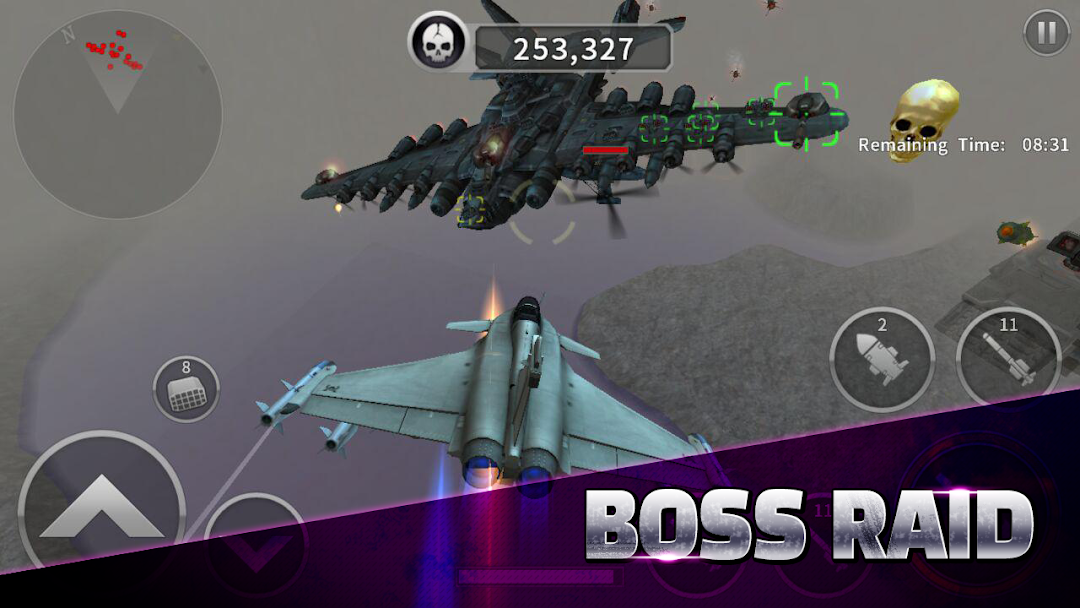
Outside the campaign, Custom Missions let you replay content for rewards, and the game rotates 2x Reward Stages so certain runs pay out more. There are also competitive and special missions that hand out medals and extra prizes for clearing tougher objectives. The structure gives you both a long campaign to work through and repeatable missions to farm currency, which is the loop most players spend the bulk of their time on.

Gold, Dollars, and the Free-to-Play Grind

The game runs on two currencies, and the friction between them is the whole reason mods are popular. You earn dollars fairly steadily by completing missions, but gold is far scarcer. Gold is the currency that unlocks the better aircraft and serious upgrades, and earning enough of it through normal play takes a very long time.

This is the most common complaint in reviews: gold is hard to get, and the strongest machines feel gated behind either grinding or spending. The game is free to play, but it pushes in-app purchases and shows ads, and some players feel the paywall sits in the way of the content they want. None of this makes the game broken. It is a standard free-to-play model. But it explains exactly what a modded APK is trying to remove.

What the MOD APK Changes Compared to the Original

A modded APK is a repackaged copy of the official app, edited so the in-game economy works in your favor. For GUNSHIP BATTLE, the versions floating around the web typically advertise unlimited gold and dollars, every aircraft and upgrade unlocked, and ad-free play. In practice that means you skip the grind and the draws, and you can max out helicopters from the start.

It helps to be clear about what a mod is and is not. A mod is not a different game, and it is not made by JOYCITY. Someone has taken the original APK, altered values inside it, and re-uploaded it. That is why a clean mod can feel like a shortcut, while a tampered one can carry whatever the uploader added. The line between those two outcomes is the source you download from, which is the next thing to get right. This guide does not cover how to build or crack the game yourself, only how the modded and official builds differ.

How to Download and Install the APK Safely

Installing any APK outside the Play Store means turning on a single permission, then turning it back off when you are done. The process is the same for the official APK and a modded one, and the safety comes from where the file originates, not from the steps themselves.

  1. Open your phone Settings, find Install unknown apps, and allow it for the browser or file manager you will use.
  2. Download the APK only from a source you trust, and ignore links that ask you to complete surveys or install extra apps first.
  3. If the build ships with an OBB data file, place that file in the folder the source specifies before launching.
  4. Tap the APK to install, then open the game and check that it runs as expected.
  5. Go back into Settings and switch the unknown apps permission off again right away.

If you would rather start from a library that screens its files instead of grabbing a random link, you can browse here:

Browse Safe APKs & Mods on MODLMH

One reminder before you install: the official version remains the safest route by far. If you only want the unmodified game, get it from the Google Play Store so updates and account syncing work normally.

A modded APK is only as safe as its source, and the honest answer is that the risk is real even when the convenience is real too. Because a mod is an edited file from a third party, it can carry malware, hidden trackers, or token-stealers that the original never had. The official app from JOYCITY does not have this problem, which is the trade you are weighing.

There are three risks worth naming plainly. First is malware: files from unknown sites can hide code that steals data or pushes ads, so a clean-looking mod is not automatically clean. Second is your account: editing the in-game economy can break the app’s terms of service, and accounts that sign in from a modded build can get flagged or reset. Several reviews already describe lost progress and broken logins even on the official app, and a mod makes that worse. Third is the gray legal area: modifying a paid economy is against the developer’s terms, and it pulls revenue away from the studio that keeps the game running. If an account matters to you, do not sign into it from a modded build, and treat the mod as a throwaway profile at most.

Device Compatibility and System Requirements

The game is light by modern standards and runs on a wide range of hardware. It supports devices on Android 4.4 and up, which means even older or budget phones can usually handle it. It is also optimized for tablets, so the larger screen works without stretching.

You will want a few hundred megabytes of free storage for the app and its data, and more if a build includes a separate OBB file. Performance is generally smooth on mid-range devices because the graphics are arcade-style rather than ultra-detailed. If you are on a very old phone, stick to lower visual settings and close background apps before a session to avoid stutter.

Common Problems and How to Fix Them

Most issues players hit are about progress, logins, and connection rather than crashes. The fixes are usually simple once you know the cause.

The most reported problem is lost progress after reinstalling or resetting a phone. This happens when the game starts a fresh tutorial instead of restoring your saved data. Before you reinstall, link your account to Google Play Games or the in-game sync option, and confirm the backup actually completed. If the tutorial starts on a device that should have data, do not play through it blindly, since that can overwrite a save. Login trouble with Google Play Games is the second common complaint, and signing out of the service and back in often clears it. For connection-related stalls, note that some features and rewards need to be online even though missions can run offline, so a weak network can interrupt rewards or syncing. If the game crashes on launch, clear its cache, free up storage, and make sure you are on the latest version (2.8.21).

Frequently Asked Questions

Is GUNSHIP BATTLE: Helicopter 3D free to play?
Yes. The official game is free to download and play. It earns money through optional in-app purchases and ads, and some of the strongest aircraft are easier to get if you spend, but nothing forces you to pay to access the core missions.

Can you play GUNSHIP BATTLE offline?
Mostly. You can run campaign and custom missions without a constant connection, which is part of the game’s appeal. Some features, rewards, and account syncing still need you to be online, so keep that in mind before a long offline session.

Is the GUNSHIP BATTLE mod APK safe?
It depends entirely on the source. A modded APK is an edited third-party file, so one from an unknown site can carry malware or token-stealers, while a verified file is lower risk. The official build from the Play Store is always the safest option.

Will the modded APK get my account banned?
It can. Modifying the in-game economy breaks the developer’s terms of service, and accounts that sign in from a modded build can be flagged or reset. If you care about your progress, do not link a real account to a mod.

What is the latest version of GUNSHIP BATTLE: Helicopter 3D?
The current release is version 2.8.21, which added Episode 32, the new Gunship Raider aircraft, and changes to the 2x Reward Stages in Custom Missions, plus bug fixes. New episodes show the game is still being updated.

Does the game run on low-end phones?
Yes. It supports Android 4.4 and up and uses arcade-style graphics, so most budget and older devices can run it. Lowering visual settings helps on very old hardware.

Final Take: Official or Modded?

GUNSHIP BATTLE: Helicopter 3D earns its long run because the flying feels good and the mission loop is easy to pick up, even if the gold grind tests your patience. For most players, the official version from the Play Store is the right call, since it keeps your progress safe, updates cleanly, and carries no hidden risk. A modded APK removes the grind, but it asks you to trust an edited file and to accept a real chance of malware or an account flag. If you still want to try a mod, treat it as a disposable profile, download only from a source that screens its files, and never sign in with an account you would mind losing. Start with the official build first, and only reach for a mod once you understand exactly what you are trading away.

Comments (0)

© Copyright 2020 - 2026 MODLMH.COM

b52 | b52 | sunwin | gem88 | go88 | Sunwin | https://iwin.jp.net/ | kqbd | go88 | bomwin | hitclub | rikvip | iwin | b52 | ok9 today | Trang chủ Jun88 | hi88 | fb88 | kubet | w88 | fun88 | i9bet | v9bet | sv388 | tỷ lệ bóng đá | sunwin | hitclub | nổ hũ | tỷ lệ kèo nhà cái | xoso66 | Rr88 | vmax | bắn cá đổi thưởng | https://b52-club.bz/ | 78win.dental | soc88 | win79 | rikvip | bet88 | jun88 | Nowgoal | go88 | BK8 | keo nha cai | kèo nhà cái | sunwin | 7M | hitclub | 7m | b52 | sunwin | go88 | lô đề online | https://mubet.tv/ | bongdalu | kèo bóng đá | C168 | 789bet | go88 | 789win | 789bet | game bai | 33Win | Open88 | tỷ lệ kèo nhà cái | nhận định kèo nhà cái | IWIN | RIKVIP | iwin club | hitclub | kèo nhà cái | tài xỉu | RR88 | https://goal123.com.se/ | 88nn.com.mx | bongdaso.team | b52club | luck8 | good88 | b52 | CM88 | bk8 | tài xỉu online uy tín | Socolive | https://alfredosuarez.com.mx/ | https://sin88.com/ | Xoso66 | hay88x.it.com | f8betz.it.com | Tải 789club | Gemwin | Z8BET | xóc đĩa | lương sơn tv | haywin | sx88 | bongdaso | bongdalu | https://1gom.gg/ | b52 club | thapcamtv | gavang | gavangtv | luongsontv | kqbd | Kèo nhà cái | keo nha cai | go88 | game bài | soi kèo nhà cái | tải go88 | game bắn cá đổi thưởng | game đổi thưởng | iwin club | tải sunwin | ricbet | b52club | b52club | C168 | debet | 79king | Game nổ hũ | uu88 | TG88 | https://98winac.com/ | 7m | nhandinhkeonhacai.info | Kết quả bóng đá | VA88 | SC88 | Socolive trực tiếp | F168 | SC88 | F168 | FLY 88 | 789club | b52club | 78Win | Hit club | GO88 | tot88 | UU88 | QS88 | NK88 | xoso66 | Vip66 | https://188bet.org.mx/ | https://sa88.com.im/ | CM88 | FLY 88 | ev99 | tài xỉu | kèo bóng đá | tỷ lệ kèo | tỷ lệ kèo | Cakhiatv | Socolive | Nohu90 | kjc | https://123bong.biz/ | xoilac | iwin club | Go88 | kèo nhà cái 18 | ev99.review | SC88 | socolive | MM88 | tỷ lệ kèo trực tuyến | fb88 | fun88 | hay88 | 8kbet | 8kbet | 8kbet | Sc88 | twin68 | WIN79 | ga6789 | sunwin | Tải Go88 | https://68gamebai.quest/ | sunwin20 | https://taisunwin20.co.com/ | Zowin | Mubet | GG88 | socolive tv | luck8 | 33win com | Kèo Nhà Cái | GO88 | HitClub | HitClub | 789Club | gowin | 789club | ok9 | game bài đổi thưởng | nhacaiuytin.moi | bongdalu.army | okvip | sam86 | ฟัน88 | bắn cá đổi thưởng | go88 | 7m.band | LV88 | KP88 | OPEN88 | đánh bài ăn tiền | VB777 | U888 | 789bet | jalalive | k88 | go88 | 8kbet | trang cá cược bóng đá | tylekeo36.com | 789win | xóc đĩa online | 789win | FUN88 | I9BET | https://7mm.dev/ | Kèo Nhà Cái 5 | KUBET | SUNWIN | https://open881.net/ | 6ff | https://jbo.center | vip66 | https://keonhacai5.io/ | U888 | good88 | cf68 | b52club | https://ae8888.lat/ | Fun88 | tg88 | au88 | rr88 | kqbd | mu88 | 7mcn | open88 | Nbet | sunwin | 789win | thapcam | 90phut | 79win | bgibola | FB88 | FB88 | KK55 | nhà cái uy tín | kuwin | ml 88 | sunwin | https://tensen.io/ | kèo bóng đá | soi keo | 78win | o8 | win79 | win 79 | sun win | đánh đề online | Tỷ lệ kèo nhà cái | B52club | nowgoal | 555win | Fun88 Viet | 8kbet cc | 8us | M88 login | W888 | Fun888 | Kèo nhà cái | nhà cái uy tín | bongdawap | ok365 | https://smartknit.io/ | ON68 | nowgoal com | MM88 | shbet | shbet | cakhiatv | FLY88 | https://s8tvq.com/