Download Mad GunS APK 4.2.46 for Android
Go Dreams APK
| Name | Mad GunS online shooting games |
|---|---|
| Publisher | Go Dreams |
| Version | 4.2.46 |
| Size | 161MB |
| Requires | Android 7.1 |
| Get it on | Google Play ↗ |
| Downloads | 1,325 |
| Price | FREE |
| Rating |
★
★
★
★
★
4.4/5
(5)
|
| Author | |
| Updated |
Mad GunS turns the battle royale formula into a cartoon, handing you a banana gun and a handbag with a dog inside it instead of a sniper rifle, and somehow it works for more than 10 million players.
Mad GunS online shooting games is a free pixel-art first-person shooter built around fast multiplayer battles, a battle royale mode, and a Minecraft-style building system. It comes from developer Full HP Ltd and runs on Android, iOS, and PC. The pitch is simple: keep the chaos of a last-one-standing match, drop the realism, and arm everyone with weapons too absurd to take seriously. What most download pages skip over is the part that actually matters before you install, which is how the in-game economy works and why the “unlimited coins” versions floating around can cost you your account.
- What Is Mad GunS And Who Made It?
- How Mad GunS Plays: Pixel FPS Meets Battle Royale
- Game Modes In Mad GunS
- Weapons, Armor, And The Crafting System
- Maps, Enemies, And The Crazy Atmosphere
- System Requirements And Supported Devices
- How To Download And Install The Mad GunS APK Safely
- Coins, Skins, And In-App Purchases In Mad GunS
- Modded Mad GunS APKs: What “Unlimited Coins” Versions Really Mean
- Tips For New Mad GunS Players
- How Mad GunS Compares To Other Pixel Shooters
- Frequently Asked Questions About Mad GunS
- Should You Play Mad GunS?
What Is Mad GunS And Who Made It?
Mad GunS is an online pixel shooter developed and published by Full HP Ltd, also credited as Go Dreams on some store listings. The game first launched under the name Mad GunZ and now appears on Google Play as “Mad GunS online shooting games” under the package com.mad.gunz. As of early 2026 it had passed 10 million downloads on Google Play, with a rating of around 4.4 to 4.6 across app stores and roughly 10,000 ratings on the iOS App Store.
The studio keeps the game on a regular update cycle. The current build is version 4.2.46, and earlier 2025 releases moved through the 4.2.42, 4.2.43, and 4.2.44 builds before it. Updates usually cover connection stability, balance changes, and new cosmetic content rather than full reworks, so the core game you download today is the same one the player base has stuck with for years.
How Mad GunS Plays: Pixel FPS Meets Battle Royale
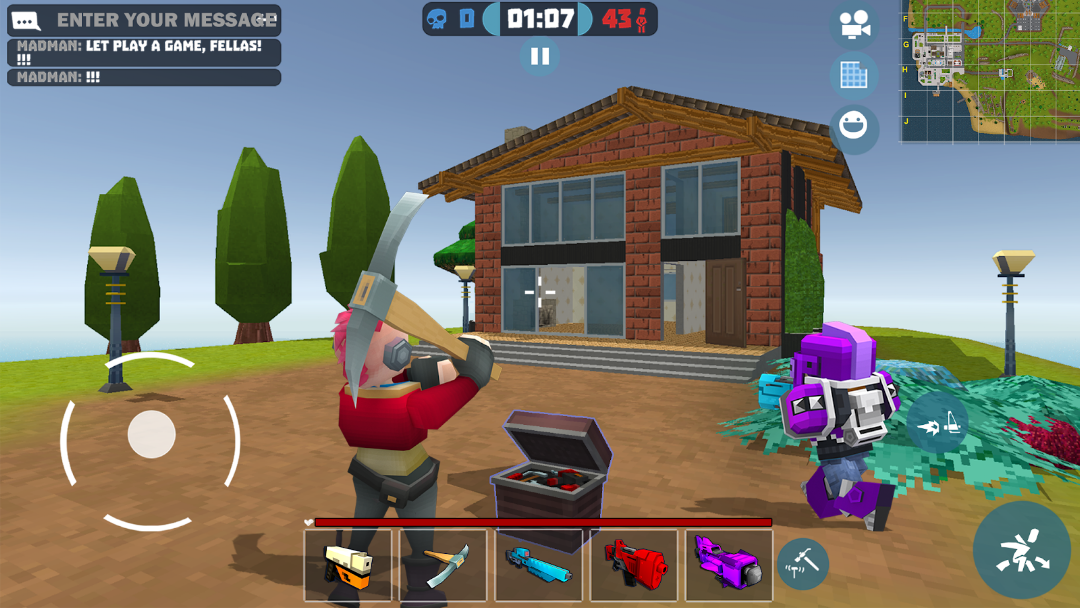
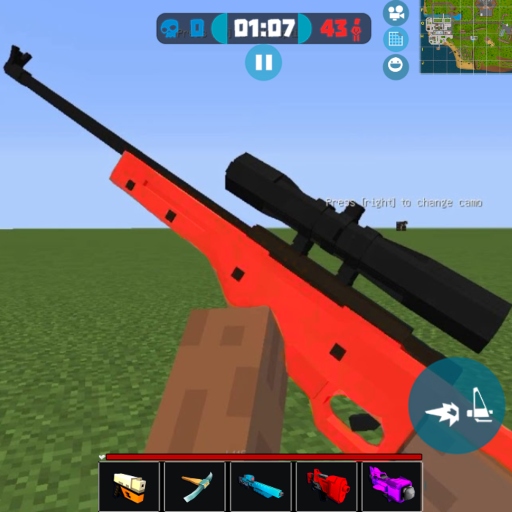
At its core, Mad GunS is a third-to-first-person arena shooter where you spawn into a blocky map and fight other real players in short, frantic rounds. Controls are built for touchscreens, with a virtual joystick on the left for movement and the right side for aiming. Your character fires automatically once an enemy lands in the crosshair, though you can also tap to shoot manually, which keeps the skill floor low enough for newcomers.
The visual style is deliberately cartoonish. Everything is rendered in chunky pixels, the animations are loose, and the game leans into one detail it never stops bragging about, which is that you can actually see your own feet while you play. Matches reward reflexes and map knowledge over careful tactics. You are not adjusting recoil patterns or memorizing loadout meta. You are grabbing whatever weird gun is nearby and running into the fight.
Game Modes In Mad GunS
Mad GunS ships with battle royale plus six other modes, so there are seven ways to play in total. Battle royale is the headline draw, dropping a large group of players onto one big map where the goal is to be the last one standing. The rest of the rotation covers more familiar online-shooter formats, including team battles, deathmatch, and flag capture style objectives.
Beyond the standard modes, the game includes a crafting and creation layer. You can use the built-in tools to design your own custom maps, which extends the game well past its preset arenas. For players who get tired of the official rotation, this user-made content is a big part of why sessions stay fresh, and it is something many simpler shooters in this genre never bothered to add.
Weapons, Armor, And The Crafting System
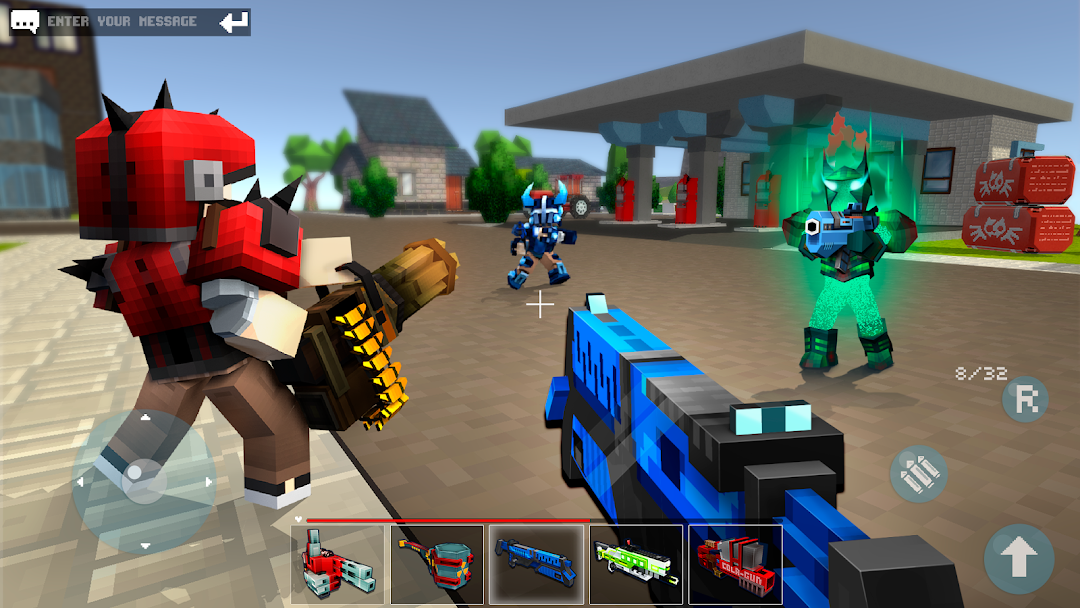
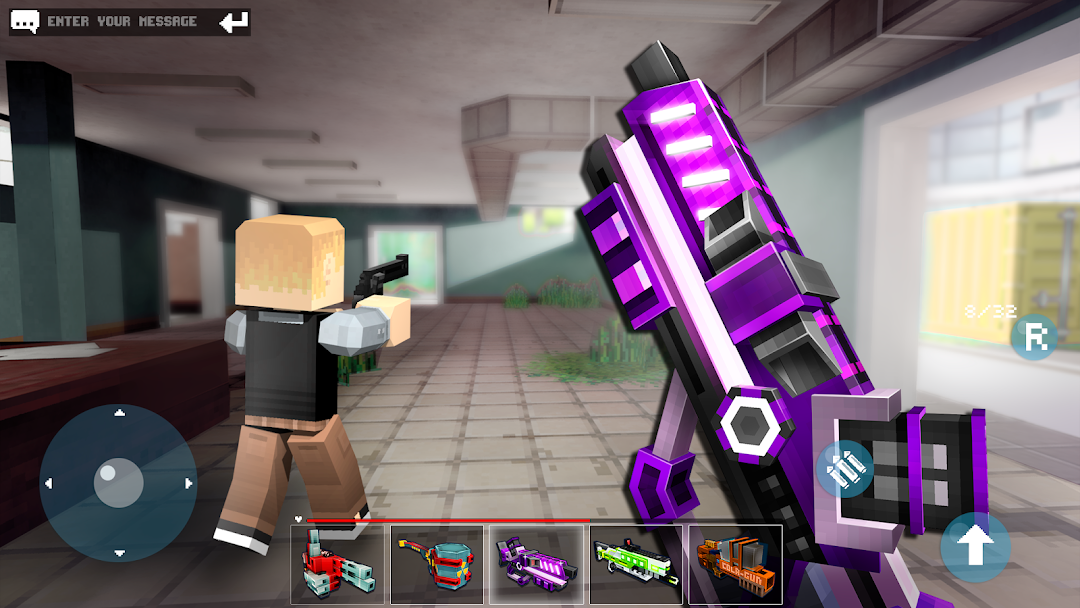
The weapon roster is where Mad GunS earns its name, because almost nothing in it is a normal gun. You can shoot rivals with cat fur, throw explosive hamsters, swing candy axes, fire a banana gun, or slap opponents with a handbag that has a small dog inside it. The categories run from rifles and pistols to melee weapons, miniguns, and oddities like an ice gun or a bowl of piranhas. The point is novelty, and the sheer length of the list keeps experimentation going.
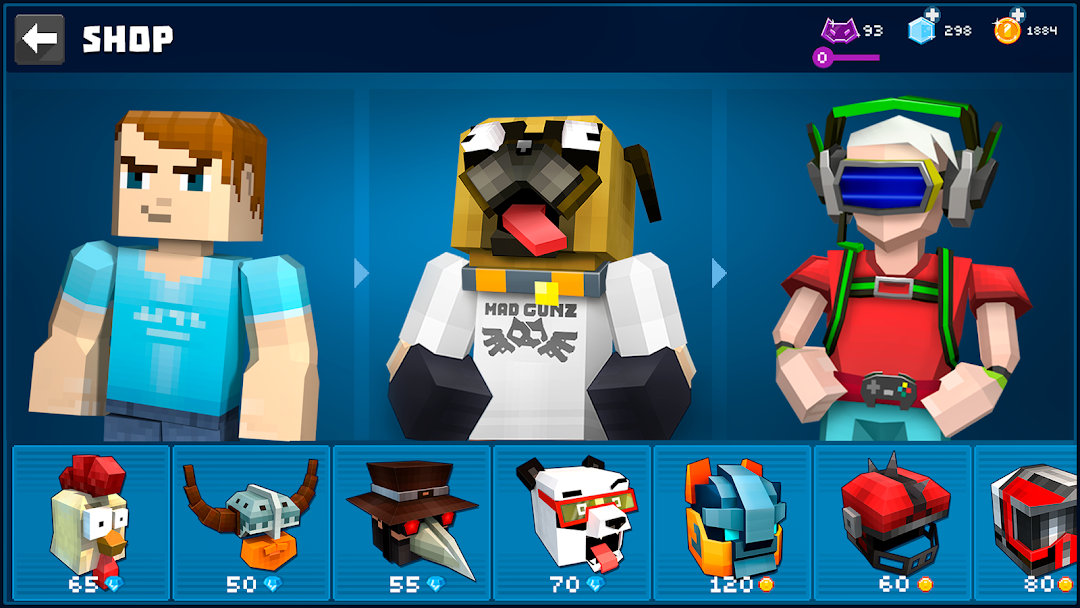
Armor works the same way. Instead of tactical gear you unlock themed sets that turn you into a Golden Paladin, a Mad Rabbit, or a fighting Panda, each with its own look. The game also includes gun and armor crafting plus a skin creator, so you can build custom cosmetics rather than only buying preset ones. On top of that sits a destructible, Minecraft-like environment: you can break objects in the scenery to gather materials and build structures such as walls, stairs, and roofs mid-match, which adds a light Fortnite-style construction element to the firefights.
Maps, Enemies, And The Crazy Atmosphere
Mad GunS includes a set of unique maps packed with easter eggs that reference popular movies and games, with five hand-built maps forming the original core before custom community maps are added in. Each one is designed for quick rounds and close-quarters chaos rather than long-range positioning, which fits the auto-fire combat.
You are not only fighting other players, either. The world is filled with bizarre enemies that lean hard into the game’s humor, including zombies, crazy chickens, a mad octopus, armored turkeys, and unicorns that show up with no explanation. This mix of player-versus-player combat and oddball PvE creatures is what the developer means by the game’s “crazy atmosphere,” and it is the main thing separating Mad GunS from straight-faced competitive shooters.
System Requirements And Supported Devices
Mad GunS runs on Android 7.1 and higher, and it is also available on iOS and on PC. Because the graphics are intentionally low-fidelity pixel art, the game runs well on mid-range and older phones that would struggle with a realistic 3D shooter, which is a real advantage for players on budget hardware.
On PC, the most common routes are Google Play Games on Windows or a standard Android emulator. There is also a browser-playable HTML5 version on some web game portals if you only want a quick session without installing anything. The download itself is free, and the app keeps your matches online, so a stable internet connection matters far more than a powerful processor here.
How To Download And Install The Mad GunS APK Safely
The safest way to get Mad GunS is through the official Google Play Store or Apple App Store, where the file is signed by the developer and scanned automatically. If you download the APK from a third-party site instead, the standard sideloading process applies, and you should treat every step as a security decision rather than a formality.
To sideload an Android APK, you first download the file from a source you trust. Then you open it, and Android will ask you to allow installs from that specific app, such as your browser or file manager. Grant the permission, complete the install, and switch that permission back off the moment you are done so no other app can sideload silently later. Before opening the game, it is worth scanning the file with your phone’s security tool, since even a working download link can point to a tampered build.
If you want a wider library of apps and games gathered in one place, you can explore more titles through the link below.
Whichever source you pick, make sure the version matches the current 4.2.46 build and that the package name reads com.mad.gunz. A file claiming to be Mad GunS under a different package name is a strong sign you are looking at a fake.
Coins, Skins, And In-App Purchases In Mad GunS
Mad GunS is free to download but built around in-app purchases, and that economy is the single most common complaint from players. The game runs on coins, which you can grind for slowly through matches or buy with real money. Many of the better guns, skins, and the skin creator itself sit behind coin costs that grinding alone fills very slowly.
The friction shows up in the pricing. Players have publicly pushed back on bundles such as roughly 8 US dollars for 80 coins, arguing that the rate makes meaningful purchases expensive and that spenders can buy strong weapons to dominate newer free players. This is worth knowing before you start, because it shapes the experience: Mad GunS is genuinely free to play, but it is designed so that patience or spending unlocks the most interesting content, and the gap between the two can feel wide.
Modded Mad GunS APKs: What “Unlimited Coins” Versions Really Mean
Modified Mad GunS APKs promising unlimited coins, free skins, or unlocked guns are common, and they are the riskiest way to play this game. A modded APK is only ever as safe as the stranger who built and uploaded it. Files from unknown sites can carry malware or token-stealers disguised as the game, and because you sideload them outside the official stores, nothing scans the code for you before it runs.
There is an account risk on top of the device risk. Mad GunS is an online multiplayer game with its own terms of service, and using a modified client that injects currency or alters gameplay is exactly the kind of behavior that gets accounts flagged or banned. You can lose progress, purchases, and the account entirely. We do not provide steps for cracking the game’s economy or bypassing its purchases, and the honest recommendation is straightforward: if your account or your phone’s security matters to you, play the official build and earn coins the normal way. The few free coins a mod offers rarely outweigh a compromised device or a permanent ban.
Tips For New Mad GunS Players
The fastest way to improve in Mad GunS is to stop hoarding coins and learn the maps. Because rounds are short and the auto-fire system does the precise aiming for you, positioning and movement decide most fights, so memorizing where weapons spawn and where players funnel matters more than reaction speed.
A few habits help early on. Use the building system defensively, putting up a quick wall when you take fire rather than standing still in the open. Experiment with the odd weapons instead of chasing one favorite, since several of the joke guns have genuinely useful ranges or area effects that opponents do not expect. In team and battle royale modes, coordinate with teammates and pick your fights, because the last-one-standing format rewards survival as much as kills. Save your coins for one strong weapon or armor set you will actually use, rather than spreading them thin across cosmetics.
How Mad GunS Compares To Other Pixel Shooters
Mad GunS sits in the same family as games like Pixel Gun 3D and Blockman shooters, but it differentiates itself through humor and its building mechanic rather than competitive depth. Where many pixel shooters chase a serious esports tone, Mad GunS commits fully to the joke, which is its biggest strength and its main limitation depending on what you want.
If you are looking for a tactical, balanced competitive shooter, this is not it, and the coin-driven economy will frustrate you. If you want a low-pressure, fast, funny multiplayer game that runs on a modest phone and lets you build structures mid-fight, Mad GunS does that better than most of its peers. Its closest reference points are the battle royale giants like Fortnite and PUBG, but it deliberately strips out their complexity in favor of instant, lighthearted action.
Frequently Asked Questions About Mad GunS
Is Mad GunS free to play?
Yes. Mad GunS is free to download on Android, iOS, and PC. It includes optional in-app purchases for coins, which unlock weapons, armor, and cosmetic items. You can earn coins by playing, though progress through grinding alone is slow.
Is Mad GunS safe to install?
The official version on Google Play and the App Store is safe, since both stores scan and verify the developer’s signed file. Risk comes from third-party APKs, especially modded “unlimited coins” versions, which can hide malware and can get your account banned. Stick to official sources or trusted download portals, and scan any sideloaded file before opening it.
Can you play Mad GunS offline?
Not really. Mad GunS is an online multiplayer shooter, so its main modes need a live internet connection to match you with other players. A stable connection matters more for smooth play than a high-end device.
Does Mad GunS work on low-end phones?
Yes. The pixel-art graphics are light, so the game runs well on mid-range and older Android phones, as long as the device is on Android 7.1 or newer. This is one of its real advantages over realistic 3D shooters.
What platforms can I play Mad GunS on?
Android and iOS officially, plus PC through Google Play Games or an Android emulator. There is also a browser-playable web version on some game portals if you want to try it without installing anything.
Should You Play Mad GunS?
Mad GunS is worth installing if you want a fast, funny pixel shooter you can pick up on almost any phone, and it backs that up with more than 10 million downloads and years of steady updates through the current 4.2.46 build. The seven modes, the absurd weapon list, and the building system give it more variety than most casual shooters in its lane. The trade-off is a coin economy that pushes you toward spending, which is the one thing to go in expecting. The safest move for any new player is to download the official version from Google Play or the App Store, skip the modded “unlimited coins” APKs entirely, and earn your first strong weapon through play before deciding whether the game is worth any money at all.
Vô Hạn Đạn
Install the official, unmodified build straight from Google Play.
Android emulator to run MAD GUNS ONLINE SHOOTING GAMES APK smoothly on PC.