Download Marooned Mod Apk 2.6.3 (Unlimited Carrots, Unlock All Maps, No Ads)

FastFly APK
3
2 ratings
872
Downloads
v2.6.3
Version
200MB
Size
Android 7.0
Requires
App Info
Name Marooned
Publisher FastFly
Version 2.6.3
Size 200MB
Requires Android 7.0
Get it on Google Play ↗
Category Action
Downloads 872
Price FREE
Rating
3/5 (2)
Author
Updated
(2 years ago)

Every new map in Marooned sits behind a wall of Golden Carrots, and that single design choice is the real reason the Marooned mod apk exists at all.

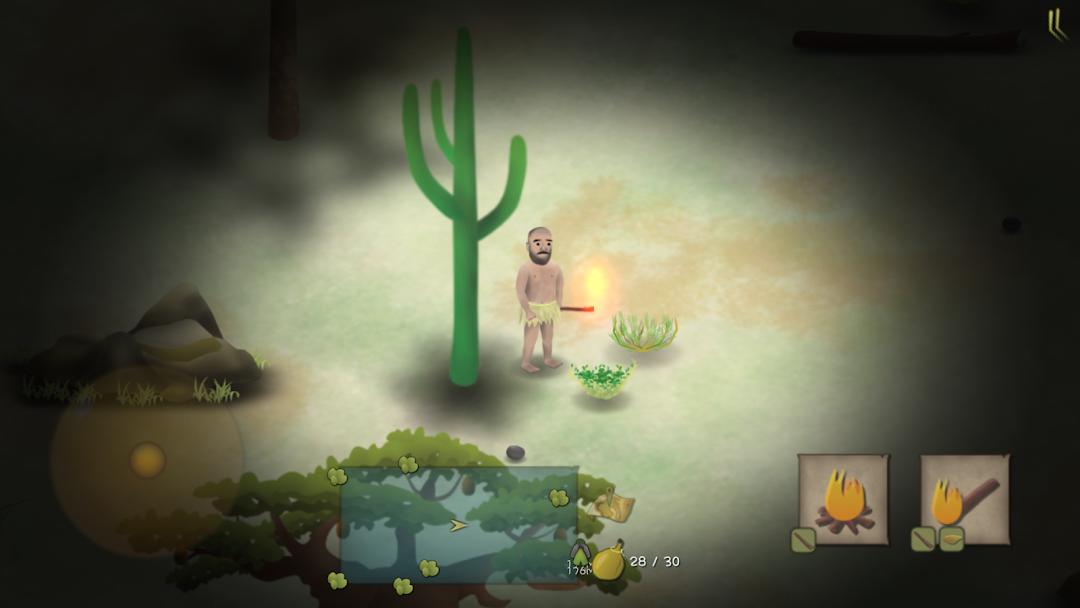
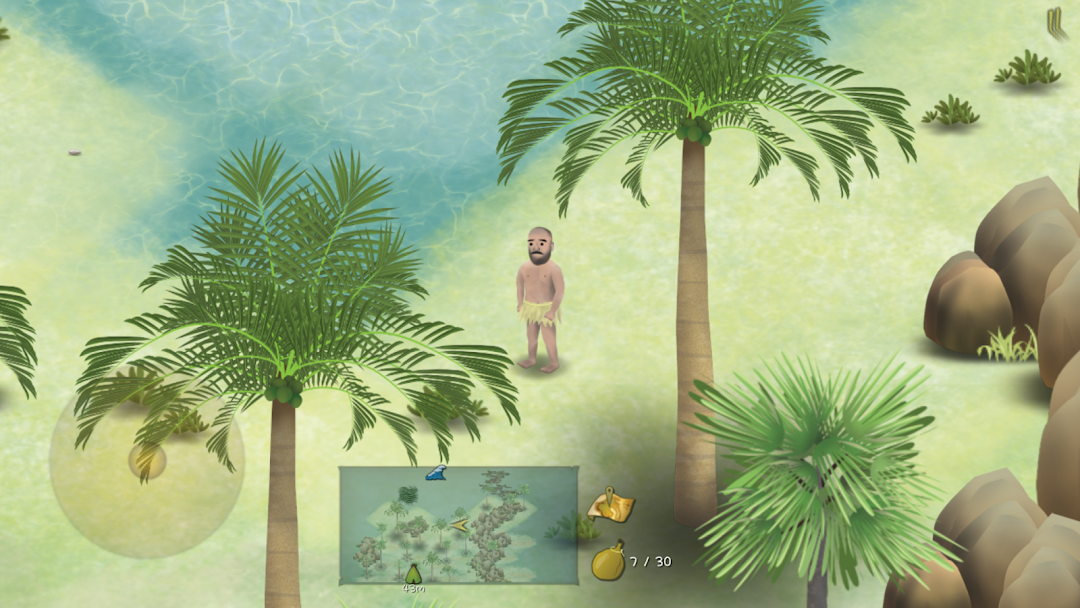
Marooned is an offline survival game from developer FastFly where you keep a stranded man named Ed alive across jungles, islands, and deserts. The Marooned mod apk is a modified version of that same game, rebuilt so your Golden Carrot balance never runs dry and every locked map opens from the start. I want to be straight with you about what that mod actually does, why it works on this game when it fails on so many others, and what you give up when you install it. This game is small and quiet, but its economy is stricter than most people expect, so the mod changes the experience more than a simple “unlimited money” label suggests.

How the Golden Carrot economy in Marooned really works

Golden Carrots are the backbone of progress in Marooned. You earn them by completing the main survival goals and the hidden missions inside each area, and you spend them to unlock the next map. Every map carries its own price, so the further you want to travel, the more Carrots you need to bank first.

This is where the grind bites. Early survival in the Thailand Jungle is manageable, but each new region asks you to survive longer, hunt smarter, and gather more before you can afford to move on. Ed also has to eat, drink, and rest constantly, so a large share of your play time goes into staying alive rather than saving up. The paywall is not a cash paywall in the usual sense. It is a time wall paid in Golden Carrots, and that slow drip is exactly what pushes players toward the mod.

Why the Marooned mod apk actually works when many mods don’t

Marooned runs as an offline, single-player game, and it stores your Carrot count and unlock progress directly on your phone. There is no game server checking whether your balance is “legitimate,” so a modified apk can set your Golden Carrots to a huge number and the game simply accepts it. That local save design is the whole reason this mod delivers what it promises.

Compare that with an online title like Clash of Clans or a game with a shared leaderboard. In those, your currency lives on a company server, and any “unlimited” mod only fakes the number on your screen before the server wipes it. Marooned has none of that machinery. Because everything happens on your device, the mod’s changes are real and they stick between sessions. That is a genuine, verifiable difference, and it is the honest reason I trust an offline mod like this far more than the online ones that flood search results.

What “Unlimited Carrots” actually changes in your game

Unlimited Golden Carrots does one main thing that matters: it removes the map paywall completely. Instead of grinding one region for hours to afford the next, you can open the Philippine Island, the African plains, and the marshland whenever you like, in any order you want.

The second effect is quieter but real. When Carrots stop being scarce, the pressure to complete every hidden mission for its reward mostly disappears, since you no longer need the payout to progress. Some players love this because they came for the crafting and the exploration, not the resource math. Others find it strips out the tension that makes a survival game feel like survival. I think that trade is the single most important thing to weigh before you install, and most download pages never mention it.

Marooned mod apk features, and how each one behaves

Modded builds of Marooned circulate with a fairly consistent feature set. Here is what each one really does inside this specific game, rather than a generic list that could fit any title.

Unlimited Golden Carrots (Unlimited Money): your Carrot balance is set extremely high from the first launch. Because saves are local, this holds permanently and lets you buy every map unlock and shop item without grinding.

Unlock All Maps: every region, including later locations beyond the starter jungle, is available immediately. You skip the “earn Carrots to open the next area” loop entirely.

No Ads (Ad-Free): the official Marooned shows advertisements, and this feature removes the ad breaks so play stays uninterrupted.

Mod Menu: some versions add an in-game menu where you toggle cheats on or off, rather than forcing every hack on at once. This gives you a little more control over how much you break the balance.

God Mode: where present, this stops Ed’s hunger, thirst, and health from draining, so wolves, hyenas, and crocodiles can no longer kill you. It turns a survival game into a pure sandbox, which is a big shift in tone worth understanding before you enable it.

I only list features that show up consistently across real modded builds of this game. If a download page promises something wilder, treat it as a red flag rather than a bonus.

How to earn Golden Carrots in Marooned without the mod

You earn Golden Carrots by finishing the main objective of each scene and by completing the two hidden missions tucked inside every area. The main task gives you a base reward, and the secret missions add extra Carrots plus special gift items, so clearing all three per region is the fastest honest way to save up for the next map.

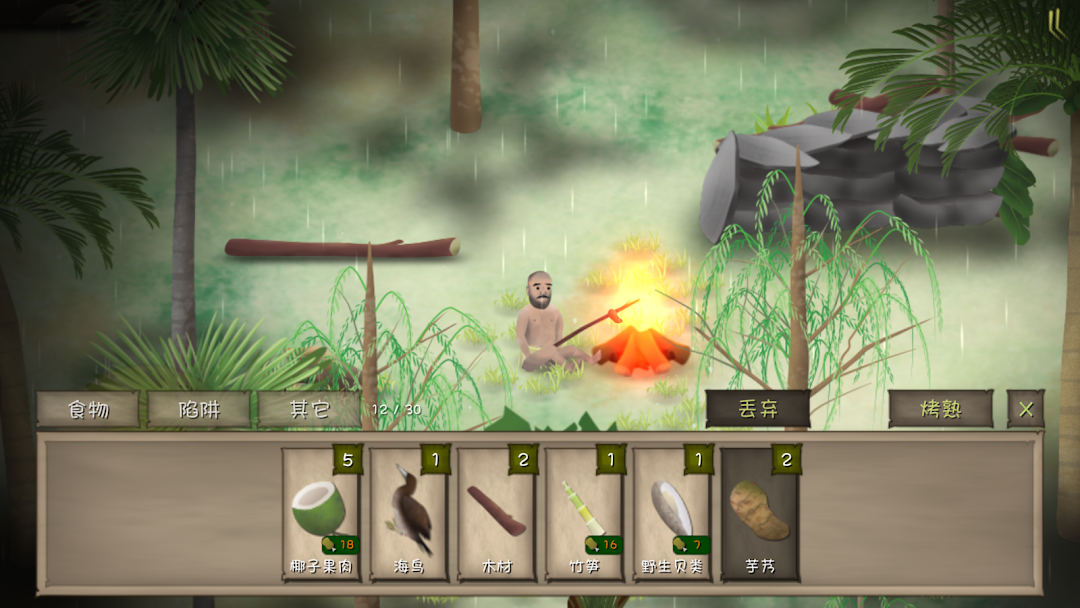
If you want to keep the survival challenge intact, focus your early hours on a stable food and water loop before you chase anything else. Set up a camp near a water source, build a campfire, and place traps where animals pass often. Reliable food keeps Ed’s health high, and a healthy Ed can explore longer, which is how you actually find the missions that pay out Carrots. The players who struggle with the grind are usually the ones dying and restarting, not the ones building a steady base first.

How to unlock all the maps in Marooned

You unlock maps by spending Golden Carrots, with each region priced separately, so the practical route is to fully clear one area before moving to the next. The starter region is the Thailand Jungle, and from there the game opens the Philippine Island, the African plains, and the marshland, along with further worlds that later updates have added.

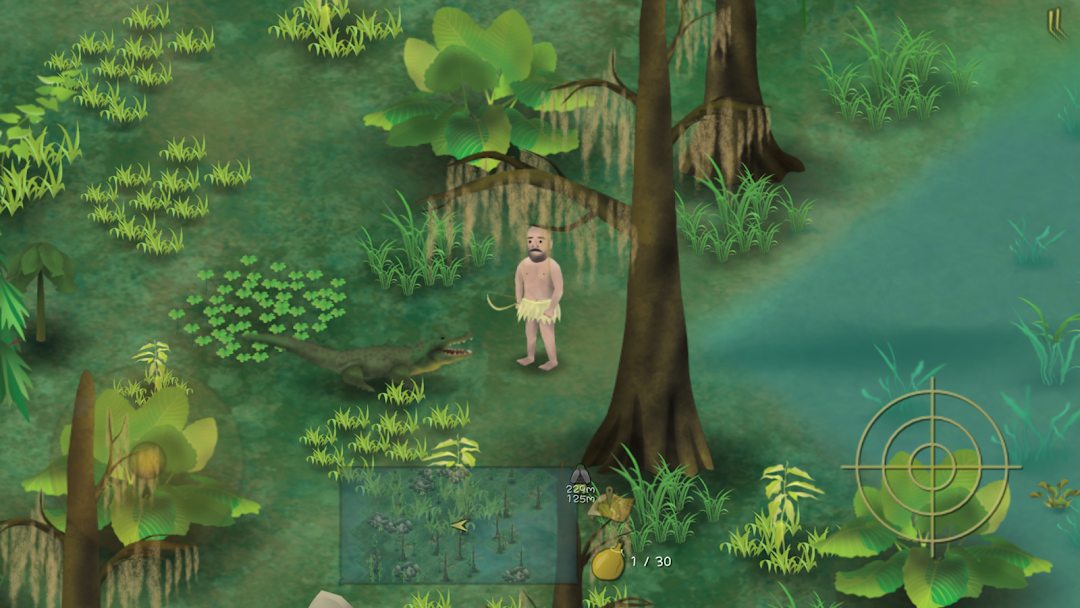
Every region changes the survival math. The Thailand Jungle throws wolves at you, the African grassland brings hyenas, and the marshland hides crocodiles in the water. Because each map costs more than the last, unlocking everything the legitimate way is a long project. This is the exact stretch of the game where the Unlock All Maps feature saves the most time, and it is also the moment where you decide whether the journey or the destination is the point for you.

How do you complete the secret missions in each area?

Each scene in Marooned hides two secret missions, and they do not appear on your task list by default. You trigger them by exploring thoroughly and meeting special conditions, such as reaching a certain spot, surviving a set number of days, or acting at a particular time or weather state. Completing them rewards Golden Carrots and useful gift items.

The game deliberately does not hand you these missions, which is why they generate so many player questions. The reliable approach is to explore every corner of a map rather than rushing to the exit, since the triggers are tied to places and conditions you can easily walk past. Watch for objects that look out of place, like statues or unusual structures, because these often mark a hidden objective. Keep Ed well fed while you search, because you cannot save the game when his physical fitness is too low, and losing an unsaved hour of exploration is the most common way players lose secret-mission progress.

Hunting, crafting, and survival tips that actually matter

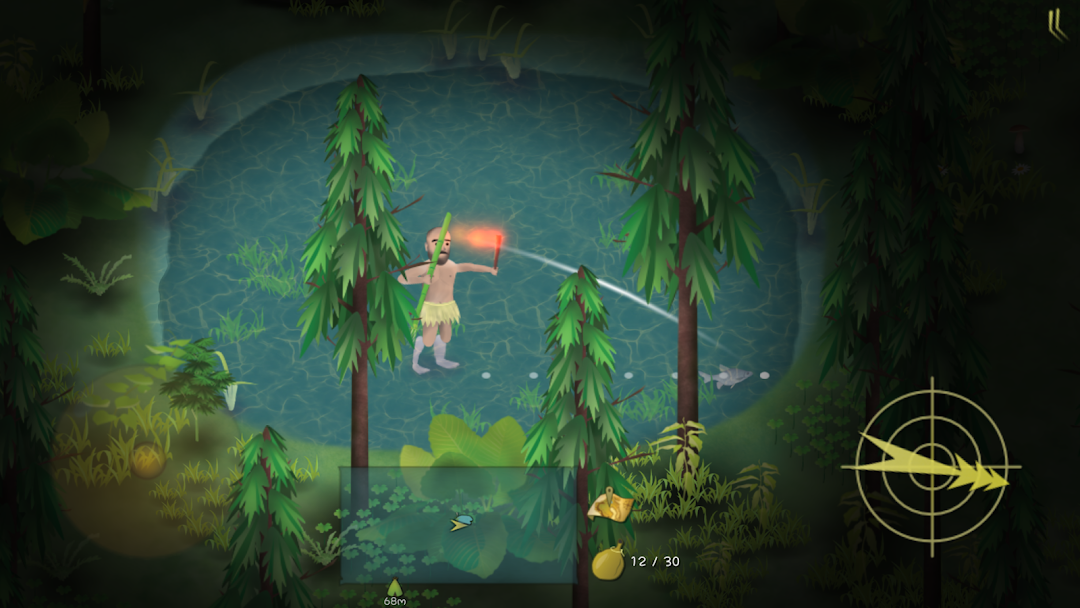
Hunting in Marooned is a skill, not a button press. You throw tools at prey, and different animals need different tools, so matching the tool to the target is the core of feeding Ed.

A few concrete tips make a real difference. Use a bamboo fork when your prey is in water, since throwing weapons made for land will miss. Some animals can only be caught with traps, so do not waste stones trying to hit them directly. Putting a seed inside a trap lures animals in and makes hunting far easier. When you face a snake, aim for its head. For crafting materials, small bones come from birds, fish, and mice, while maggots come from excrement combined with big wood, which sounds strange but matters for bait and food chains. If you plant crops, using excrement as fertilizer makes them grow faster. These are the small mechanics the game never explains clearly, and knowing them turns a frustrating survival loop into a manageable one, with or without the mod.

Is the Marooned mod apk safe?

The Marooned mod apk is only as safe as the file and the site you get it from. The game itself is offline and single-player, so a mod cannot expose an online account or trigger a server-side ban. The genuine risks are different: a modified apk from an untrustworthy source can carry malware or spyware, and a bad file can corrupt your local save.

Because Marooned keeps everything on your device, the danger is not your account but your phone and your progress. A modded apk is an app from outside the Play Store, so you lose Google Play’s automatic malware screening and you have to trust whoever repackaged the game. Before installing anything, I always back up my existing save, scan the file with a mobile security app, and stick to a source that consistently posts working, clean builds. The offline nature makes the mod safer in one way, since there is nothing to get banned, but it does not make the file itself trustworthy by default.

Can you get banned for using the Marooned mod?

No, you cannot be banned for using the Marooned mod, because the game has no online account, no anti-cheat server, and no global leaderboard tied to your identity. There is simply no system on the developer’s side that watches your play or has the power to lock you out. Your progress lives on your phone, not on a server that could flag it.

This is a real advantage of modding an offline game, and it is worth stating plainly because so many mod pages copy the same “use a secondary account” warning that only applies to online titles. That advice is meaningless here. The flip side is that a modded build carries a changed app signature, so it counts as a separate app from the official one. That means it will not recognize any in-app purchases you made on the real Marooned, and it will not update automatically through Google Play. You trade the update convenience and your purchase history for the unlocked content.

How to install the Marooned mod apk with standard sideloading

Installing the Marooned mod apk uses the same standard sideloading steps as any Android app that lives outside the Play Store. The process is simple, and you should treat every permission you enable as something to turn back off once you finish.

First, back up your current Marooned save if you care about your progress, since installing a build with a different signature can overwrite it. Next, open your phone settings and allow “Install unknown apps” for the browser or file manager you will use to open the file. Then download the Marooned mod apk, tap the file, and confirm the install prompt. If the mod uses an extra data package, you may need a file manager that handles that format. Once the game installs and runs, go back into settings and switch the “unknown apps” permission off again, because leaving it open is a needless risk. Do not follow any guide that asks you to root your device or edit game files by hand, since that is where real damage happens.

If you would rather grab a build that is kept current with the latest Marooned version and checked before it goes live, you can browse the full download on our homepage.

Visit the modlmh homepage

Is Marooned free, and do you need to pay?

Marooned is free to download and play on both Android and iOS. It funds itself with advertisements and optional in-app purchases, so you never have to spend real money to keep playing, but the official game does show ads and sells convenience items. There is no upfront price and no subscription.

Because the base game is already free, the mod’s value is not about skipping a purchase price. It is about skipping the ads and the long Golden Carrot grind. That distinction matters. You are not pirating a paid game when you use the Marooned mod, since the original costs nothing. You are choosing to bypass the free game’s time-gated economy, which is a lighter ethical call than cracking a premium app, though it still leaves the developer without ad revenue from your sessions.

Official Marooned versus the modded version

Before you decide, it helps to see the trade laid out plainly. This is the one place a direct comparison earns its keep.

Point Official Marooned Marooned mod apk
Golden Carrots Earned slowly through missions Effectively unlimited from the start
Maps Unlocked one at a time with Carrots All maps open immediately
Ads Present Removed
Survival tension Fully intact Reduced, and gone entirely with God Mode
In-app purchases Recognized and restorable Not recognized, different app signature
Updates Automatic through the store Manual, and may lag behind the official build
Main risk None beyond normal app use Malware or save corruption from a bad file

Should you use the Marooned mod apk?

My honest take is that the Marooned mod apk suits one kind of player and disappoints another. If you love the crafting, the exploring, and the strange quiet mood of Ed’s world, but you have no patience for grinding Golden Carrots to reach the next map, the mod hands you the whole game to roam freely, and the offline design means there is no ban to fear. That is a fair reason to use it. If instead the scarcity, the risk of starving, and the slow climb through each region are the parts you actually enjoy, the mod removes the very thing that makes Marooned worth playing, and God Mode especially flattens it into a walking simulator. Either way, back up your save, scan any file before you install it, and remember that the offline structure protects your account but never guarantees a clean download.

Comments (0)

© Copyright 2020 - 2026 MODLMH.COM

b52 | b52 | sunwin | gem88 | go88 | Sunwin | https://iwin.jp.net/ | kqbd | go88 | hitclub | rikvip | iwin | Trang chủ Jun88 | hi88 | fb88 | kubet | w88 | fun88 | i9bet | v9bet | sv388 | hitclub | nổ hũ | tỷ lệ kèo nhà cái | xoso66 | Rr88 | vmax | bắn cá đổi thưởng | https://b52-club.bz/ | 78win.dental | soc88 | win79 | bet88 | jun88 | BK8 | keo nha cai | kèo nhà cái | sunwin | 7M | hitclub | 7m | b52 | sunwin | go88 | lô đề online | https://mubet.tv/ | bongdalu | kèo bóng đá | C168 | 789bet | 789win | game bai | 33Win | Open88 | hitclub | kèo nhà cái | tài xỉu | RR88 | https://goal123.com.se/ | 88nn.com.mx | bongdaso.team | b52club | luck8 | good88 | b52 | CM88 | bk8 | tài xỉu online uy tín | Socolive | Xoso66 | Gemwin | Z8BET | xóc đĩa | lương sơn tv | haywin | bongdaso | bongdalu | https://1gom.gg/ | b52 club | thapcamtv | gavang | gavangtv | luongsontv | kqbd | Kèo nhà cái | keo nha cai | soi kèo nhà cái | tải go88 | game bắn cá đổi thưởng | game đổi thưởng | iwin club | tải sunwin | ricbet | b52club | b52club | uu88 | 7m | nhandinhkeonhacai.info | SC88 | Socolive trực tiếp | 78Win | xoso66 | Vip66 | https://188bet.org.mx/ | https://sa88.com.im/ | CM88 | FLY 88 | ev99 | tài xỉu | kèo bóng đá | tỷ lệ kèo | tỷ lệ kèo | Cakhiatv | Socolive | kjc | https://123bong.biz/ | xoilac | iwin club | Go88 | kèo nhà cái 18 | ev99.review | SC88 | socolive | MM88 | Sc88 | twin68 | WIN79 | ga6789 | sunwin | Tải Go88 | https://68gamebai.quest/ | sunwin20 | https://taisunwin20.co.com/ | Zowin | Mubet | GG88 | socolive tv | luck8 | Kèo Nhà Cái | GO88 | HitClub | HitClub | 789Club | gowin | 789club | ok9 | game bài đổi thưởng | nhacaiuytin.moi | bongdalu.army | okvip | bắn cá đổi thưởng | go88 | OPEN88 | đánh bài ăn tiền | U888 | 789bet | jalalive | k88 | go88 | 8kbet | trang cá cược bóng đá | tylekeo36.com | xóc đĩa online | 789win | I9BET | https://7mm.dev/ | Kèo Nhà Cái 5 | KUBET | SUNWIN | https://open881.net/ | 6ff | https://jbo.center | vip66 | https://keonhacai5.io/ | U888 | good88 | cf68 | b52club | https://ae8888.lat/ | tg88 | au88 | rr88 | kqbd | mu88 | 7mcn | Nbet | sunwin | 789win | thapcam | 90phut | 79win | bgibola | FB88 | FB88 | https://tensen.io/ | kèo bóng đá | soi keo | 78win | o8 | win79 | win 79 | đánh đề online | Tỷ lệ kèo nhà cái | B52club | nowgoal | 8kbet cc | 8us | M88 login | W888 | Fun888 | nhà cái uy tín | bongdawap | ok365 | https://smartknit.io/ | ON68 | nowgoal com | MM88 | FLY88 | https://s8tvq.com/ | fo88 | 86bet | https://999bet.casa | OPEN88 | Nohu90 | 98win | Ko66 | iwin68 | sanclub | hbet | b52 club | nobartv | Socolive | tt88 | b52club | mmlive | 789win com | ml88 | tỷ lệ bóng đá | 33win com | CM88 | tỷ lệ bóng đá | sunwin | Tải 789club | cakhiatv | Kèo nhà cái | b52club | go88 | Tải Sunwin | win55 | 789club | Sonclub | b52 club | oxbet | w88 | shbet | shbet | cf68 | zowin | bắn cá đổi thưởng | ko66 | cwin | tỷ lệ kèo nhà cái | fv88