Download PewDiePie’s Tuber Simulator Mod Apk 2.79.0 (Unlimited Bux, Unlimited Views, Unlimited Subs)
Outerminds Inc. APK
| Name | PewDiePie's Tuber Simulator |
|---|---|
| Publisher | Outerminds Inc. |
| Version | 2.79.0 |
| Size | 165MB |
| Requires | Android 5.0 |
| Get it on | Google Play ↗ |
| Category | Simulation |
| Downloads | 497 |
| Price | FREE |
| Rating |
★
★
★
★
★
2/5
(1)
|
| Author | |
| Updated |
Every Bux, View, and Sub in PewDiePie’s Tuber Simulator is checked against Outerminds’ servers, so a mod that flashes a giant balance on your screen usually ends with you locked out of your own channel, not crowned the top Tuber.
The PewDiePie’s Tuber Simulator mod apk is a modified version of Outerminds’ YouTuber idle game that claims to hand you unlimited Bux, Views, and Subs from the first tap. I have read through dozens of these listings, and almost none of them explain the one thing that decides whether the mod does anything at all: this game keeps your progress on a server, not just on your phone. That single fact changes what a mod can and cannot do, and it is the reason so many players end up stuck on the login screen instead of at the top of the rankings. Below, I walk through how the mod really behaves, what actually earns you free currency, and how to stay out of trouble if you still want to try a modified file.
If you would rather browse tested game and app files instead of gambling on a random download, you can start from the modlmh homepage.
- Why “unlimited money” mods rarely work in Tuber Simulator
- Can you get banned for using a Tuber Simulator mod apk?
- What is PewDiePie’s Tuber Simulator and how does it actually work
- How to get free Bux in Tuber Simulator without a mod
- How to get more Views and Subscribers fast
- Brains and the Knowledge Tree: where to spend your skill points
- The clock-forward trick and why it can delete your account
- What the Tuber Simulator mod apk actually includes
- Is it safe to download PewDiePie’s Tuber Simulator mod apk?
- Can you play Tuber Simulator on PC?
- The honest verdict on the Tuber Simulator mod apk
Why “unlimited money” mods rarely work in Tuber Simulator
Tuber Simulator is an online game with a cloud-saved account. Your Bux, Views, Subs, and every item you own are stored on Outerminds’ servers, and the app talks to those servers every time you log in, join a weekly event, visit a friend’s room, or climb the leaderboard. A mod apk can only change the copy of the game that runs on your device. It can paint a huge number on your currency bar, but that number still has to survive a sync with the server.
This is where most modded files fall apart. When the client sends a balance that the server never issued, the server can reject the value, roll it back, or flag the account. The game was built around a running total that the developer controls, so a locally injected balance is treated as an error rather than a reward. That is why the “unlimited money” you see in a screenshot often vanishes on the next launch, or why the app simply refuses to connect. The mod changed your phone, but it could not change the record that actually counts.
There is a smaller offline layer to the game, since your studio and current session can run for a while without a connection. That offline slice is exactly what makes a mod look convincing for the first few minutes. The moment the app reconnects to save your progress, the server has the final say, and an inflated balance is the first thing it questions.
Can you get banned for using a Tuber Simulator mod apk?
Yes, you can. Outerminds has a history of banning accounts that use hacks, mods, or clock-based cheats, and community reports going back to launch describe cheating players being unable to log in online afterward. Because progress lives on the server, the developer can suspend a flagged account or block it from the online features that make the game worth playing.
The punishment here is specific to how this game is built. You are not risking a single-player save that only affects you. You are risking access to the leaderboard, the weekly design events, your friends list, gifting, and the cloud save that holds years of decorating. Several long-time guides warn plainly that cheats break online login, and I take that seriously, because a locked online account in a social idle game is close to a total loss. If you have spent real money on Bux packs, that purchase history is tied to the same account you would be putting at risk.
What is PewDiePie’s Tuber Simulator and how does it actually work
PewDiePie’s Tuber Simulator is a freemium simulation and idle game developed by Outerminds Inc., released on September 29, 2016 for iOS and Android, with PewDiePie voicing himself. You play a small pixel creator building a channel from an empty room toward the top of a fictional ranking. The core loop is simple and it repeats forever: make a video, earn Views and Subs, spend Views on items, and let those items push your next videos higher.
Four resources drive everything. Views are the soft currency you spend on furniture and equipment in the shop. Subs act as a second currency that unlocks features and gates upgrades, and they are harder to earn than Views. Bux are the premium currency, the one the mod apk targets, and they normally come from real purchases or slow drip rewards. Brains are skill points you invest in the Knowledge Tree to boost views, subs, streaming, and shipping.
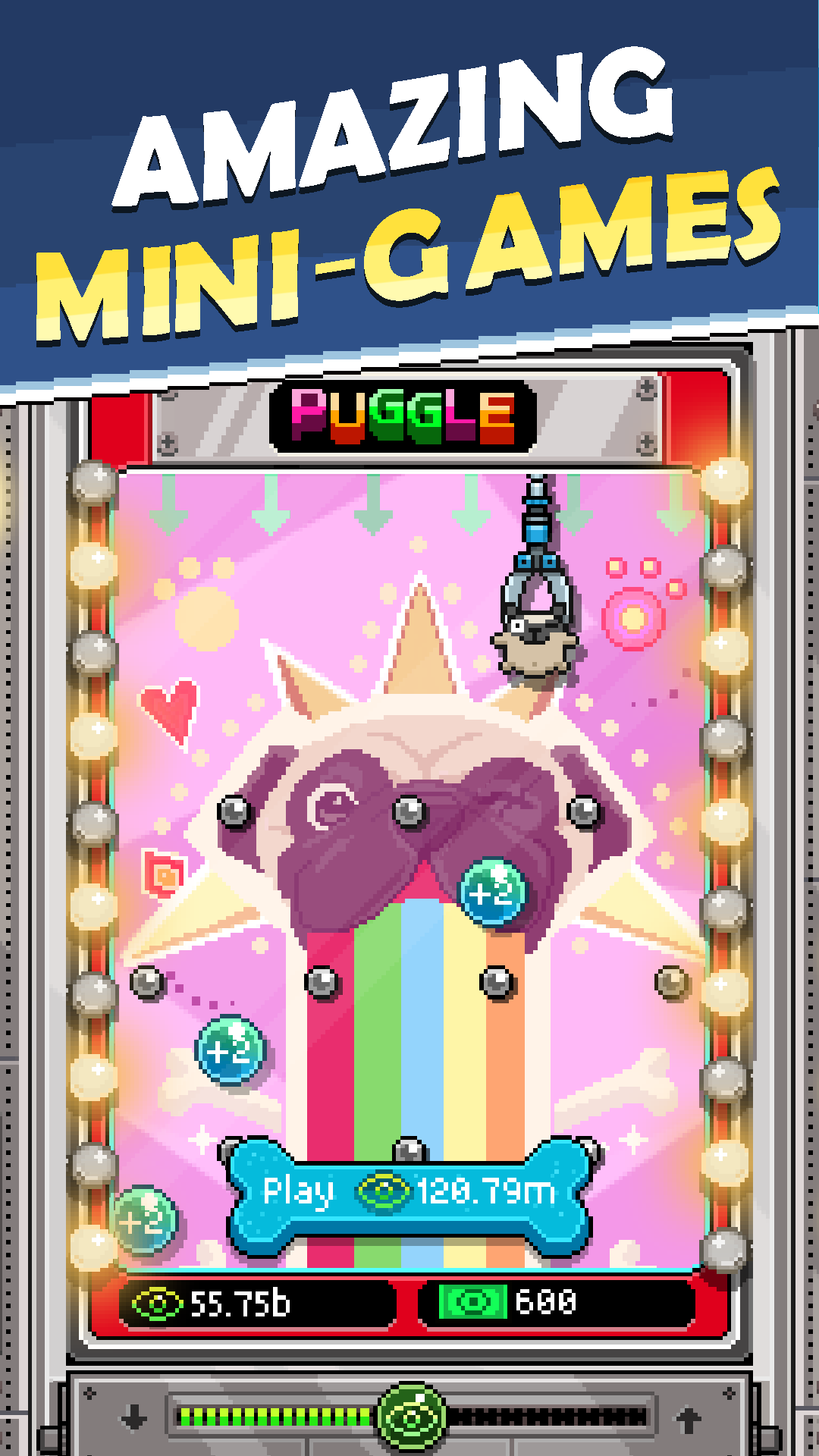
Videos belong to ten topics: animals, beauty, comedy, dark, gaming, lifestyle, music, nature, science, and sport. Each item you place raises your skill in a matching topic, so a science poster makes science videos perform better. The game layers minigames on top of this loop. Puggle is a pachinko-style game that speeds up item deliveries, Craniac is a claw crane that drops exclusive prizes, and the Meme Maker lets you build and share memes. Sponsor Eagles fly across your room every few minutes with free rewards. Understanding this loop matters, because it shows exactly where free currency comes from without any mod at all.
How to get free Bux in Tuber Simulator without a mod
Free Bux come from Sponsor Eagles, quests, minigames, and level-ups, and stacking these daily beats any modded file because the Bux stay on your account. Bux are the slowest currency to earn honestly, so the goal is to catch every small source rather than chase one big shortcut that the server will reverse.
The Sponsor Eagle is your most reliable trickle. It flies across the main room roughly every ten minutes, and its gift often holds Views, sometimes Subs, and occasionally Bux. Turn on game sounds, because the eagle screech arrives before it appears, and keep the room view zoomed out so it is easy to tap. Quests are the next pillar. You get free daily quests plus extra ones you can unlock by watching an ad, and their rewards include Bux, Brains, Views, and Subs. Puggle also drops Bux when your ball lands in the right bowl, so play a few rounds during every delivery.
The steadier method is leveling. Each time you level a video genre by buying matching items, and each time your character levels up, the game rewards you, and character level-ups in particular pay out Bux. Because leveling flows from buying items with Views, your Views grind quietly funds your Bux income. Spend Bux carefully once you have them. Early room expansions are usually the strongest buy, while spending Bux to skip shipping timers is the weakest, so save the premium currency for permanent upgrades rather than small time savings.
| Approach | What you see | What the server keeps |
|---|---|---|
| Mod apk “unlimited Bux” | A huge balance instantly | Often rolled back, or the account is flagged and locked out |
| Eagles, quests, Puggle, level-ups | A slow, steady climb | Every Bux stays and syncs across devices |
How to get more Views and Subscribers fast
Views and Subs grow fastest when you ride the daily trending topics and focus your upgrades on one or two genres instead of spreading them thin. Trends refresh every day and add roughly a 50 percent bonus to matching videos, so a long video in a double-trend genre can earn far more than a random upload.
Start by picking one topic and buying only items that boost it, which stacks your skill and multiplies the views for that content type. Once that genre is strong, branch into a second one so you always have a trending option available. Video length matters too, because longer videos on a trending topic return the most Views and Subs per upload, so unlock longer durations through the Knowledge Tree as soon as you can. Subs are the tighter resource, and the Sponsor Eagle triple-reward is worth using specifically for Subs, since there is no faster shortcut for them. Streaming fills the gaps, earning passive Views and Subs for up to sixty minutes while you are away, so restart it every time you return.
Brains and the Knowledge Tree: where to spend your skill points
Brains are your skill-point currency, and the whole Knowledge Tree costs 6006 Brains to fill, so early choices decide how fast you snowball. You earn Brains by leveling video genres, leveling your character, and completing major quests, which again ties back to spending Views on items.
My priority order is built around passive income and video output. Push Views Boost first, because it raises the return on every single video you make. Invest in Streaming next, so your channel keeps earning Views and Subs while the app is closed, and later unlock the perk that lets streaming run longer once you pass 5,000 Subs. After that, unlock the ability to publish two videos at once, then improve shipment so items arrive faster. The common mistake is scattering Brains across genres you never use. Max the perks that touch every video, then specialize, and avoid spending Brains on small conveniences you could earn back with a few quests.
The clock-forward trick and why it can delete your account
You may have seen the old “clock-forward” method described on cheat sites, where players changed their device time to skip video timers and delivery waits. I am flagging it here so you can recognize it, not so you use it. This trick violates the game’s terms of service, and the developer has stated it can lead to a permanent account deletion.
The reason it is so risky maps back to the server. When your device reports a time that does not match the server’s clock, the mismatch is easy to detect, and it looks exactly like tampering. What once felt like a harmless shortcut now reads as a red flag on an online account that holds your entire progress. The safe version of speeding things up already exists inside the game through Puggle deliveries, ad boosts, and shipment upgrades, none of which put your channel at risk.
What the Tuber Simulator mod apk actually includes
Modded listings for this game advertise a short, repeating set of features, and it helps to know what each one really means once the server is involved. Here is the honest reading of the common claims.
- Unlimited Bux: the premium currency is displayed as maxed on your device. Because Bux purchases and balances are tracked online, this is the value most likely to be rejected or to trigger a flag on sync.
- Unlimited Views: your soft currency shows as endless, letting you buy any shop item at once. On an account that talks to the server, an impossible spend rate is one of the easiest patterns to detect.
- Unlimited Subs: the subscriber gate that normally blocks upgrades appears cleared. Since Subs unlock leaderboard-relevant progress, a mismatched count is exactly what the ranking system watches for.
- Ad-free play: the ad prompts for boosts and extra quests are stripped out. This is the most self-contained change, though it also removes the ad rewards that legitimately grow your currency.
The pattern is consistent. The more a feature touches a value the server tracks, the less likely it is to stick, and the more likely it is to cost you the account. A mod that only removes ads is low impact and low risk, while a mod that promises infinite tracked currency is high risk with a short-lived payoff.
Is it safe to download PewDiePie’s Tuber Simulator mod apk?
A modified apk carries two separate risks: the file itself and the account behind it. The file may contain malware or request permissions the real game never needs, and the account may be flagged for using values the server did not issue. Neither risk shows up in a store screenshot, so caution matters more than the download button.
If you still choose to sideload a modified file, treat it as a disposable experiment rather than your main channel. Never link a mod install to the Game Center or Google Play account that holds your real progress or your Bux purchases. Keep your official version installed separately so you always have a clean path back online. If you only want to skip ads or try the game with a lighter grind, the honest earning methods above give you almost everything a mod promises, without the download risk.
Standard sideloading on Android follows a few steps:
- Open your device settings and allow installs from unknown sources for the browser or file manager you will use.
- Download the apk file and check its size against the official listing, since a wildly different size is a warning sign.
- Run the installer and review the permissions it asks for before you accept.
- Turn the unknown-sources permission back off once the install finishes, so nothing else can install silently later.
Run a security scan on any file from outside the official stores, and back up anything you care about before you experiment. These steps reduce the file risk, but they do not remove the account risk that comes from the server checks described above.
Can you play Tuber Simulator on PC?
You can, through an Android emulator or Google Play Games on PC, and the larger screen genuinely helps with two parts of this game. Decorating across four rooms with a catalog of more than 3,000 props is easier with a mouse, and the Puggle and Craniac minigames feel more precise with a pointer than with a thumb. The trade-off is that an emulator adds another layer where an online game can flag unusual behavior, so keep it simple and avoid pairing an emulator with any modded file if you value your account.
The honest verdict on the Tuber Simulator mod apk
PewDiePie’s Tuber Simulator is a genuinely fun idle game that still receives regular updates, with the current build sitting at version 2.79.0 as of July 2026, years after its 2016 launch and its early climb past 10 million downloads. The catch is structural: because your Bux, Views, and Subs live on Outerminds’ servers, the mod apk’s real ceiling is a rollback or a lockout, not a shortcut to the top. I would skip the “unlimited money” files entirely and lean on Eagles, quests, trends, and a smart Knowledge Tree, because that progress actually lasts. If curiosity wins and you sideload a modified version anyway, keep it on a throwaway account, keep your real channel unlinked, and treat anything the mod shows you as temporary until the server decides otherwise.
Vô hạn tiền
MENU MOD 10+ Tính năng
Vô hạn tiền
Install the official, unmodified build straight from Google Play.
Android emulator to run PEWDIEPIE'S TUBER SIMULATOR APK smoothly on PC.