Download Unmatched Air Traffic Control APK 2022.17.3 for Android
Vector3D Studios LLC APK
| Name | Unmatched Air Traffic Control |
|---|---|
| Publisher | Vector3D Studios LLC |
| Version | 2022.17.3 |
| Size | 781MB |
| Requires | Android 5.1 |
| Get it on | Google Play ↗ |
| Downloads | 1,365 |
| Price | FREE |
| Rating |
★
★
★
★
★
4/5
(1)
|
| Author | |
| Updated |
Unmatched Air Traffic Control puts you in the tower of a busy airport with no second chances, where one careless takeoff clearance can send two airliners into the same stretch of runway.
Unmatched Air Traffic Control is a mobile air traffic control simulation game from Vector3D Studios in which you guide planes to land, taxi, park, and take off without collisions. It launched on Android in June 2015 and has stayed in the app stores ever since, which is rare for a niche simulator. The premise sounds calm. In practice, the screen fills with arrivals and departures faster than most players expect, and the gap between a smooth shift and a runway pileup is a few seconds of attention.
- What Unmatched Air Traffic Control Is and Who Made It
- How the Game Works: Landings, Takeoffs, and Avoiding Collisions
- Airports, Aircraft, and Airlines You Can Unlock
- Coins, VIP, and In-App Purchases: How the Free Game Makes Money
- Weather, Day-Night Cycle, and Other Realism Touches
- How to Download and Install Unmatched Air Traffic Control on Android
- What an Unmatched Air Traffic Control MOD APK Actually Changes
- Is It Safe to Use a Modded Version?
- Saving Your Progress and Avoiding Lost Coins
- The Recent Update Controversy: What Changed and Whether to Update
- Tips to Progress Faster Without Paying
- How It Compares to Other Air Traffic Control Games
- Frequently Asked Questions
- The Bottom Line on Unmatched Air Traffic Control
What Unmatched Air Traffic Control Is and Who Made It
It is a real-time aviation simulator where you act as the controller for a single airport at a time. Vector3D Studios LLC develops it, with Marcia Silva Mello credited as the publisher on the App Store. The Android package name is com.vector3d.uatc, which is worth knowing because it lets you confirm you are looking at the genuine app rather than a copycat.
The game runs on Android 5.0 and later, on iPhone and iPad, and it can also run on PC through Google Play Games. Older Windows Phone builds existed years ago but are no longer supported. As of mid-2025, third-party trackers listed it at roughly a 3.8 out of 5 rating from about 150,000 Google Play reviews, with the App Store version sitting higher at around 4.4. So opinions are split, and a lot of that split traces back to update history, which is covered further down.
How the Game Works: Landings, Takeoffs, and Avoiding Collisions
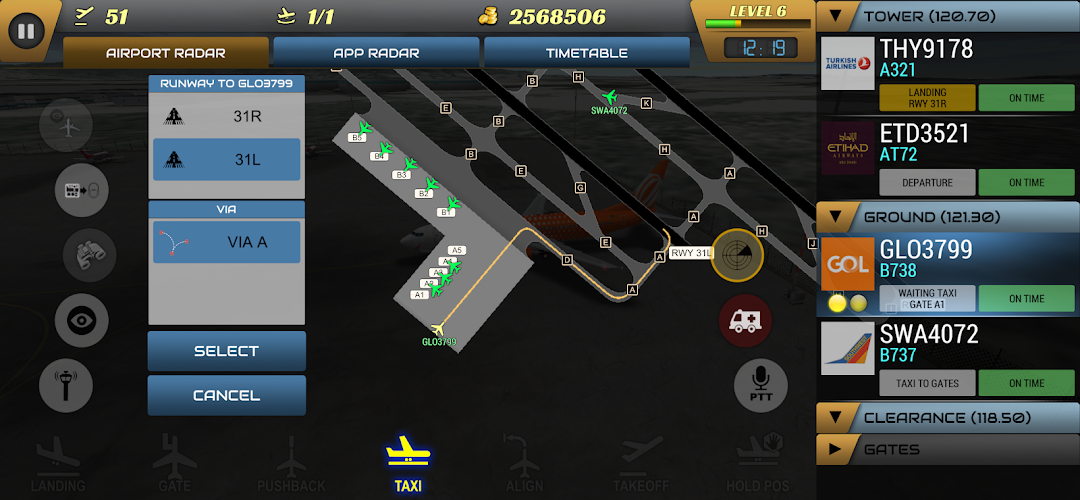
Your job is to keep aircraft moving safely through four phases: approach, landing, taxi and parking, then pushback and departure. You tap a plane and drag a path, or assign it to a runway and gate, and the aircraft follows your instruction. The challenge is timing. Two planes cleared for the same runway, or two neighboring gates cleared for pushback at once, will collide.
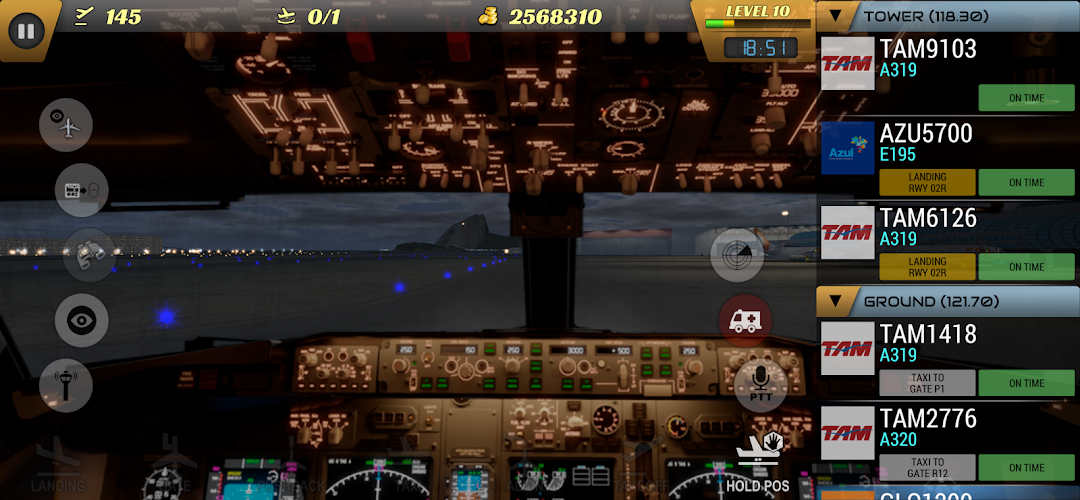
Traffic arrives on a dynamic timetable that scales with how busy the airport is. You watch an approach radar for incoming flights and an airport radar for ground movement. The controls stay simple on purpose, but the decision-making is not. As levels rise, more planes share the same concrete, and you have to sequence landings, hold departures, and route taxiing aircraft so they never block each other. Many players describe it less as an arcade game and more as a concentration and memory exercise, which matches how the developer markets it.
Airports, Aircraft, and Airlines You Can Unlock
The game ships with 13 airports, split between fictional designs built for the game and realistic ones modeled on real-world fields. The realistic set includes Rio de Janeiro (SBRJ), and the lineup features fields such as Rocky Mountains Regional and Capeville. Each airport has its own layout, terminal count, and difficulty, and most have progression levels that unlock more gates and traffic as you advance.
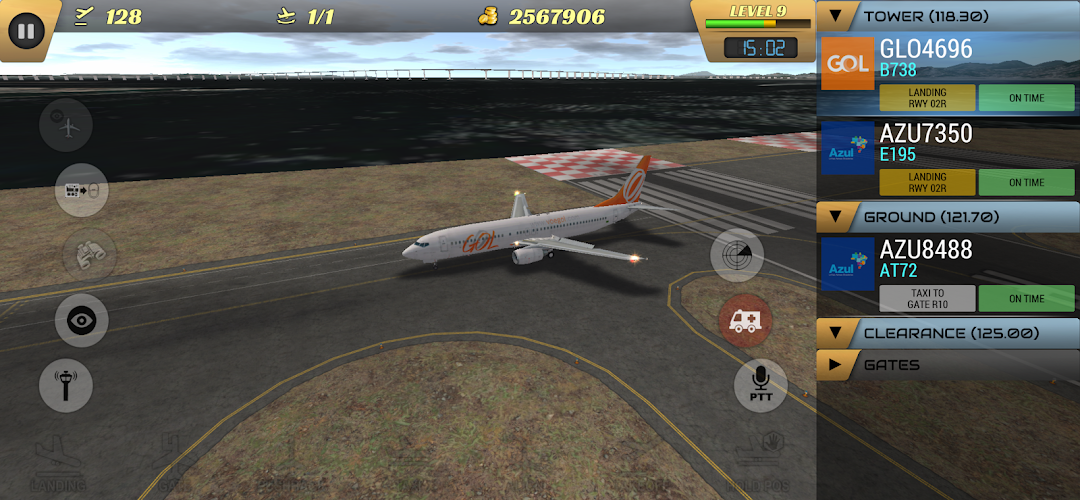
Aircraft variety is the part fans care about most. The roster spans the Airbus A320 family, the Boeing 737 family, the Boeing 747, 757, 767, 777, and 787, the Airbus A330, A340, A350, and A380, plus the Embraer 195, MD-11, ATR 72, and dedicated cargo planes. Many of these carry real airline liveries from around the world, which is a big draw for aviation enthusiasts. Reviewers do note gaps, asking for specific operator and type combinations that are missing, so the catalog is broad but not exhaustive.
Coins, VIP, and In-App Purchases: How the Free Game Makes Money
Unmatched Air Traffic Control is free to download, and it earns revenue through in-game coins, one-time purchases, and a subscription. You earn coins by completing departures and leveling up your airports, then spend them on extra gates, airlines, aircraft, and new airports. So the core loop is grind to earn, then unlock more content.
On top of that sits a VIP subscription. Listings put it in the range of about $4 to $13 per month depending on the plan and region. VIP unlocks features the free game holds back, including multiplayer, exclusive airports, and additional cameras (the game lets you set up multiple camera angles per airport, with VIP raising the limit). Subscriptions renew automatically unless you cancel before the period ends, which is the standard App Store and Play Store arrangement and worth turning off in your account settings if you only want a trial.
Weather, Day-Night Cycle, and Other Realism Touches
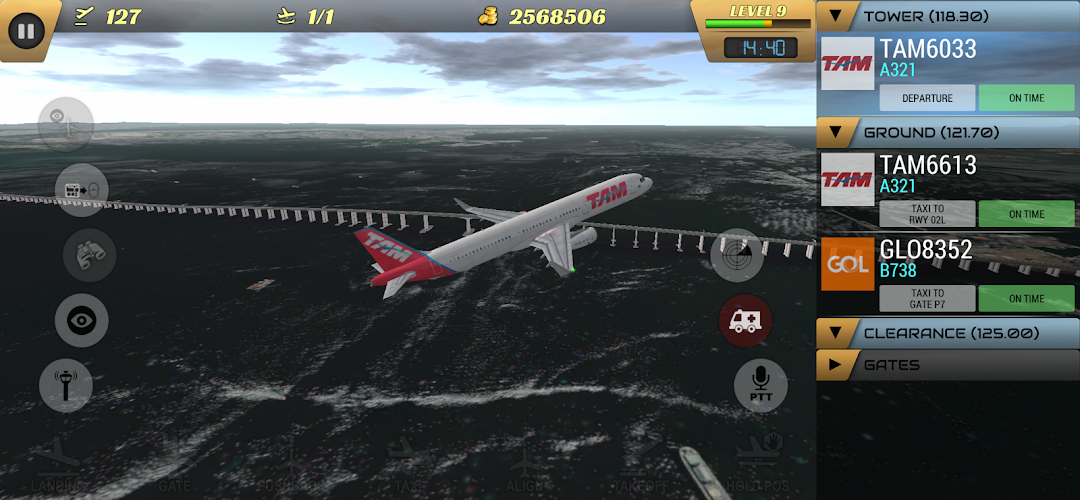
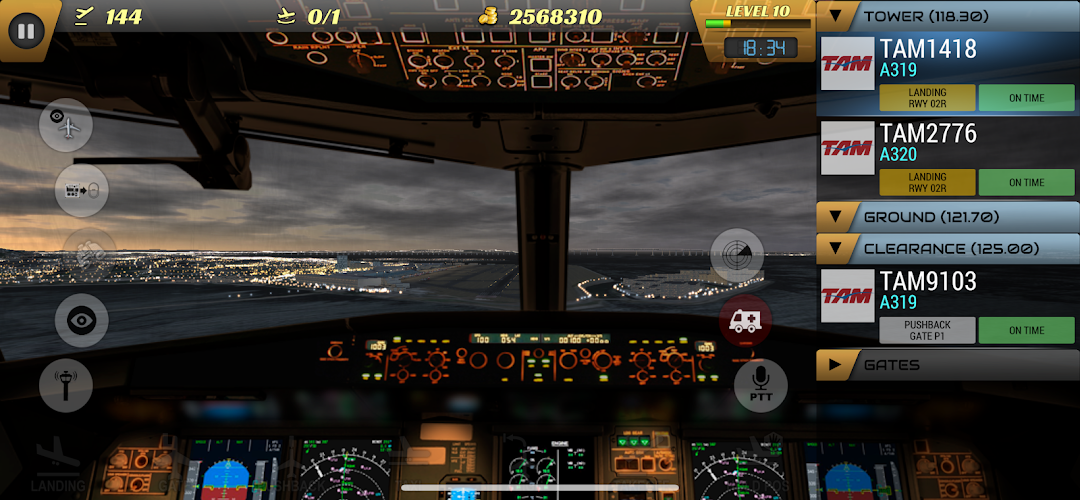
The simulation leans into atmosphere as much as mechanics. It models weather conditions including rain, snow, and thunderstorms, runs a full day and night cycle, and adds realistic aircraft animations and engine sounds. Night operations bring runway and taxiway lighting, and bad weather changes how the field reads at a glance.
There are also emergency events that any airport can now handle, which force you to prioritize a single aircraft while the rest of the schedule keeps pressing. None of this changes the core rule that planes must never touch, but it raises the pressure and is a large part of why the game feels closer to a job than a casual time-killer.
How to Download and Install Unmatched Air Traffic Control on Android
The safest route is the official one: install it straight from Google Play or the App Store, where updates and billing are handled for you. The Android download is large, reported at roughly 780 MB by APK trackers, so use Wi-Fi and make sure you have a couple of gigabytes of free storage before you start.
If you install an APK file from outside the Play Store instead, the process is standard Android sideloading, and it works like this:
- Download the APK file to your phone from the source you have chosen.
- When you open it, Android will ask permission to install from that app, such as your browser or file manager. Enable “Install unknown apps” for that single app only.
- Tap the file to install, then open the game.
- Switch the “Install unknown apps” permission back off once you are done, so nothing else can sideload later.
That permission is the security gate. Leaving it on for everything is how unwanted apps slip in, so flipping it back off is the simple habit that keeps sideloading reasonable. If you want to browse other games and apps before deciding what to install, the homepage is a sensible starting point.
✈️ Explore More Apps & Games on MODLMH
What an Unmatched Air Traffic Control MOD APK Actually Changes
A modded version of the game is a repackaged build that hands you the things you would normally grind or pay for, usually advertised as “unlimited money,” “free shopping,” or “unlocked all.” In plain terms, the mod stuffs your coin balance so you can buy every gate, aircraft, livery, and airport without earning them, and sometimes it opens VIP-style content too.
It helps to be clear about what that does and does not do. The mod removes the economy, which for this game is most of the long-term progression. If the appeal of Unmatched Air Traffic Control for you is slowly building up a network of busy airports, a mod with unlimited coins deletes that arc in one tap. Describing what the mod is changes nothing about the law or your security, which the next section handles honestly.
Is It Safe to Use a Modded Version?
A modded APK is only as trustworthy as the site you got it from, and a 780 MB file is hard to vet by eye. Modded builds are repackaged by third parties, not by Vector3D Studios, so they can carry anything the repackager added. Files from unknown download pages are a common path for Android malware, and the larger the file, the easier it is to hide something inside it. That is the real risk, more than any in-game consequence.
There are smaller concerns worth naming. The game uses a VIP subscription and multiplayer, so a modified build can behave unpredictably with those online features or simply break them. The honest framing is that this is a paid-supported game from a small studio, and using a mod removes the revenue that keeps it updated. If you do choose to try a mod, treat it as disposable: do not tie it to accounts you care about, keep a security scanner active, and prefer the official store version for anything you intend to play seriously. Cracking software or bypassing payment systems is not something this guide will walk you through, and the developer deserves credit for keeping a niche simulator alive for a decade.
Saving Your Progress and Avoiding Lost Coins
This is the single most important thing to know before you invest hours, because progress loss is the longest-running complaint about Unmatched Air Traffic Control. On iPhone and iPad, the game backs up to iCloud and uses Game Center, so your data follows you across Apple devices and survives most updates. On Android, the situation is weaker, and players have reported for years that switching phones wiped their coins and unlocked airports because there was no reliable cloud save tied to Google Play Games.
The practical advice that follows from this: if you play on Android and care about your progress, do not assume it is backed up anywhere. Players have lost thousands of coins simply by moving to a new phone, and some also lost paid in-app purchases during major version jumps in the past, such as the old 3.0.x updates. Before you switch devices or accept a big update, check the game’s own settings for any backup or restore option, and understand that on Android the safer assumption is that your save lives only on that device. This caveat alone separates a satisfying experience from a frustrating one, and most download pages never mention it.
The Recent Update Controversy: What Changed and Whether to Update
The game has a history of disruptive updates, and the most recent one drew sharp criticism. The major 2022.05 rewrite rebuilt the game from scratch, redesigned every airport, and introduced a new heads-up display, new radars, and the dynamic timetable. That update modernized the look but also reset expectations for some long-time players.
More recently, around the 2022.17.3 update, a wave of reviews into 2026 reported real regressions: a missing push-to-talk option, a timetable that only appears when the radar is open, removed in-game instructions, aircraft that stay invisible until they land, and a game that restarts if it sits in the background for even a moment. Whether to update depends on what you value. If a stable, familiar build matters more to you than new content, it is reasonable to hold off and read recent reviews before accepting an update. If you are starting fresh, you will simply learn the current interface as it stands. Either way, back up first where you can.
Tips to Progress Faster Without Paying
You can build a strong save in the free game by spending coins on capacity before cosmetics. The most common mistake new players make is buying liveries and extra aircraft early, which looks nice but does not move you forward. Unlocking gates is what raises an airport’s level and its earning potential, so gates come first.
Sequencing is the skill that actually earns coins. Clear landings against your approach radar so you never bring a plane down onto an occupied runway, and avoid clearing two adjacent gates for pushback at the same time, which is a guaranteed collision. Route taxiing aircraft along a consistent path so a departing plane never blocks one trying to push back. Higher airport levels and more departures both pay better, so the fastest legitimate growth comes from running busier airports cleanly rather than buying decorations.
How It Compares to Other Air Traffic Control Games
Unmatched Air Traffic Control sits in a small genre, and the closest comparisons help set expectations. Airport Madness 3D offers a tower-view perspective at real-world airports and was built with input from real controllers, so it leans harder into the moment-to-moment control feel. World of Airports focuses more on airport management and progression. SkyHeart Tower is a lighter, free alternative with a couple of real airports and its own in-game store.
Where Unmatched Air Traffic Control stands out is breadth: 13 airports, a large aircraft roster with real liveries, weather, a day and night cycle, and multiplayer for subscribers, all in one free download. Where it falls behind rivals is polish and trust. The progress-save weakness on Android and the rocky update history are exactly the friction points the alternatives tend to avoid. If realistic ground control with lots of aircraft variety is your priority, this is a strong pick. If reliable saves and a stable build matter more, weigh the alternatives.
Frequently Asked Questions
Is Unmatched Air Traffic Control free? Yes. The game is free to download and play, with optional in-app purchases and a VIP subscription that runs roughly $4 to $13 per month. The subscription unlocks extras like multiplayer, exclusive airports, and more cameras, but you can play and progress without paying.
Can I play it offline? The single-player simulation runs locally, so the core game works without a constant connection. Multiplayer and any store or subscription features need to be online. Keep in mind that on Android your progress may live only on the device, so being offline does not back anything up.
How do I get more coins without paying? Complete departures and level up your airports, and prioritize unlocking gates over buying liveries. Busier, higher-level airports earn more per shift, so clean sequencing of landings and takeoffs is the fastest free way to grow your balance.
Can I play Unmatched Air Traffic Control on PC? Yes, through Google Play Games on PC, which lets the Android version run with a keyboard and mouse on a larger screen. There is no separate standalone desktop release from the developer.
Why did I lose my progress after switching phones? On Android the game has historically lacked dependable cloud saving, so moving to a new device can wipe coins and unlocked airports. iOS users get iCloud backup, which is more reliable. Check the in-game settings for any backup option, and do not assume your Android save is stored anywhere but locally.
Is the modded version safe? A mod is only as safe as its source, and a file this large from an unknown site is a real malware risk because third parties repackage it. It can also break online and subscription features. If you try one, keep it off accounts you value and run a security scanner. The official store version is the safer choice for serious play.
The Bottom Line on Unmatched Air Traffic Control
Unmatched Air Traffic Control is one of the deepest free air traffic control simulators on mobile, with 13 airports, a wide aircraft roster in real liveries, weather, and multiplayer for subscribers. It rewards patience and sharp sequencing, and it genuinely tests concentration rather than reflexes. The trade-offs are real, though: Android progress can vanish when you switch devices, and the update history has been bumpy, including the disputed changes around the 2022.17.3 release.
If you want a realistic, content-rich ATC game and you are on iOS, install the official version and enjoy the iCloud safety net. If you are on Android, play the official build, treat your save as device-local, and read recent reviews before accepting any major update. Approach modded “unlimited money” versions with caution, since the convenience rarely outweighs the security risk on a file this big from an unverified source.
Menu, Vô Hạn Full Tiền, Mở Khóa Nội Dung
Install the official, unmodified build straight from Google Play.
Android emulator to run UNMATCHED AIR TRAFFIC CONTROL APK smoothly on PC.