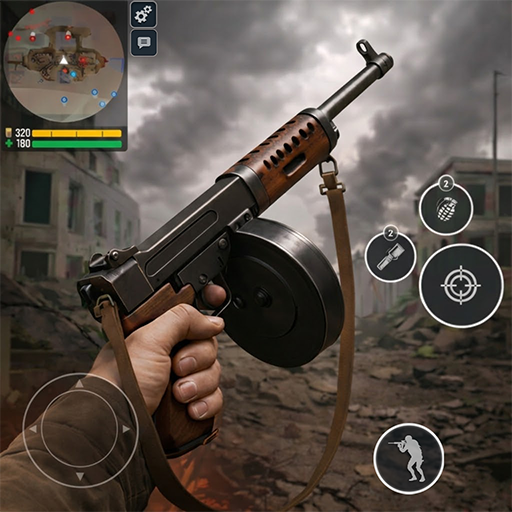
Download World War 2 APK 5.01 for Android
Edkon Games GmbH APK
| Name | World War 2-FPS Shooting Games |
|---|---|
| Publisher | Edkon Games GmbH |
| Version | 5.01 |
| Size | 55MB |
| Requires | Android 5.0 |
| Get it on | Google Play ↗ |
| Downloads | 2,957 |
| Price | FREE |
| Rating |
★
★
★
★
★
3.4/5
(5)
|
| Author | |
| Updated |
World War 2 has pulled in more than 50 million Android players with fast ten-person WWII firefights, yet the “mod menu” APKs floating around for it sit on the wrong side of two lines at once: the game’s anti-cheat system and your phone’s security.
World War 2, listed on Google Play as World War 2: FPS Shooting Games and known to longtime players simply as Battle Combat, is a free online multiplayer first-person shooter built by the German studio Edkon Games GmbH. It drops you into short, ten-player skirmishes set on World War II maps, with real-era weapons, five playable nations, and a progression system that nudges you toward in-app purchases. That last part is exactly why so many download pages advertise modified copies promising unlimited money and a built-in cheat menu. The catch is that the game is played live against other people, which changes the safety math in ways most of those pages never mention.
- What World War 2 Is, and Who Built It
- How World War 2 Plays: Modes, Maps, and Factions
- The Weapon Arsenal and How You Progress
- What You Need to Run World War 2 (Device, Android, and Storage)
- How to Download and Install World War 2 on Android
- From Google Play (recommended)
- Installing an APK or XAPK manually
- What the Modded APK Versions Promise
- Is the World War 2 Mod APK Safe? Malware and Ban Risk
- Beginner Tips to Win More Matches
- Common Problems and How to Fix Them
- Games Like World War 2 Worth Trying
- Frequently Asked Questions
- The Bottom Line
What World War 2 Is, and Who Built It
World War 2 is a free-to-play online WWII shooter for Android, published by Edkon Games GmbH and live on Google Play since February 2021. As of mid-2026 it has passed 50 million downloads and holds a rating of around 4.4 stars from roughly 542,000 reviews, with the latest build being version 5.01. The store entry has gone by a few names over the years, including World War 2 – Battle Combat and World War 2: FPS Shooting Games, but the underlying package is the same game (com.edkongames.ww2).
Edkon Games is a long-running mobile studio with more than a decade of experience in online shooters. World War 2 sits alongside its other titles such as Modern Ops, Fire Strike, and Contra City, so the team brings a clear house style: snappy controls, multiplayer-first design, and frequent seasonal content. If you have played a mobile shooter like PUBG Mobile or Call of Duty Mobile and wanted something lighter and WWII-themed, this is the lane World War 2 occupies. It leans more arcade than simulation, which keeps matches quick and easy to pick up.
How World War 2 Plays: Modes, Maps, and Factions
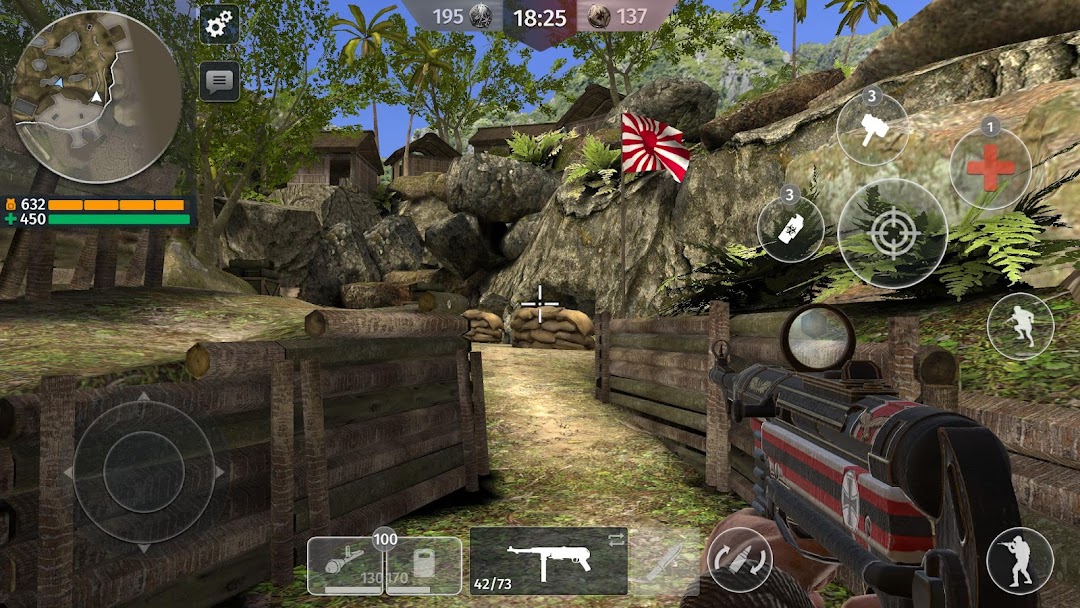
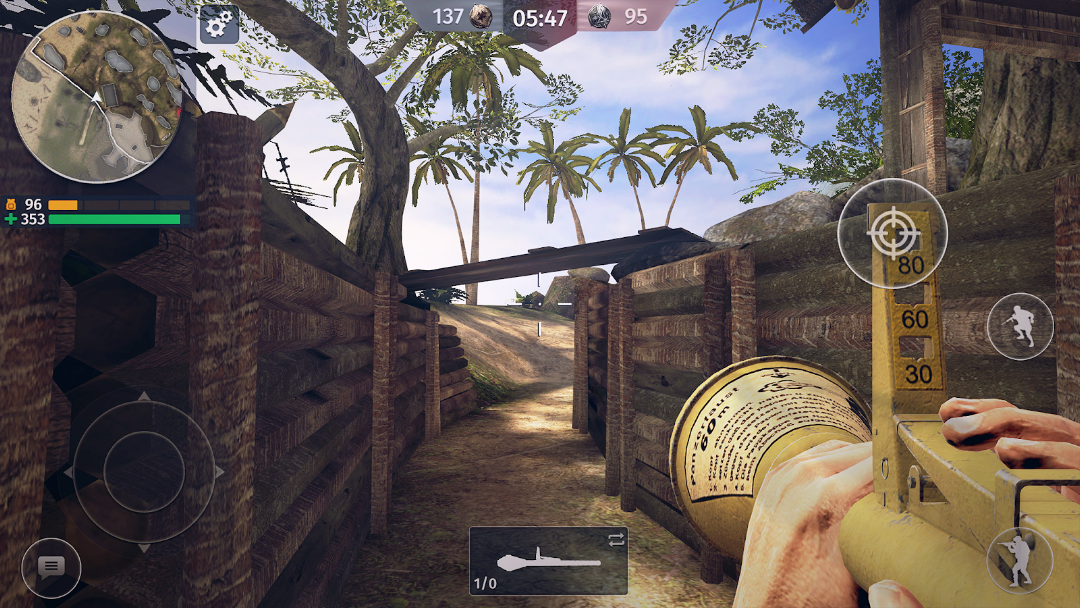
Matches are short online battles of up to ten players, spread across a handful of WWII-era maps and six game modes. You pick a side, load out a soldier, and fight to either out-kill the enemy team or complete an objective, depending on the mode. Most rounds last only a few minutes, which suits short sessions on a phone.
The mode list covers the staples of the genre. Team Deathmatch pits two squads against each other for the highest kill count. Free for All removes teams entirely, so everyone is a target. Domination asks teams to capture and hold points on the map. There is a bomb mode built around planting and defusing, plus a Quick Match option that was added in a recent season for faster queues. Each mode rewards a slightly different playstyle, so the loadout that wins a deathmatch is not always the one that holds a capture point.
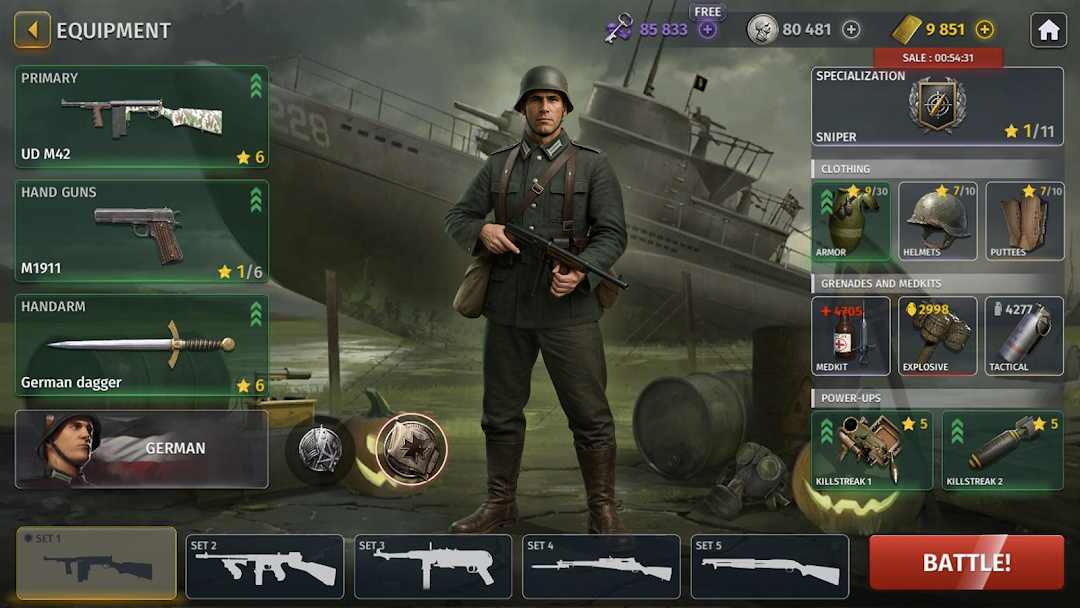
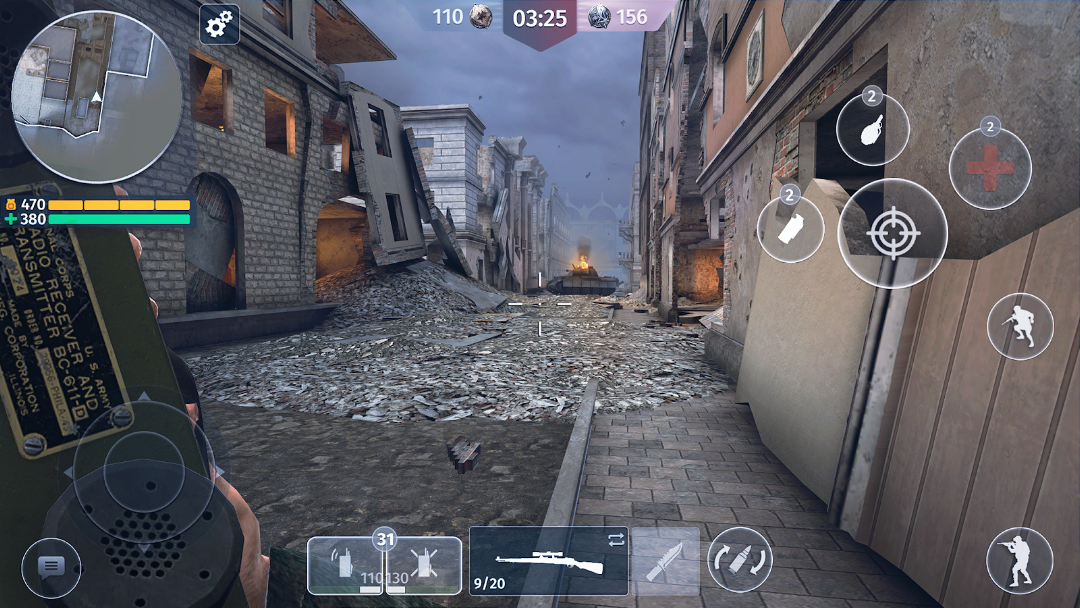
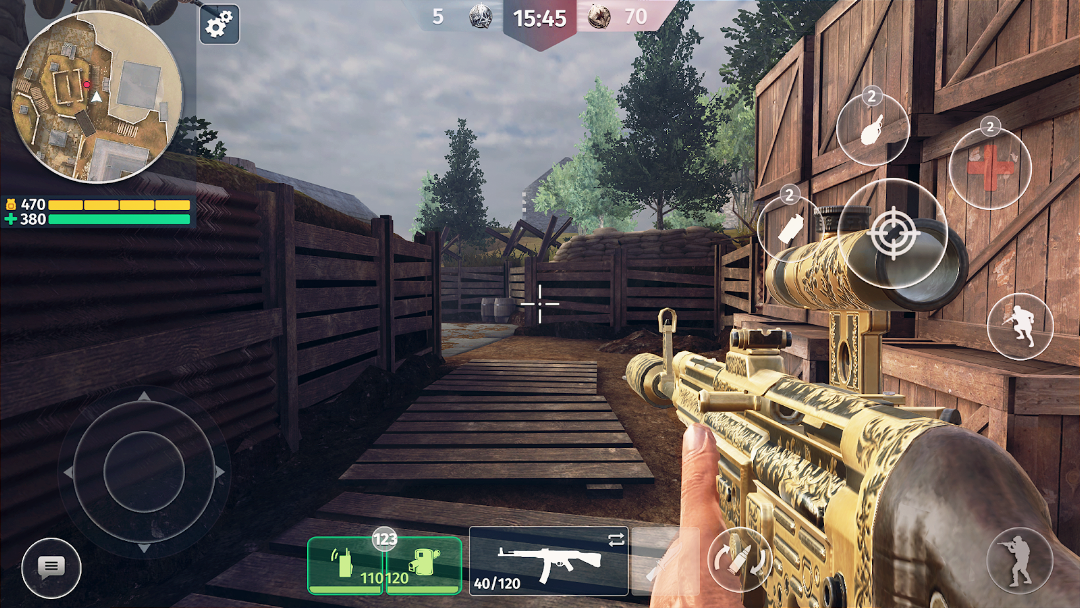
The maps lean into varied WWII settings, from dense forest cover where ambushes pay off, to tunnels and ruined buildings that force careful, room-by-room movement. You also choose a faction, with options including Soviet, German, American, Korean, and Japanese soldiers. The choice mostly affects look and flavor rather than raw power, so it is a cosmetic and roleplay decision more than a competitive one.
The Weapon Arsenal and How You Progress
World War 2 stocks a broad WWII arsenal and ties weapon power to a progression and upgrade system rather than handing everything over at once. You start with basic gear and unlock or upgrade better equipment as you play, which is the loop that keeps players coming back and also the loop that the paid currency shortcuts.
Weapon categories span pistols, bolt-action and semi-auto rifles, shotguns, submachine guns, and machine guns, all the way up to heavier tools like bazookas, with melee options such as knives and shovels for close range. Each gun has trade-offs in damage, fire rate, range, and handling, so the smart move is matching the weapon to the map and mode rather than chasing one “best” gun. On top of that sits a skill and ability system, weapon skins and customization, and social features like clans, squads, quests, contracts, and achievements that give you long-term goals.
The game runs on a seasonal calendar, layering in new content over time. A recent example was the Battle of Britain season, which introduced a new map theme, a fresh game mode, and a new weapon (the Mossberg 500). The original business model is free with ads and in-app purchases, where real money buys currency, skins, and progression boosts. Because that currency speeds up everything, the demand for “unlimited money” mods is built directly into how the official game is designed.
What You Need to Run World War 2 (Device, Android, and Storage)
World War 2 targets reasonably modern Android phones and needs a fair chunk of storage because it ships with a large data package. As of mid-2026 the listing requires Android 8.0 or higher, and the full download lands at roughly 700 MB once the APK and its OBB data files are combined. Expect that footprint to grow as seasonal updates add maps and assets.
Because it is an online shooter, a stable internet connection matters more than raw graphics power. The game scales its visuals, so mid-range hardware can usually hold a playable frame rate at lower settings, while older or low-RAM phones may stutter in busy fights. If you are on a weaker device, dropping the graphics quality in settings tends to help more than anything else, since lag in a live match is usually about connection and memory rather than the resolution alone.
How to Download and Install World War 2 on Android
The safest way to install World War 2 is straight from Google Play, where updates and security checks are handled for you. Installing a standalone APK or XAPK is possible, but it means turning on “Install unknown apps” for your browser or file manager and, in many cases, placing an OBB data folder by hand. Both routes are covered below.
From Google Play (recommended)
Open the Play Store, search for World War 2 by Edkon Games GmbH, and tap Install. The store delivers the correct APK plus OBB for your device automatically, keeps the game updated, and verifies the file through Play Protect. For an online game tied to an account, this is the route that keeps both your progress and your phone in the safest position.
Installing an APK or XAPK manually
If you are loading the file yourself, the process has a few more steps and a few more places to go wrong:
- Open Settings, then Security or Privacy, and find “Install unknown apps.” Grant permission to the specific browser or file manager you will use, and switch it back off once you are done.
- Download the file from a source you trust. A plain .apk installs on its own, but a .xapk or .apks bundle (which packs the OBB data inside) needs a helper such as Split APKs Installer or ZArchiver to install correctly.
- If you have a separate OBB file, unzip it and place it in the path the file specifies, which for this game is the Android/obb folder under the package name com.edkongames.ww2, before you install the APK.
- Tap the APK, review the permissions it asks for, and install. To keep your progress when updating, install the new version over the old one instead of uninstalling first.
The single biggest variable here is the source. A clean file from a reputable library installs without surprises, while a random download can carry far more than the game. If you prefer to browse files in one place rather than chasing links across forums, you can start from the modlmh library here:
What the Modded APK Versions Promise
The modified copies of World War 2 advertise a mod menu that switches on advantages the official game never grants. The most common claims are unlimited money, max level, unlimited ammo, no recoil or “no spread,” aimbot or auto-aim, an ESP line that marks enemies through cover, and a map hack or wallhack. In practice these split into two groups, and the difference matters a lot.
A handful of these touch only your own account economy, like extra in-game currency. Most of them, however, are competitive cheats that act on other live players. Aimbot locks your aim onto enemies, ESP and wallhacks reveal positions you should not be able to see, and no-spread removes the accuracy penalty everyone else lives with. Because World War 2 is an online PvP game, using those features is not a private tweak to a single-player save. It changes the match for the nine other people in the room, which is precisely why the game treats them as cheating rather than as a harmless quality-of-life mod.
Is the World War 2 Mod APK Safe? Malware and Ban Risk
A World War 2 mod APK carries two separate risks that often get blurred together: the risk to your account, and the risk to your device. Both are real, and the online nature of the game makes the first one more serious than it would be for an offline title.
On the account side, this is a live multiplayer shooter with anti-cheat systems, and aimbot, ESP, wallhacks, and no-spread are exactly the behaviors those systems are built to catch. A flagged account can be suspended or permanently banned, and there is no realistic appeal when the violation came from a modified build you installed yourself. If the account holds progress, purchases, or a clan you care about, signing into it from a modded copy puts all of that on the line for a short-term edge.
On the device side, every modded APK has been re-signed by someone other than the developer, which is the root of the problem. Some of these builds run background processes and connect to a third-party server to bypass licensing, and because the signature has been changed, even legitimate antivirus tools may flag them. That admission shows up plainly on some mod listings themselves, which warn that the file may be detected as a virus and that it talks to their own servers. In a niche this popular, malware and credential or token stealers ride along in unofficial files often enough that you should treat any “free unlock everything” APK as guilty until proven clean.
If you still want to experiment, the harm-reduction version is straightforward. Never sign into a primary account from a modded build, scan the file before opening it, install only from a source with a track record, and read the permissions the app requests. The honest bottom line for an online game like this one is that the cheat menu is the riskiest part, not the download, because it threatens the account you actually care about.
Beginner Tips to Win More Matches
Most players who struggle in World War 2 lose to map awareness and loadout choices, not to reflexes. A few habits move your win rate more than any single weapon does. Start by matching your gun to the map: a submachine gun shines in the tunnels and tight building interiors, while a rifle rewards the longer sightlines on open forest maps.
Keep an eye on the minimap in the corner, since it telegraphs where teammates are dying and where the next fight is forming. Hold angles instead of running into open lanes, because in a ten-player match the person who shoots first usually wins the trade. Watch your armor and health, and break off a fight to reposition when you are low rather than pushing into the next enemy. Finally, play the mode you are in: chasing kills in Domination loses the point, and rushing the bomb site alone in bomb mode usually just feeds the other team. Steady, objective-focused play beats aggressive solo runs at almost every skill level.
Common Problems and How to Fix Them
Most installation and performance complaints about World War 2 trace back to a small set of causes, and they have reliable fixes. The errors below are the ones players hit most often.
- The APK won’t install. Confirm “Install unknown apps” is enabled for the app you are installing from. If the file ends in .xapk or .apks, a normal tap will not work because it is a bundle; use Split APKs Installer or ZArchiver to install it.
- The game installs but won’t launch. This usually means the OBB data is missing or in the wrong place. Make sure the OBB folder sits at Android/obb/com.edkongames.ww2 before you open the game.
- An update wiped my progress. When updating manually, install the new version over the existing one rather than uninstalling first, which preserves your saved data.
- Crashes or freezes mid-match. The download is large and the game is memory-hungry, so close background apps, free up storage, and lower the graphics setting on older phones.
- Constant lag or rubber-banding. Because matches are online, this is almost always your connection. Switch from mobile data to a stable Wi-Fi network, or vice versa, and avoid playing while large downloads run in the background.
Games Like World War 2 Worth Trying
If you enjoy World War 2 but want a change of pace, the closest matches are other fast online mobile shooters, including a couple from the same developer. Edkon’s own Modern Ops and Fire Strike share the same control feel and multiplayer-first structure, just with modern weaponry instead of a WWII setting, so they are the gentlest switch.
For more WWII-flavored combat, World War Heroes offers a similar era with larger battles and vehicles. If you want tighter, more competitive shooting, Standoff 2 and Bullet Force are well-regarded picks, while Call of Duty Mobile and Modern Strike Online sit at the bigger, more polished end of the genre. None of these is a strict upgrade, since they trade off file size, hardware demands, and monetization differently, so the right choice depends on your phone and how seriously you want to compete.
Frequently Asked Questions
Is World War 2 free to play? Yes. The game is free on Google Play and earns through ads and optional in-app purchases for currency, skins, and progression boosts. You can play and progress without spending, though it is slower.
Is World War 2 online or offline? It is primarily an online multiplayer game built around live PvP matches of up to ten players, so a stable internet connection is required for most of what it offers.
How big is the download and what does it need? The full install is around 700 MB once the APK and OBB data are combined, and the listing asks for Android 8.0 or higher as of mid-2026. Expect the size to grow with seasonal updates.
What is the latest version? The current build is version 5.01, updated regularly on a seasonal schedule that adds new maps, modes, and weapons.
Is the World War 2 mod APK safe? A modded APK is only as safe as its source, and even a clean one carries risk. Because this is an online game, the bigger danger is your account: aimbot, ESP, and wallhack features are detectable cheats that can get you banned, with no real way to appeal from a modified build.
Can you actually get banned for using a mod? Yes. World War 2 is a live PvP game with anti-cheat, and using a mod menu against other players is the kind of behavior those systems are designed to flag. Do not sign into an account you value from a modded copy.
Who made World War 2? It is developed and published by Edkon Games GmbH, a German studio that also makes Modern Ops and Fire Strike.
Does it run on low-end phones? It can, but expect some stutter on older or low-RAM devices. Lowering the graphics setting and closing background apps gives the biggest improvement.
The Bottom Line
World War 2 is a genuinely fun, easy-to-pick-up WWII shooter that has earned its 50 million-plus downloads through quick matches, a deep weapon list, and steady seasonal updates. For almost everyone, the right move is to install the official build from Google Play, since that keeps both your account and your phone protected while still giving you the full game for free. The modded APKs that promise unlimited money and a cheat menu are tempting, but in an online game the cost is steep: the competitive cheats are bannable, and unofficial files are a common home for malware. If you only take one thing away, make it this: never log a real account into a modded copy of an online game. Start with the official version, learn the maps, and spend on the upgrades that matter to you rather than gambling your account on a hack.
MENU MOD 20+ Tính năng
Install the official, unmodified build straight from Google Play.
Android emulator to run WORLD WAR 2-FPS SHOOTING GAMES APK smoothly on PC.