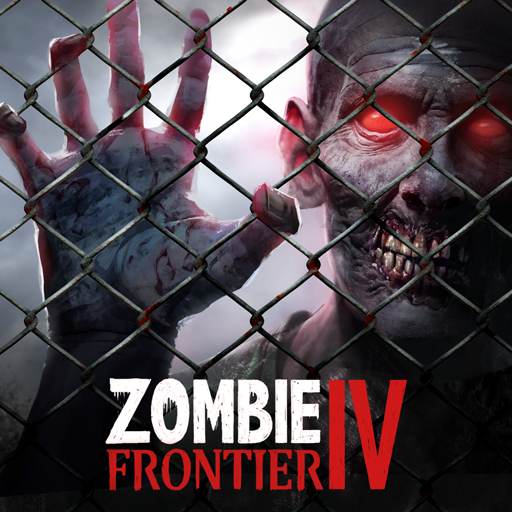
Download Zombie Frontier 4 APK 1.10.16 for Android
FT Games APK
| Name | Zombie Frontier 4: Shooting 3D |
|---|---|
| Publisher | FT Games |
| Version | 1.10.16 |
| Size | 617MB |
| Requires | Android 9.0 |
| Get it on | Google Play ↗ |
| Downloads | 2,188 |
| Price | FREE |
| Rating |
★
★
★
★
★
4/5
(2)
|
| Author | |
| Updated |
Zombie Frontier 4 hands you a sniper rifle and a city full of mutated undead, then quietly builds a paywall around the gold you need to survive past the early levels, which is exactly why “modded” versions of it are everywhere.
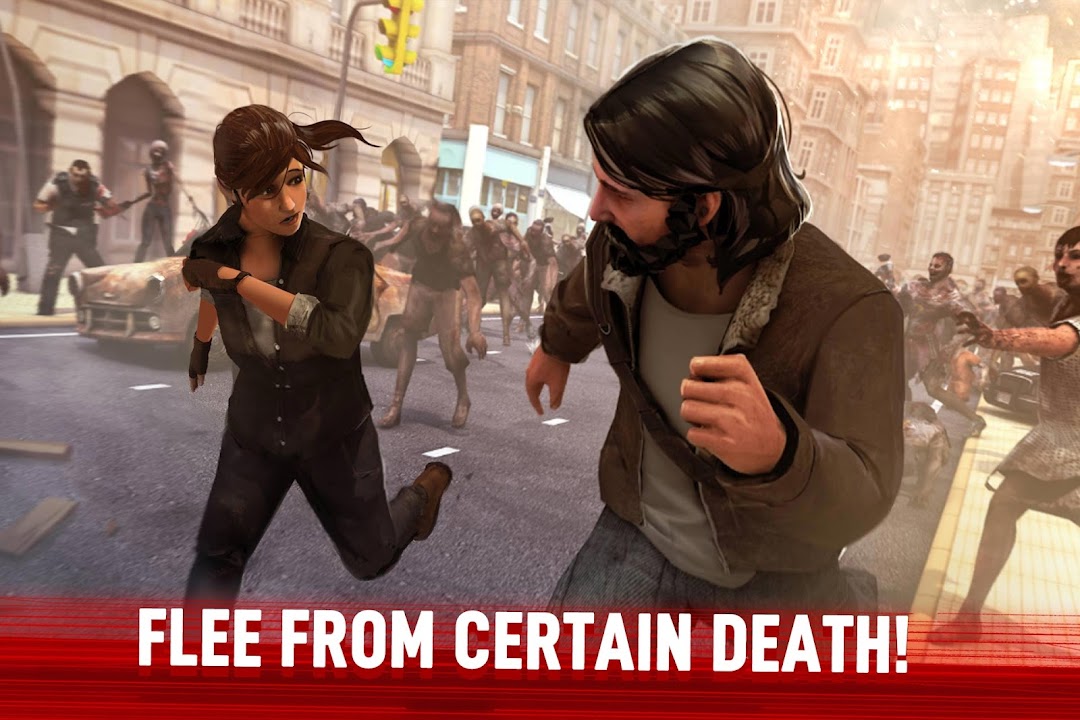
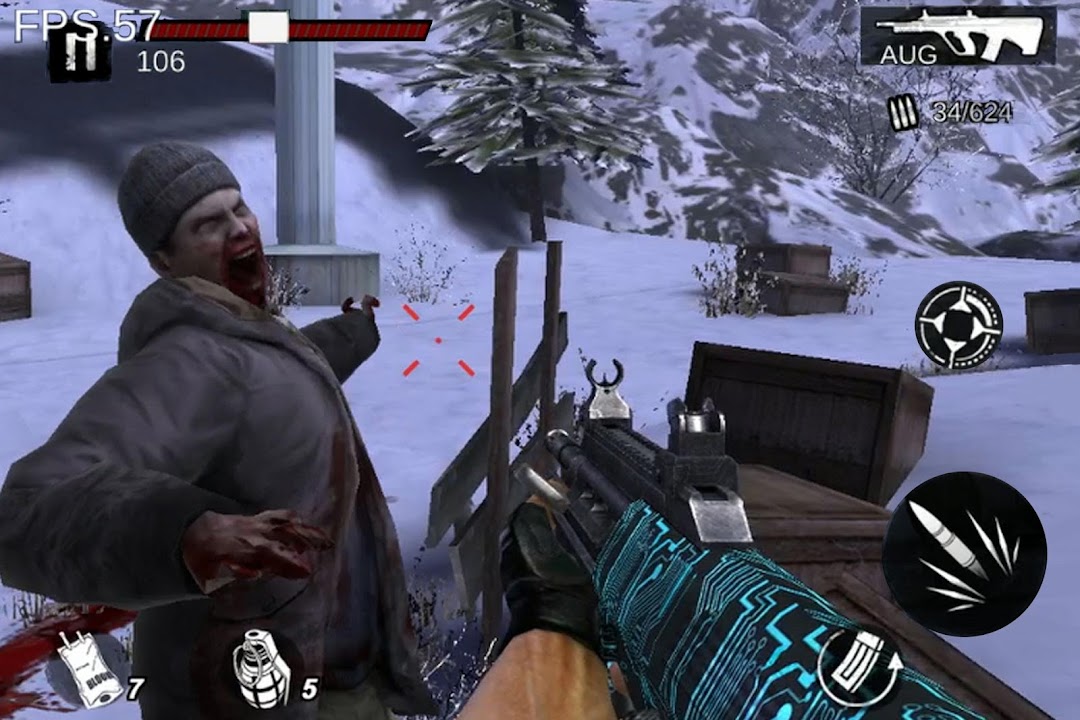
Zombie Frontier 4 is an offline first-person shooter from FT Games, the studio behind the earlier Zombie Frontier titles. You play a lone survivor in a city overrun by zombies, firing from mostly fixed shooting positions across more than a hundred story missions. On Google Play it sits at a 4.6 rating from roughly 178,000 reviews and has passed 10 million downloads as of June 2026, which puts it among the better-reviewed zombie shooters on Android. That popularity is also why the game shows up in dozens of unofficial “mod APK” listings promising unlimited money, one-hit kills, and god mode. Whether any of those are worth installing is a more complicated question than most download pages admit.
- What Zombie Frontier 4 Is and Who Made It
- How the Gameplay Actually Works
- Weapons, Zombie Types, and Boss Fights
- What the Mod APK Changes, and What It Does Not
- How to Download and Install Zombie Frontier 4 Safely
- Is Zombie Frontier 4 Safe to Install?
- The Monetization Problem Most Reviews Warn About
- Device Requirements and Performance
- Zombie Frontier 4 Compared to Its Rivals
- Frequently Asked Questions
- The Bottom Line
What Zombie Frontier 4 Is and Who Made It
Zombie Frontier 4 is a single-player, offline zombie shooting game built around sniping and close-quarters gunfights against waves of the undead. It was developed and published by FT Games (also known as Feelingtouch), a studio with roots in Hangzhou, China, and a registered office in Hong Kong. The same team made Zombie Frontier 3 and Zombie World War, so this is a direct continuation of a long-running series rather than a one-off clone.
The game runs on Android 7.0 and above and carries a Mature 17+ content rating on Google Play for intense violence and blood. It is free to download and play, but it contains both ads and in-app purchases, and those purchases sit at the center of most player complaints. The current build is version 1.10.16, last updated on May 15, 2026, according to its Google Play listing. Earlier releases circulating on third-party sites include versions like 1.10.10, 1.10.13, and 1.9.1, which matters mainly because mod files almost always lag behind the official version.
How the Gameplay Actually Works
Zombie Frontier 4 is a stationary shooter, which means your character usually holds a fixed position while zombies stream toward you, and your job is to aim well rather than move around freely. This design suits touch controls and short play sessions, since every level is built around precise shooting instead of running and gunning. Each stage uses a scoring system, so clearing a mission is only half the goal. Chaining accurate shots and headshots for a high score is the other half, and that scoring loop is what keeps players replaying levels.
Progression follows the familiar shooter pattern of earning currency, upgrading guns, and unlocking new ones. You improve damage, accuracy, and reload speed over time, then carry stronger loadouts into harder missions. The game splits its content across modes, with a story campaign that follows a loose post-apocalyptic plot and additional survival-style challenges, world map events, and limited-time events such as the recurring gachapon promotions. Because the core experience is offline, you can play most of it without a connection, which makes it practical on a commute or anywhere data is unreliable.
Weapons, Zombie Types, and Boss Fights
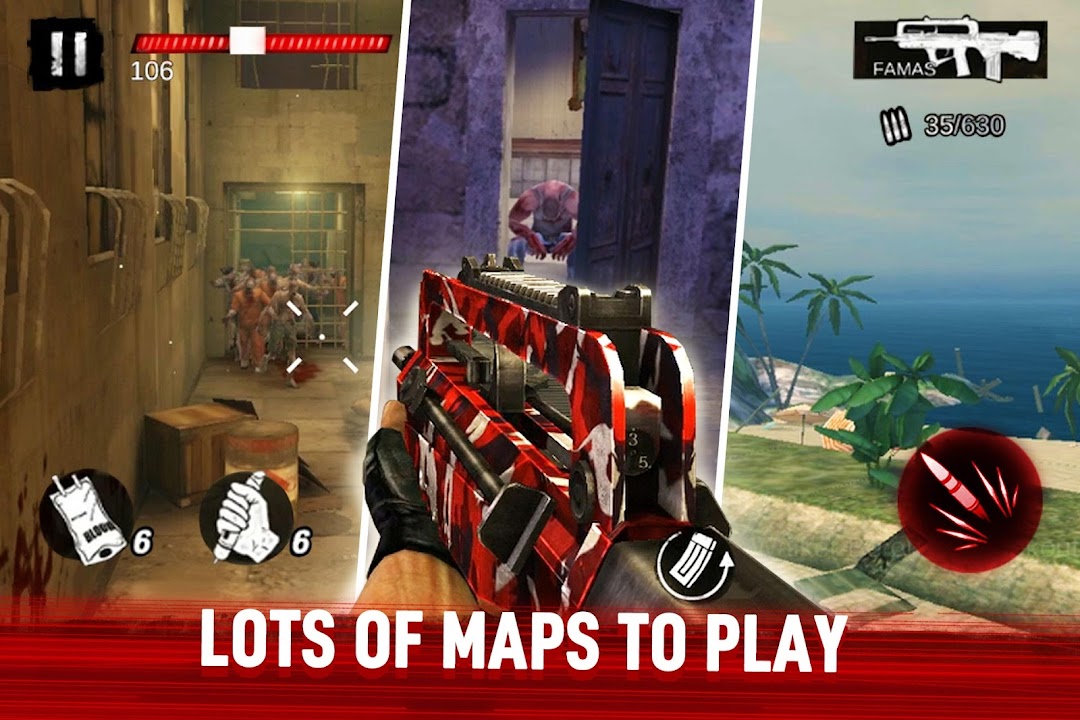
Your arsenal covers the standard FPS spread, and choosing the right tool for each threat is the main strategic layer. You can lean on pistols for precise hits on weak points, dual automatic rifles for spraying suppression, shotguns for anything that gets close, and sniper rifles for long-range kills. Grenades and heavier weapons come into play on specific stages, and each weapon class has its own handling, ammo behavior, and upgrade path.
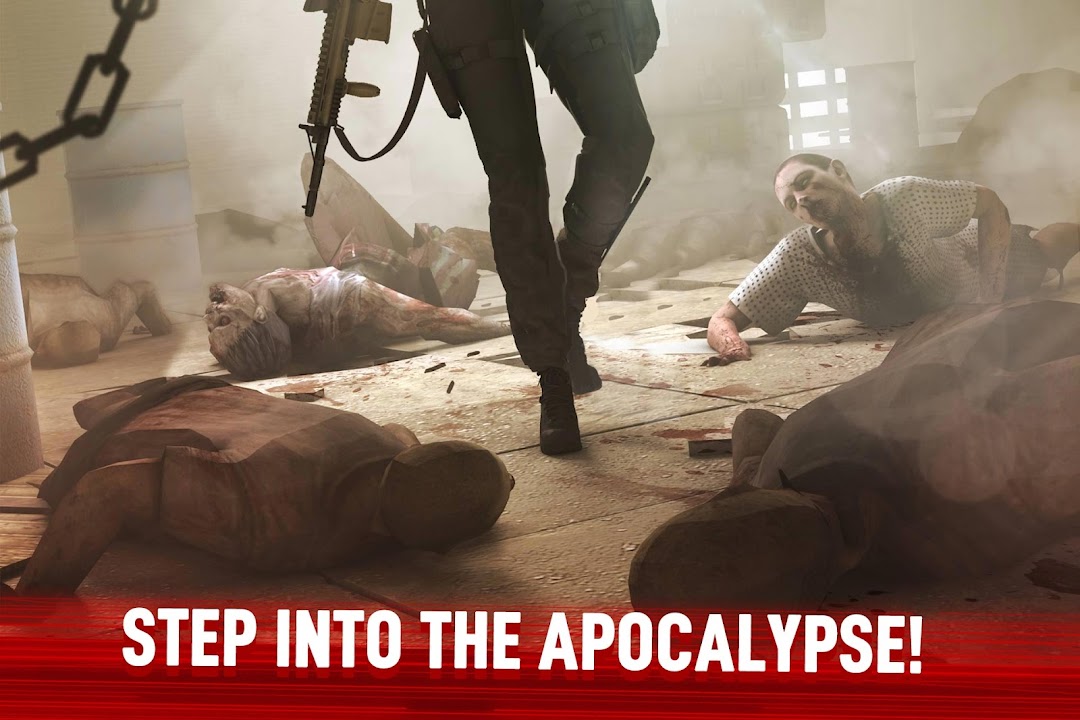
The enemies are more varied than the genre usually bothers with. Beyond ordinary walkers, you face pouncing zombie dogs, tentacled zombies that can rise again after a headshot, and faster mutations the game calls Lickers and Chargers. The headline threat is the “Mother Worm,” described in-game as a warped fusion of multiple zombie types and used as a major boss encounter. Levels also shift environments, moving you through snowfields, deserts, caves, a rooftop sniper stage, a bridge standoff, abandoned hospitals, and island maps, so the backdrops change even though the stationary shooting stays consistent.
What the Mod APK Changes, and What It Does Not
A Zombie Frontier 4 mod APK is a third-party modified copy of the game, not an official release, and the most common versions advertise unlimited money or bullets, one-hit kills, god mode, and a “mod menu” that toggles these on. The appeal is simple. Because the original game gates upgrades behind a slow currency grind, a mod that hands you resources lets you skip the farming and jump straight to testing powerful weapons and reaching late levels quickly.
What these mods do not change is the game itself underneath. The maps, zombies, and core mechanics stay the same, since a mod only rewrites values like your currency balance or damage output. They also do not come from FT Games, so they carry none of the developer’s quality control. Modded files frequently target an older version of the game, which means they can break after an official update, lose access to online events, and behave unpredictably across different phones. A mod that gives you unlimited resources also removes most of the challenge the scoring system is built around, so the trade is real progression speed against a flatter, sometimes unstable experience.
How to Download and Install Zombie Frontier 4 Safely
The safest route is always the official Google Play listing, where updates, refunds, and the developer’s own builds are handled for you. If you choose to sideload an APK instead, whether the original or a modified build, the process is standard Android sideloading and you should treat the source as the single most important factor.
To sideload any APK, you first download the file from a source you trust, then allow your browser or file manager to install apps from unknown sources when Android prompts you, and finally open the downloaded file to install it. One small habit makes a meaningful difference: turn that “install unknown apps” permission back off the moment the install finishes, since leaving it on is what lets a malicious file slip through later. If you want a catalog that organizes these files with version details rather than burying them under pop-ups, you can start here.
Browse Verified APKs on MODLMH
Whichever source you use, check the file’s package name, which should read com.feelingtouch.zfsniper, and be cautious of any build that requests permissions a single-player shooter has no reason to need, such as SMS or contact access.
Is Zombie Frontier 4 Safe to Install?
The official version of Zombie Frontier 4 is safe, and the risk comes almost entirely from where you get the file and whether it has been modified. The original APK from Google Play is signed by FT Games and scanned by Google, so the main thing to be aware of there is the in-app spending, not malware. Modded copies are a different matter, and the danger is not the idea of a mod but the file you actually run.
An APK from an unknown site can be repackaged to carry malware, adware, or token-stealers hidden inside a working copy of the game, and because Android installs it with whatever permissions it requests, a bad file can do real damage. There is also an account angle. Signing into any online progress, leaderboard, or store feature from a modified build can get that account flagged or banned under the game’s terms of service, since cheated values are detectable. The honest rule of thumb is straightforward: a modded APK is only ever as trustworthy as its source, and if an account or any payment information matters to you, do not sign into it from a mod. None of this is a reason to panic about the game, but it is a reason to be deliberate about the file.
The Monetization Problem Most Reviews Warn About
The single most common complaint about Zombie Frontier 4 is not bugs or zombies, it is money, and it is worth knowing before you invest hours into the game. Read through the actual Google Play reviews and a clear pattern appears: players enjoy the early levels, then hit a wall where progress slows to a crawl unless you spend. Upgrade costs climb faster than the gold and credits you earn, and one frequently criticized feature is a “piggy bank” system that lets you accumulate rewards but only unlock them by paying. Multiple long-time reviewers describe the later game as effectively a demo, fun until the point where it pressures you toward purchases.
This is the gap that the mod scene fills, and understanding it explains the whole appeal. The unlimited-money mods exist precisely because the official economy is tuned to be slow, so players who do not want to pay reach for a modified build instead. That context cuts both ways. It tells you the original is genuinely grind-heavy, and it also tells you the mods are solving a design problem rather than adding new content. If you go in expecting a polished free game with no friction, the monetization will frustrate you. If you go in knowing it is built around spending, you can decide up front how far you want to play without paying.
Device Requirements and Performance
Zombie Frontier 4 needs Android 7.0 or newer and is a fairly heavy game, so older or low-storage phones are where problems show up. The base install is sizable and the full game with its assets can occupy several hundred megabytes once everything downloads, which is enough to strain budget devices on both storage and graphics. The 3D visuals and effects look good on capable hardware, but on aging phones they can translate into longer load times, frame drops, and the occasional crash.
Performance complaints also appear in reviews unrelated to mods, including reports of the intro level becoming unresponsive or forcing a data clear before it works. If you are on a mid-range or older device, close background apps before playing, make sure you have free storage for the game’s downloads, and update to the current version 1.10.16 rather than running an old build, since later releases tend to include stability fixes even when the patch notes only say “fixed some bugs.”
Zombie Frontier 4 Compared to Its Rivals
Zombie Frontier 4 stands out for production values and content volume, while its stationary design and aggressive monetization are where competitors sometimes do better. Against its own predecessor, Zombie Frontier 3, the fourth entry offers sharper 3D graphics, more enemy variety, and a larger event structure, which is why it carries a higher Google Play rating than the older title. The trade is that ZF3 is leaner and lighter, so it runs more comfortably on weak hardware.
Compared to other popular Android zombie shooters such as Zombeast, UNKILLED, or Dead Warfare, the differences come down to movement and money. UNKILLED and similar titles give you more freedom to move and dodge, whereas Zombie Frontier 4 keeps you locked into firing positions that reward aim over mobility. On monetization, several rivals are more generous with free progression, which is the most consistent edge they hold over this game. If you specifically want a stationary, offline sniper experience with strong visuals, Zombie Frontier 4 is one of the better picks. If you want to advance quickly without spending and value free movement, one of its competitors may fit you better.
Frequently Asked Questions
Is Zombie Frontier 4 free to play? Yes, it is free to download and play, and the core campaign is offline. It contains ads and optional in-app purchases, and the catch is that progression slows significantly in later levels unless you spend, which is the main thing reviewers warn about.
Is the Zombie Frontier 4 mod APK safe? A mod is only as safe as the file’s source. Builds from unknown sites can hide malware or token-stealers, and even a clean mod can get an online account flagged under the game’s terms. If you want to be safe, use the official version, or only sideload from a source you trust and never sign a valuable account into a modified build.
Does Zombie Frontier 4 work offline? Most of the game does. The story campaign and single-player missions run without a connection, which makes it convenient for travel. Some events and online features need internet, but the bulk of the experience is offline.
What is the latest version of Zombie Frontier 4? The current build is version 1.10.16, updated on May 15, 2026. Mod files often lag behind this, so a modded copy may be running an older release like 1.10.10 or 1.9.1, which can cause compatibility issues after official updates.
Why is Zombie Frontier 4 so hard to progress in? The in-game economy is tuned to be slow. Upgrade costs rise faster than the currency you earn, and features like the piggy bank lock rewards behind payment. This is by design, and it is the reason unlimited-money mods are so widely searched for.
Will I get banned for using a mod? Possibly, if you use it with online features. Modified values such as unlimited currency or one-hit kills are detectable, and using them on a connected account can lead to a flag or ban. Offline-only play carries less of this specific risk, but the file-source risk still applies.
The Bottom Line
Zombie Frontier 4 is a genuinely well-made offline zombie shooter with sharp visuals, varied enemies, and a satisfying sniping loop, held back by an economy that pushes hard toward spending once the early levels are behind you. For most players, the smartest path is to install the official version from Google Play, enjoy the campaign for free, and decide for yourself whether the later-game paywall is worth your money before you commit. If you are tempted by a mod to skip the grind, treat the file source as the whole safety question, keep modified builds away from any account or payment details you care about, and remember that the unlimited resources also strip out much of what makes the scoring fun. Play the original first, and let the way it treats your wallet tell you whether the mod is even worth the risk.
Menu Mod, One Hit, God Mode
Install the official, unmodified build straight from Google Play.
Android emulator to run ZOMBIE FRONTIER 4: SHOOTING 3D APK smoothly on PC.